Workflows at scale: many steps, many structures, convergence
A single calculation is rarely the whole job. You relax a structure, then compute its DOS; you run the same steps on several materials; you check that the results do not depend on the numerical settings. SiestaStudio's Workflow Builder and Convergence Study export all of this as folders and scripts that run on your computer or on a cluster. In this tutorial you:
- look at a workflow in the list and canvas views and edit its steps,
- run one workflow over two structures with Batch Mode,
- run a mesh-cutoff convergence study for MgO and read what it tells you.
It takes about 25 minutes; the runs take about two minutes in all.
Before you start
- A SiestaStudio account and SIESTA 5.
- Your first calculation explains the database search, the wizard and the downloads.
- Two structure files for the batch: a CIF of rock-salt MgO (8 atoms) and of diamond silicon (8 atoms), for example exported from the structure builder (Building structures).
1. The base calculation
Create a project Workflows, open the studio, search the database for MgO
and import mp-1265. Run the wizard with Bulk Crystal, Insulator,
Single-point energy and Quick, and Apply All. These settings are
the base every workflow step starts from. Check Diagnostics, download the
pseudopotentials and save the calculation.
2. A workflow in two views
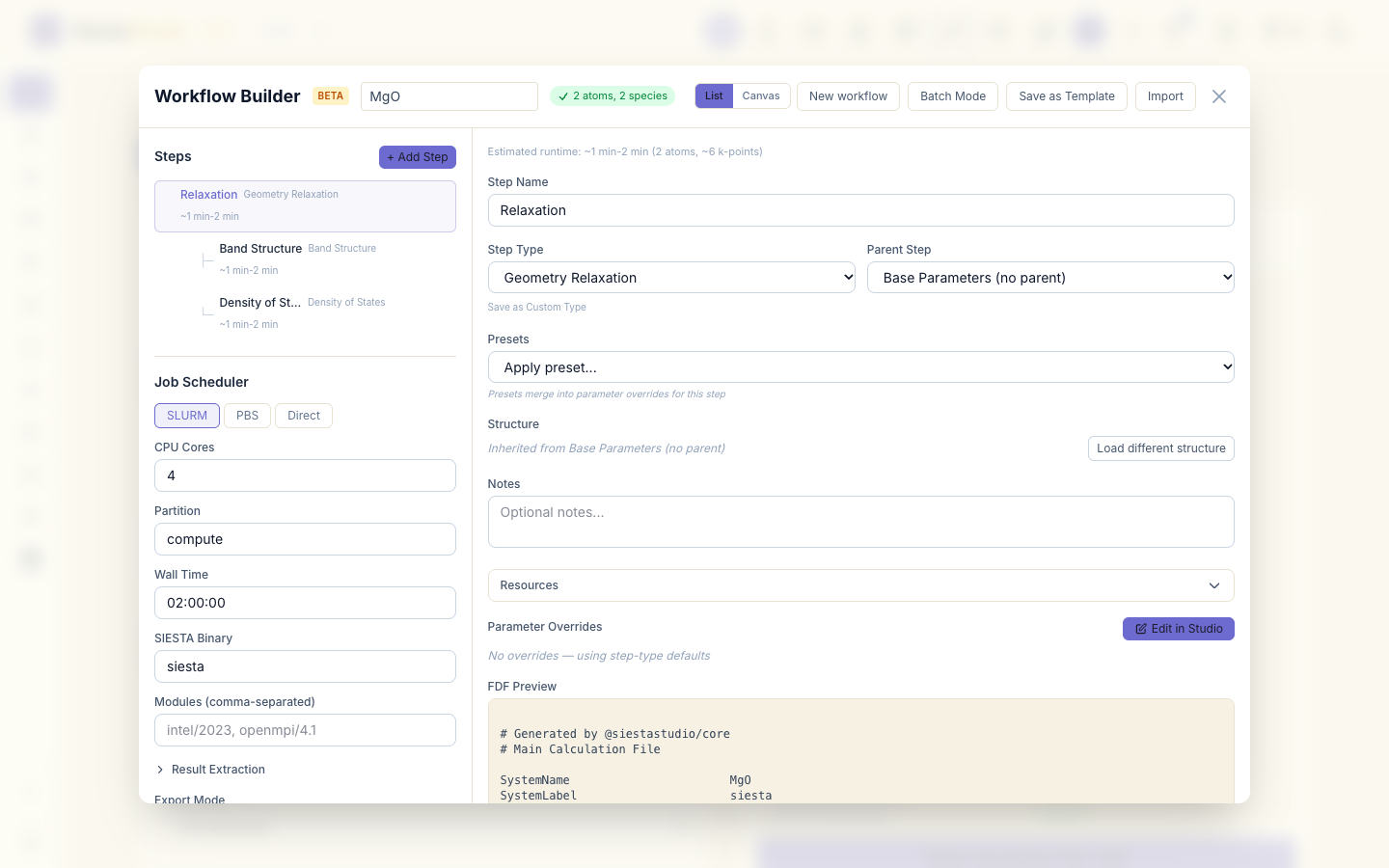
Click Workflow Builder and choose the template Relax + Bands + DOS. The List view shows the steps as a tree: Relaxation first, then Band Structure and Density of States, which both start from the relaxed structure.
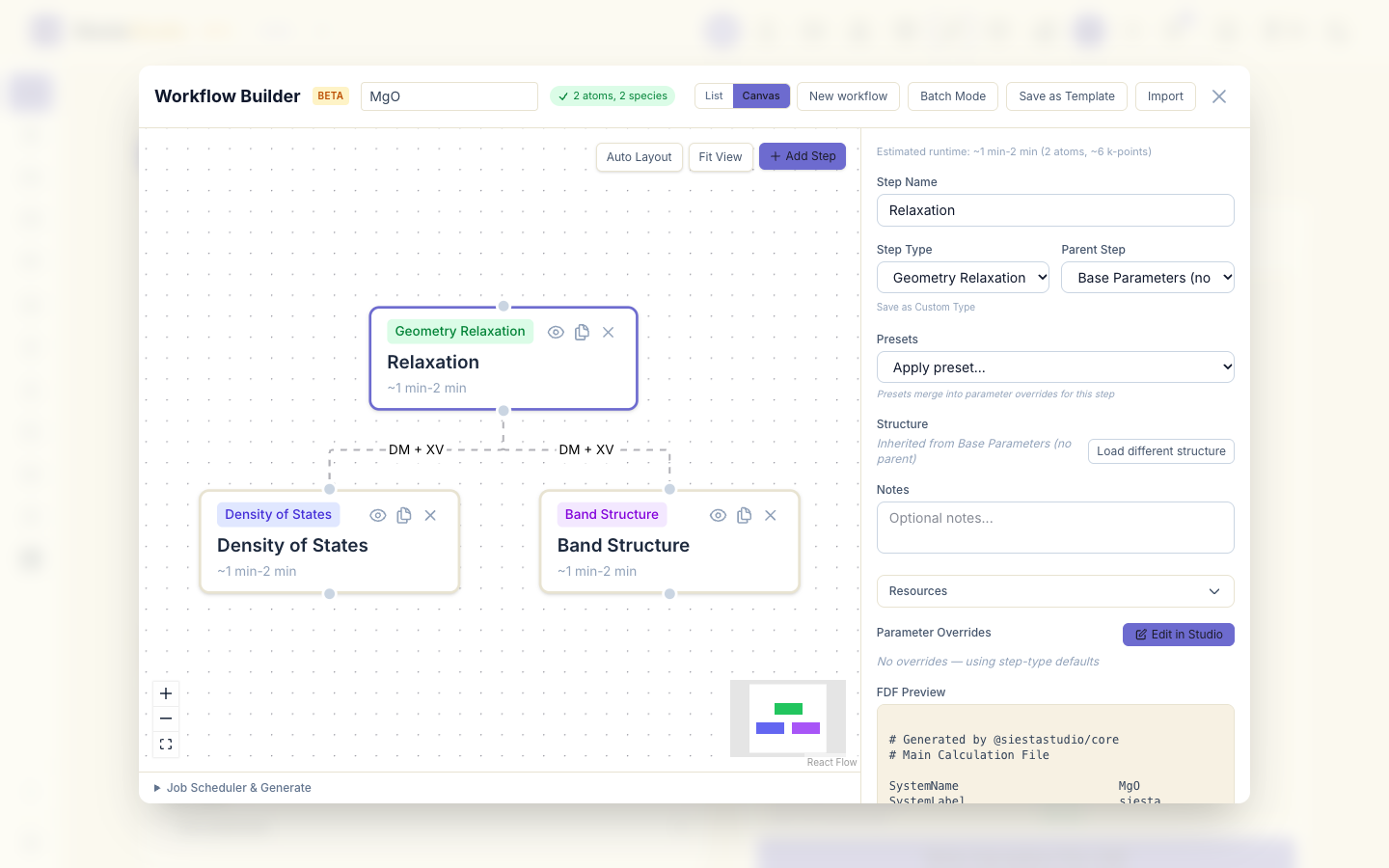
Canvas draws the same workflow as a graph, with the files that pass from one step to the next on the arrows.
3. Edit the steps
Back in List, delete the Band Structure step with its delete button. A band structure needs a k-path for each structure, and in the next section the workflow runs on two different cells.
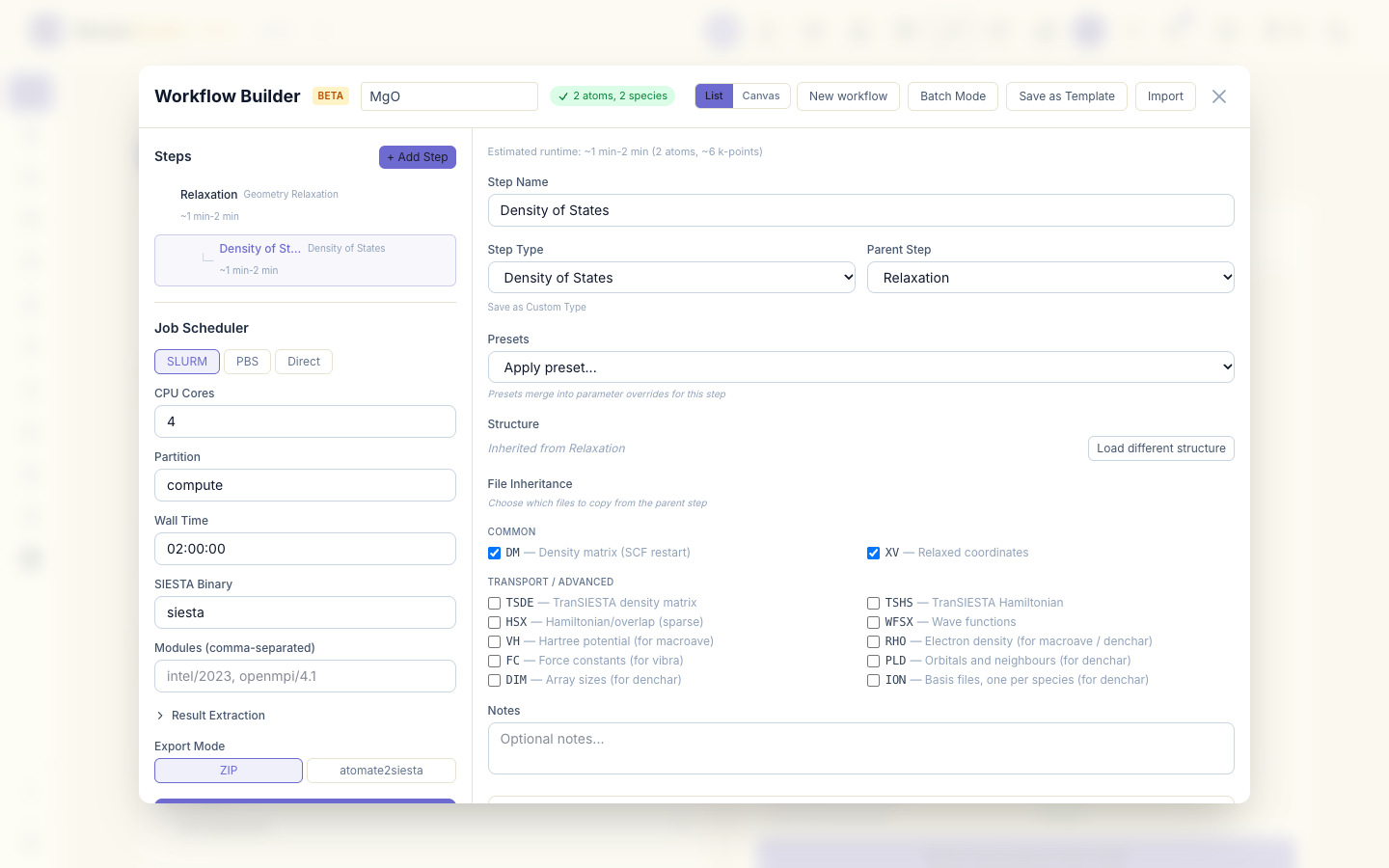
Select Density of States. The step editor shows its name, type and parent step, presets, and under File Inheritance the files it copies from its parent: DM (the density matrix, so the SCF starts converged) and XV (the relaxed coordinates). Tick other files when a step needs them; the post-processing steps (macroave, denchar, vibra, fat, mprop) tick the files they read by default.
To start from a different template, click New workflow.
4. Batch Mode: one workflow, two structures
Click Batch Mode, then + Add Structures, and choose the MgO and the silicon CIF files. Both appear in the list; each will get its own copy of the workflow, with its own structure and the shared settings.
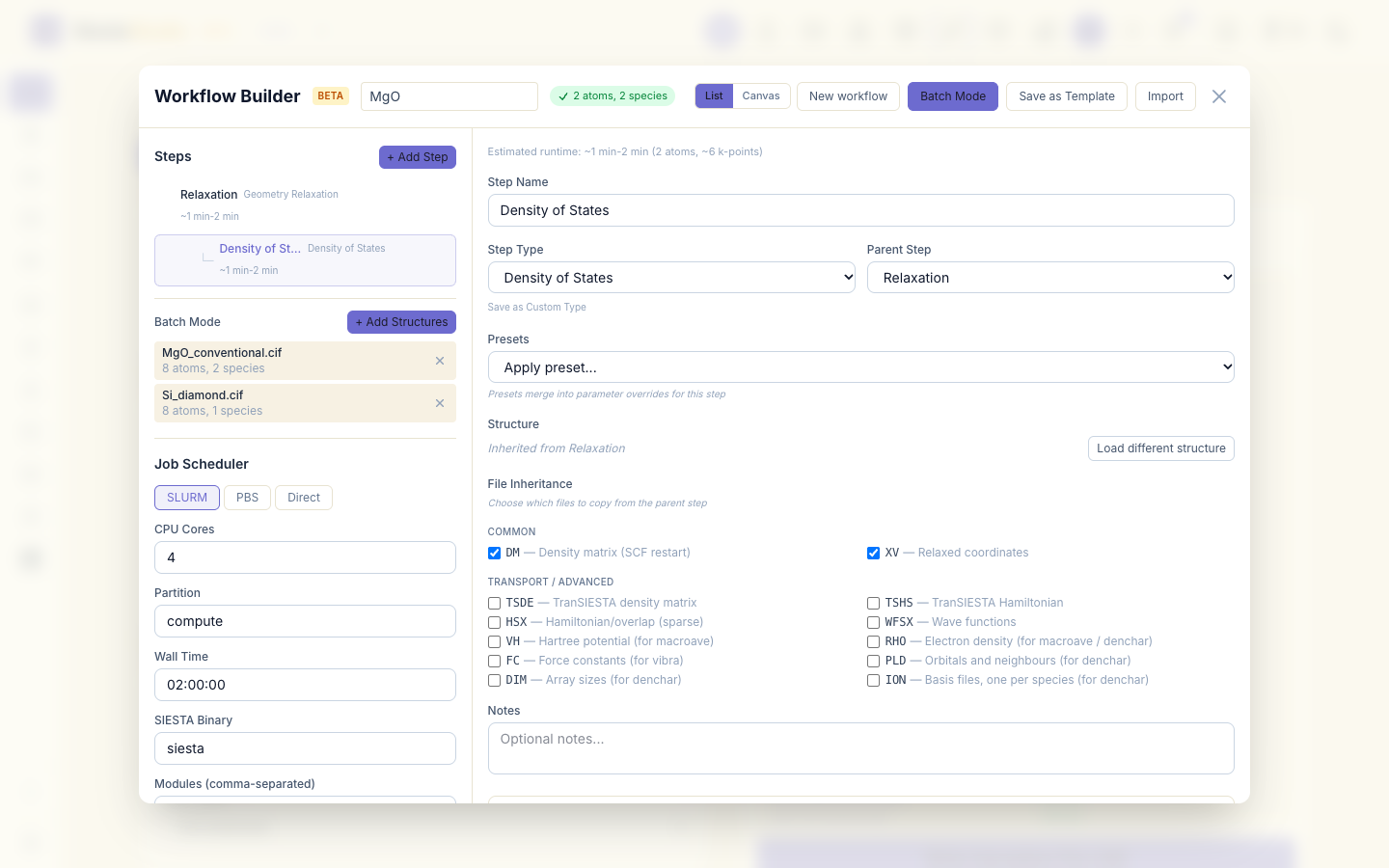
Choose Direct, set CPU Cores to 1, and click Generate (2
systems). The ZIP holds a folder per structure (MgO_conventional,
Si_diamond), each with 01_relaxation and 02_dos, a pseudopotential
download script and its own submit_workflow.sh, plus submit_all.sh,
which runs them one after the other.
for d in MgO_conventional Si_diamond; do (cd $d && sh download_pseudos.sh); done
bash submit_all.sh
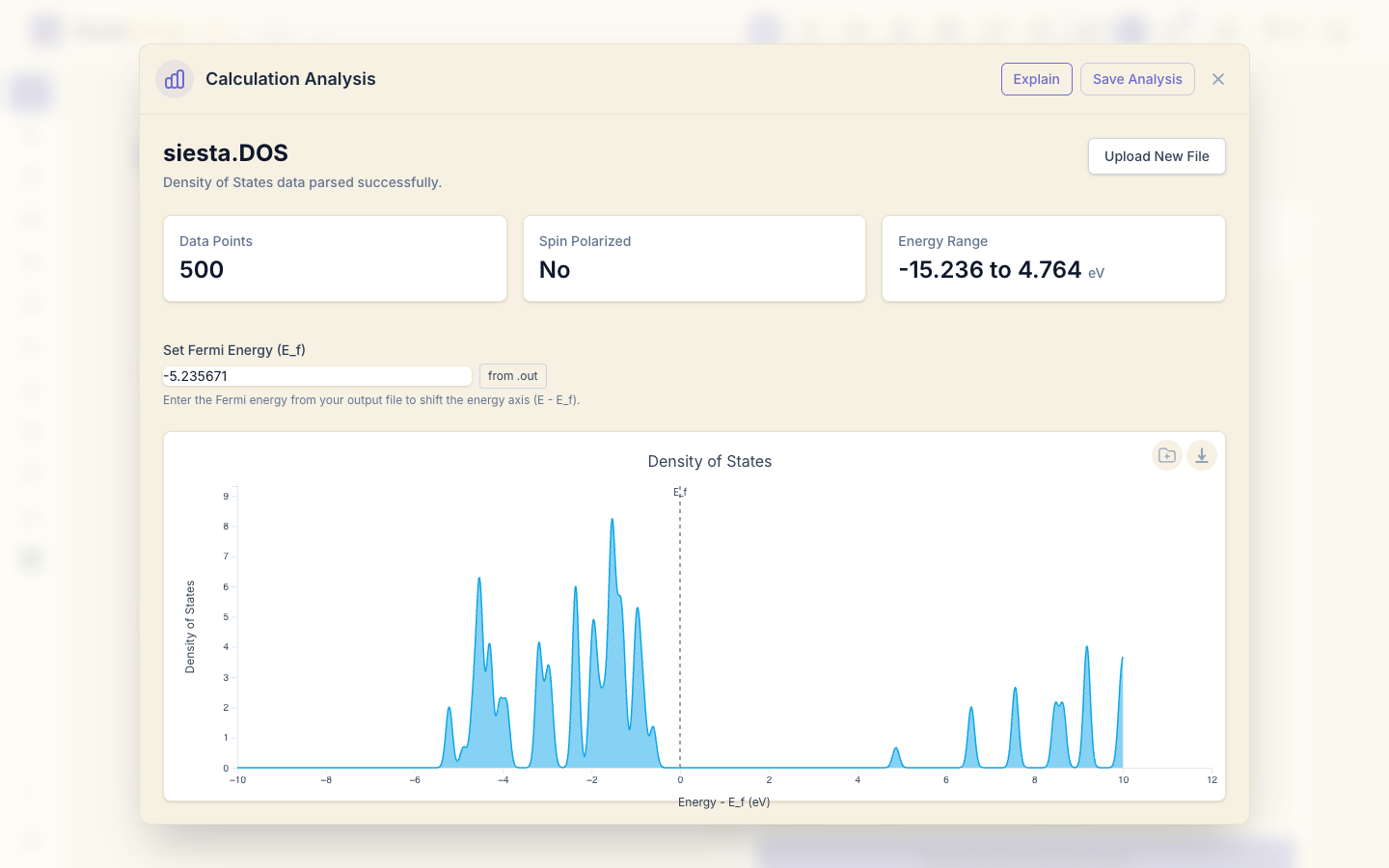
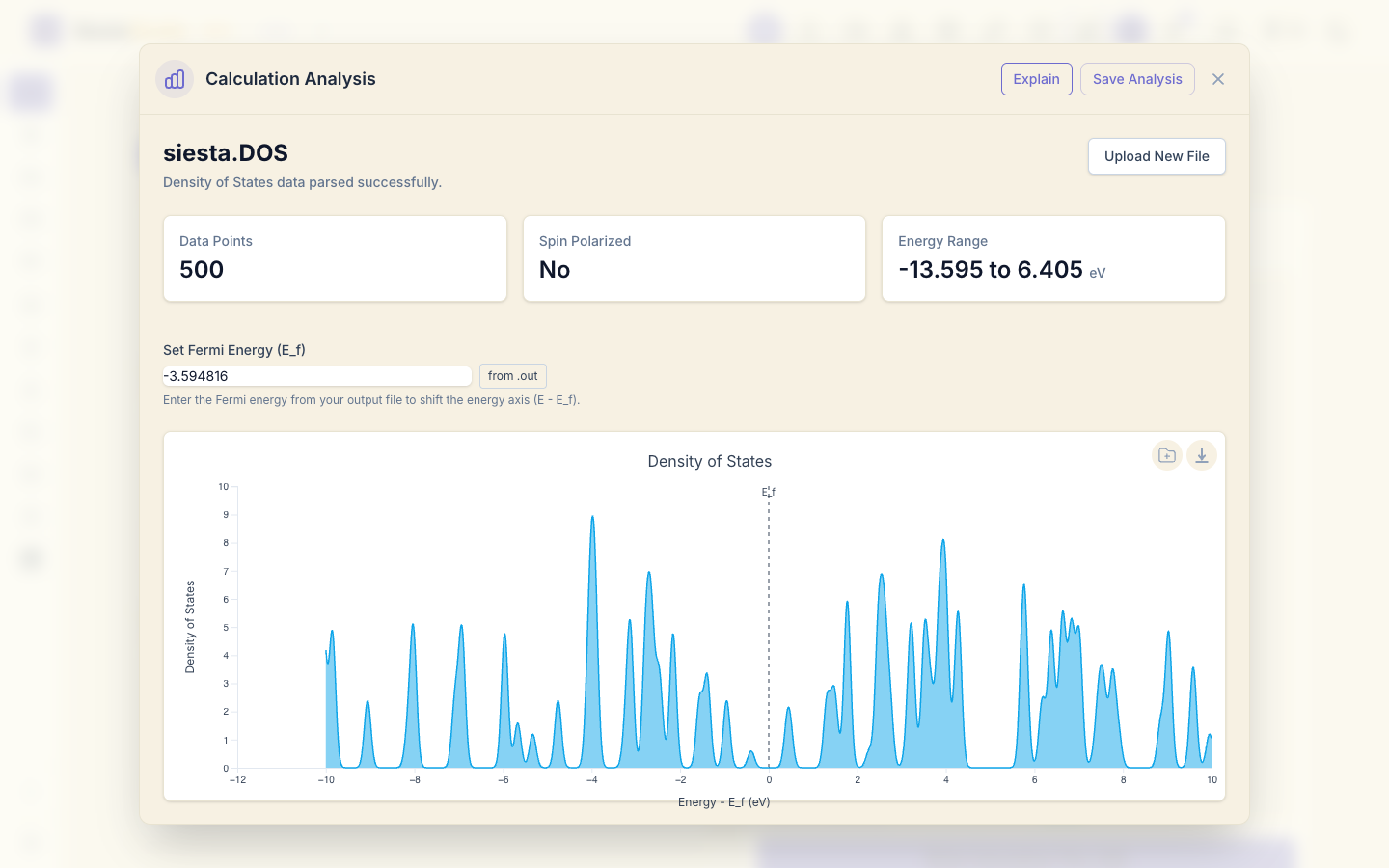
Both cells are perfect crystals, so each relaxation stops after one step, and
each DOS step writes 02_dos/siesta.DOS. Open both in Analyze File,
click Plot Density of States, and set the Fermi energy of each run (from
its siesta.out, or with from .out). With the Quick settings the k-point
sampling is coarse, so each DOS is a row of separate peaks rather than smooth
bands; use a finer k-grid for a DOS you want to read in detail.
5. A convergence study
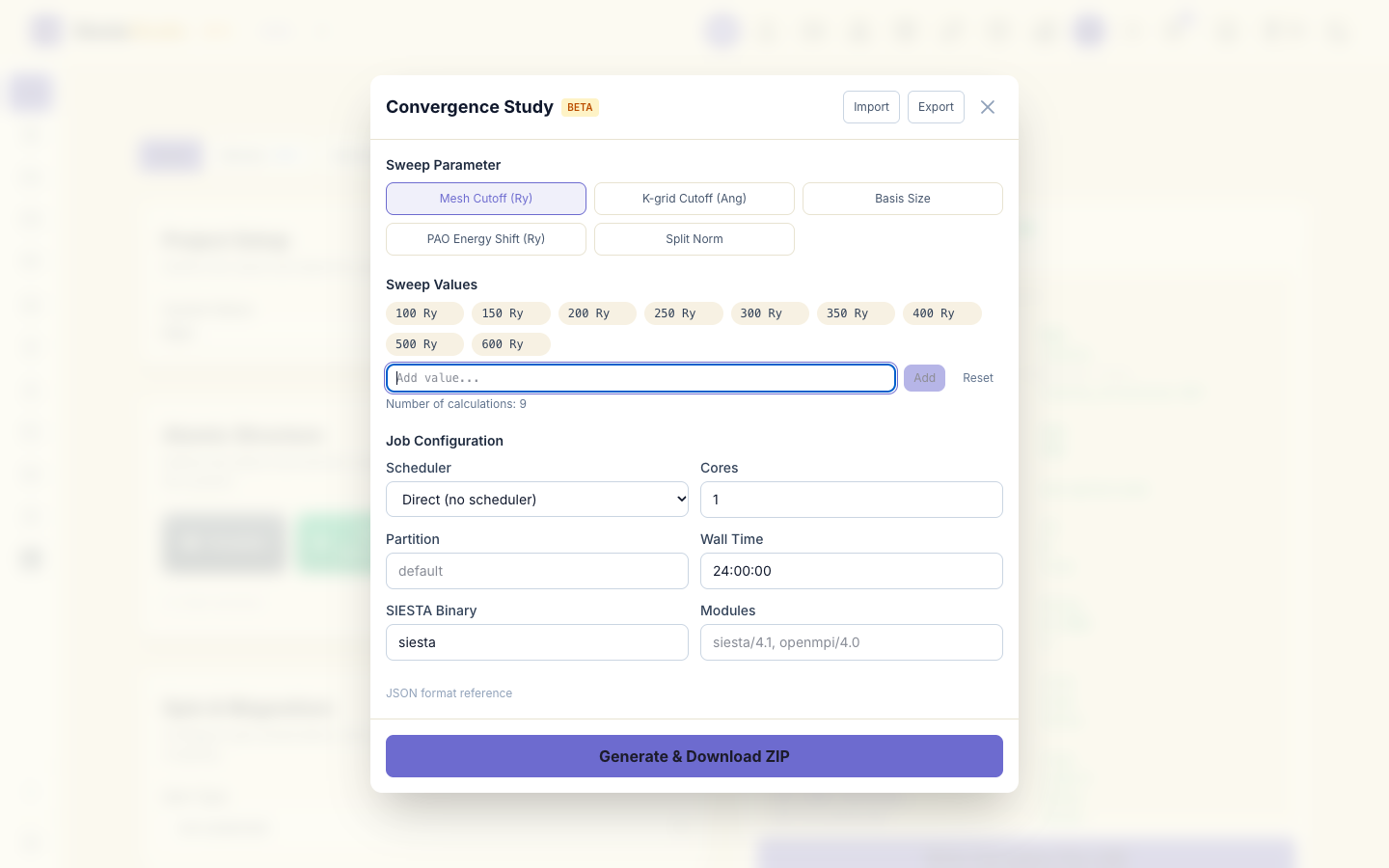
Close the Workflow Builder and click Convergence Study in the header.
Choose Mesh Cutoff (Ry) as the parameter. The suggested values run from
100 to 400 Ry; type 500 and 600 in Add value... and click Add
after each, to go further. Under Job Configuration choose Direct (no
scheduler) and 1 core, and click Generate & Download ZIP.
The ZIP has one folder per value (job_0 to job_8), run.sh, which runs
them one by one, and extract.py, which collects the total energies into a
CSV file:
sh download_pseudos.sh
sh run.sh
python3 extract.py
6. Reading the convergence
extract.py prints the energy of each run:
- 100 Ry asked, 121 Ry used: −2067.2171 eV
- 150 Ry asked, 153 Ry used: −2067.0879 eV
- 200 and 250 Ry asked, 272 Ry used: −2066.9722 eV
- 300, 350 and 400 Ry asked, 424 Ry used: −2066.9494 eV
- 500 and 600 Ry asked, 611 Ry used: −2066.9436 eV
Two things to notice:
- Several values give the same energy. SIESTA cannot use any mesh cutoff: it
rounds up to the next real-space grid that fits the cell (the line
InitMesh: Mesh cutoff (required, used)insiesta.out). 200 and 250 Ry both give the 24 × 24 × 24 grid, worth 272 Ry. Compare runs by the cutoff used. - The energy changes per atom between successive grids are 64.6, 57.9, 11.4 and 2.9 meV. MgO with these pseudopotentials needs about 600 Ry for the total energy to settle within a few meV per atom; the wizard's Quick preset (150 Ry) is far from that. Energy differences, such as between two structures, converge faster than total energies, so check the quantity you will actually report.
7. Save the analysis
Click Save Analysis and choose the project.
What next
- Phonons: a three-step workflow with SIESTA's
fcbuildandvibra. - Orbital projections: workflows that
end in
fatandmprop.