When a run fails
Calculations fail. Some problems SiestaStudio can point out before you run; others only SIESTA finds, and then the question is what its output says and what to change. In this tutorial you break an MgO calculation on purpose, three ways:
- settings that SiestaStudio warns about before the run,
- an SCF that is not allowed enough iterations to converge,
- a run with a pseudopotential file missing,
and you read what went wrong in SiestaStudio, look up the cause in the SIESTA manual from the studio, see the same failure as a cluster job, and ask the docs assistant.
It takes about 20 minutes; every SIESTA run in it stops within seconds.
Before you start
- A SiestaStudio account and SIESTA 5 on your computer.
- Your first calculation explains the database search, the wizard and the downloads.
- For section 5 only: a cluster connection, as in Running on a cluster.
1. Warnings before the run
Create a project MgO failures, open the studio, import MgO (Search DB,
MgO, mp-1265) and run the wizard with Bulk Crystal, Insulator,
Single-point energy and Standard.
Now make two choices that work but are not wise: set Mesh Cutoff (Ry) in
Real-Space Grid to 60, and choose the Linear mixer under Mixing
Scheme in Self-Consistent Field (SCF). Open the Diagnostics tab: it
warns that the mesh cutoff is low for the DZP basis and may cause poor
convergence, and suggests the Pulay mixer, which usually converges faster.
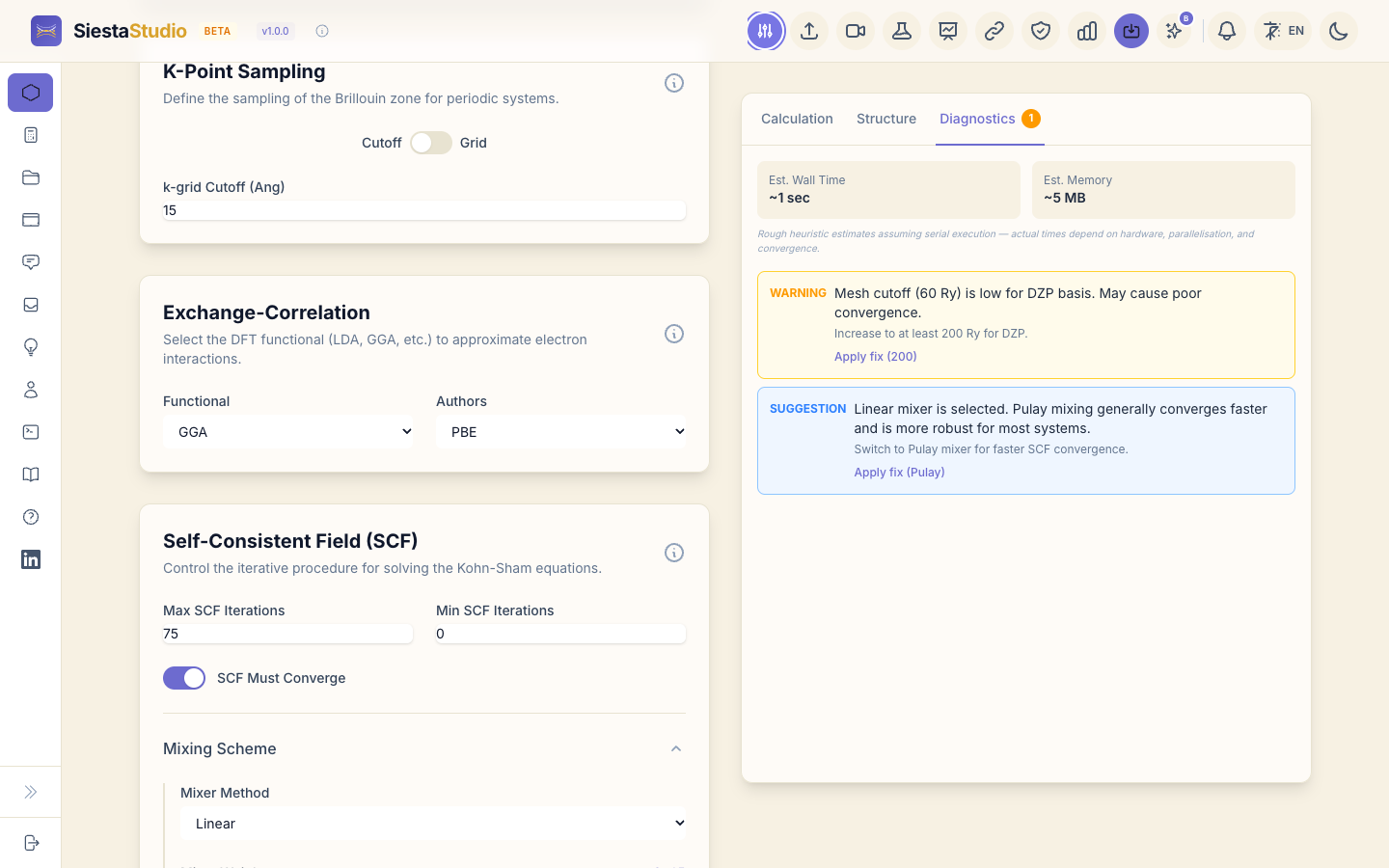
Diagnostics checks the input for settings that are likely to fail or to give
poor results, and explains each one. Put the mesh cutoff back to 200 and the
mixer back to Pulay: Diagnostics reports All parameters look good!
2. An SCF that cannot converge
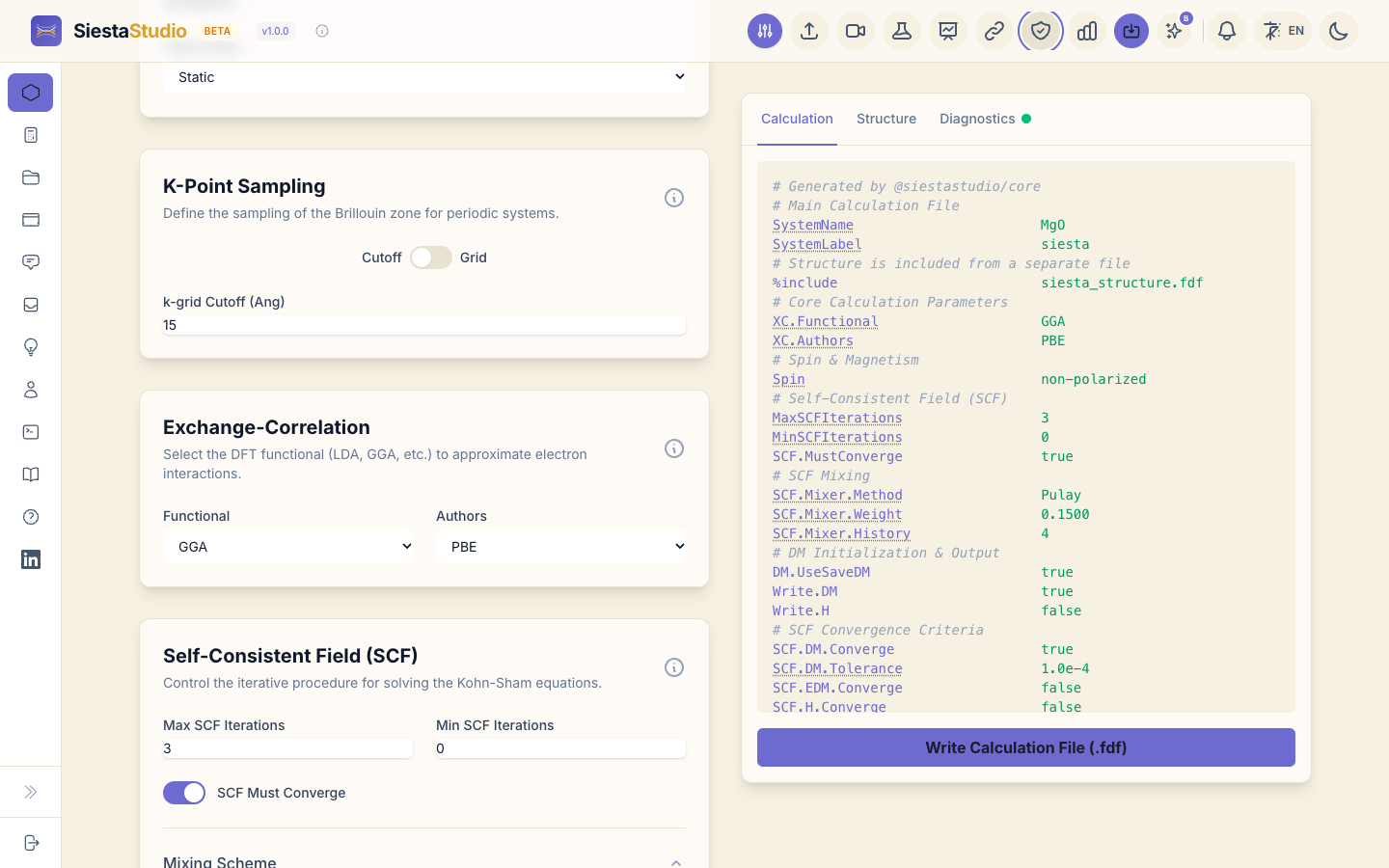
In Self-Consistent Field (SCF), set Max SCF Iterations to 3 and
leave SCF Must Converge on. The input now reads MaxSCFIterations 3 and
SCF.MustConverge true: SIESTA may try three times, and must stop if the SCF
has not converged by then.
Download the inputs and the pseudopotentials and run SIESTA as usual. It
stops after three iterations. The end of siesta.out says why:
SCF_NOT_CONV: SCF did not converge in maximum number of steps (required).
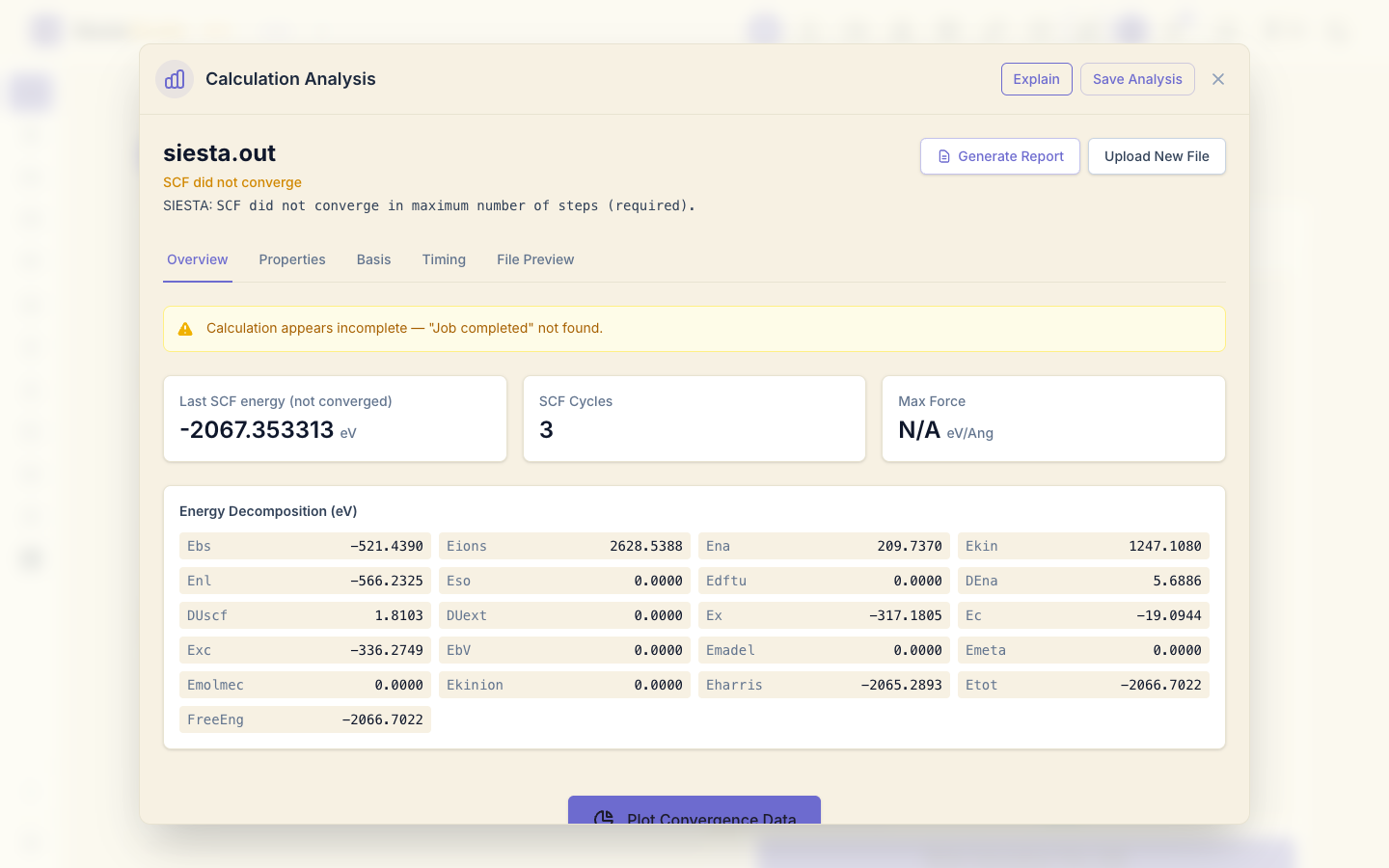
Open siesta.out in Analyze File. The header reads SCF did not
converge, with SIESTA's message below it, and the energy card is labelled
Last SCF energy (not converged): the energy of the last iteration, which
is not a result you can use.
3. Look it up: Explain
Click Explain in the analysis window. SiestaStudio searches the SIESTA manual for passages on what went wrong (here SCF convergence and mixing) and lists them with links to the manual. The first time, it loads its search model into the browser, which takes a moment. With a browser that supports WebGPU, AI answers can also write a short answer from those passages; the passages are the source to trust.
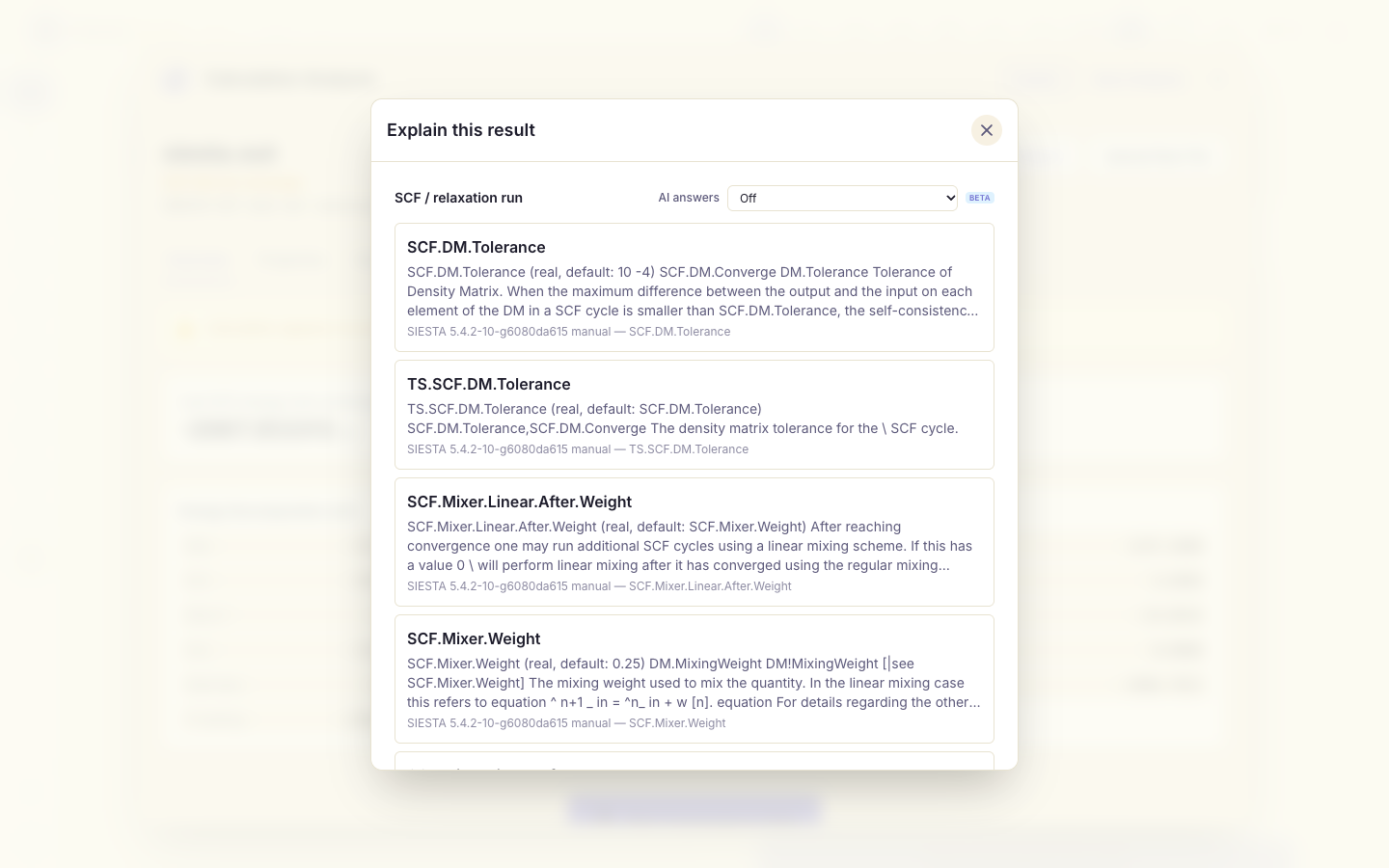
What to change for an SCF that does not converge: allow more iterations (Max SCF Iterations, 100 or more), mix more gently (a smaller Mixer Weight, a longer Mixer History), or start from a better density matrix. For MgO with the defaults, 100 iterations is far more than it needs: the same input converges in about ten.
4. A missing pseudopotential
Set Max SCF Iterations back to 100 and download the inputs again, but
this time leave O.psml out of the run folder, as if you had forgotten it.
SIESTA stops before the SCF starts:
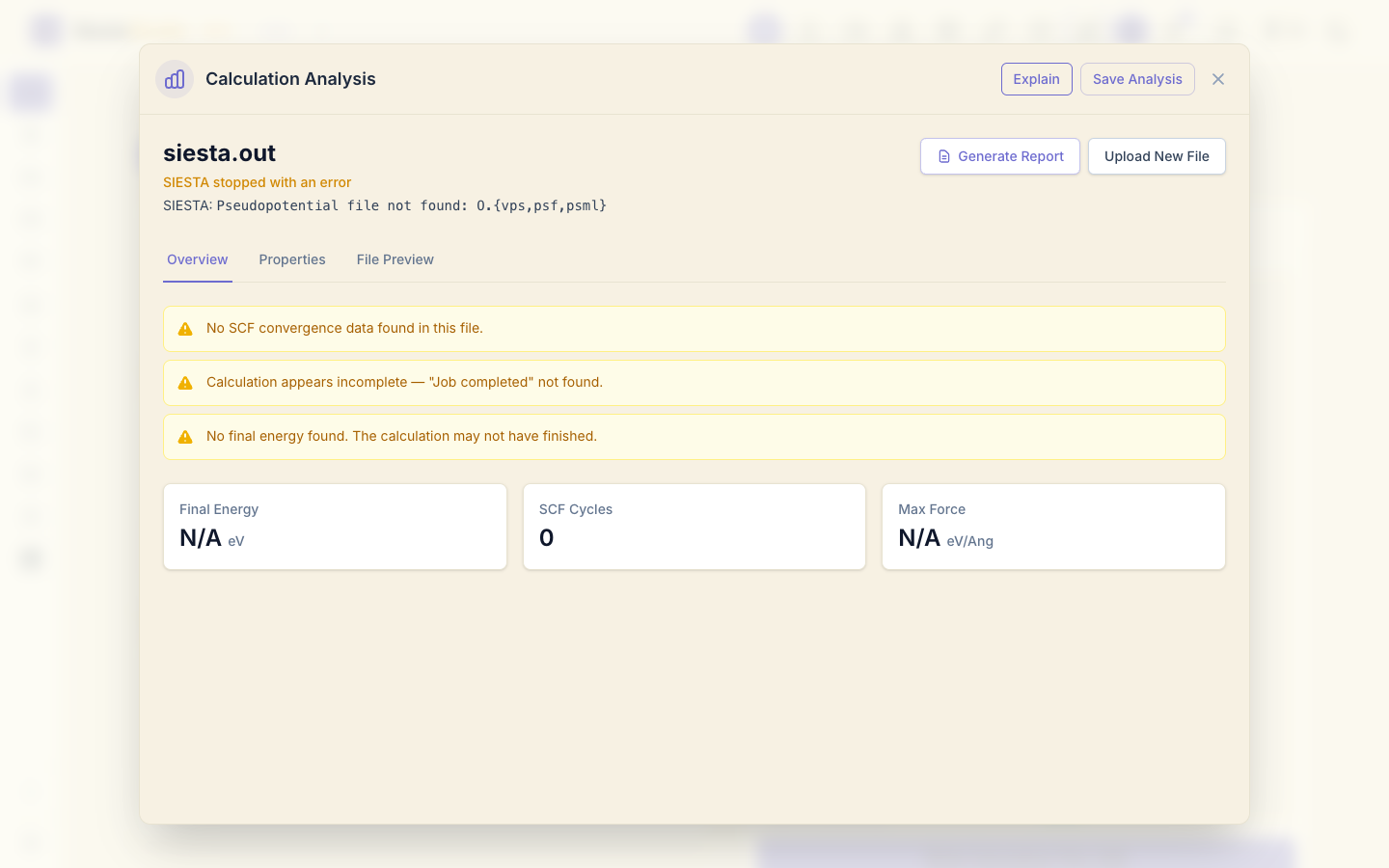
pseudo_read: ERROR: Pseudopotential file not found: O.{vps,psf,psml}
In Analyze File the header reads SIESTA stopped with an error, with that message: the problem is a missing file, not the SCF.
SIESTA looks for a file named after each species label (O.psml, O.psf or
O.vps) in the folder it runs in. Pseudopotentials → Download All
(ZIP) gives one file per species with the right names; when the run goes
through a cluster from SiestaStudio, the pseudopotentials are uploaded with
the input.
5. A failed job on a cluster
The same failure on a cluster looks different: you do not watch the run, the
job just ends. With a cluster connection set up as in Running on a
cluster, load the calculation, set Max SCF
Iterations to 3 again, click Run on cluster and Submit. The
calculation is saved with the current settings before the job is submitted,
so the cluster runs exactly what you see.
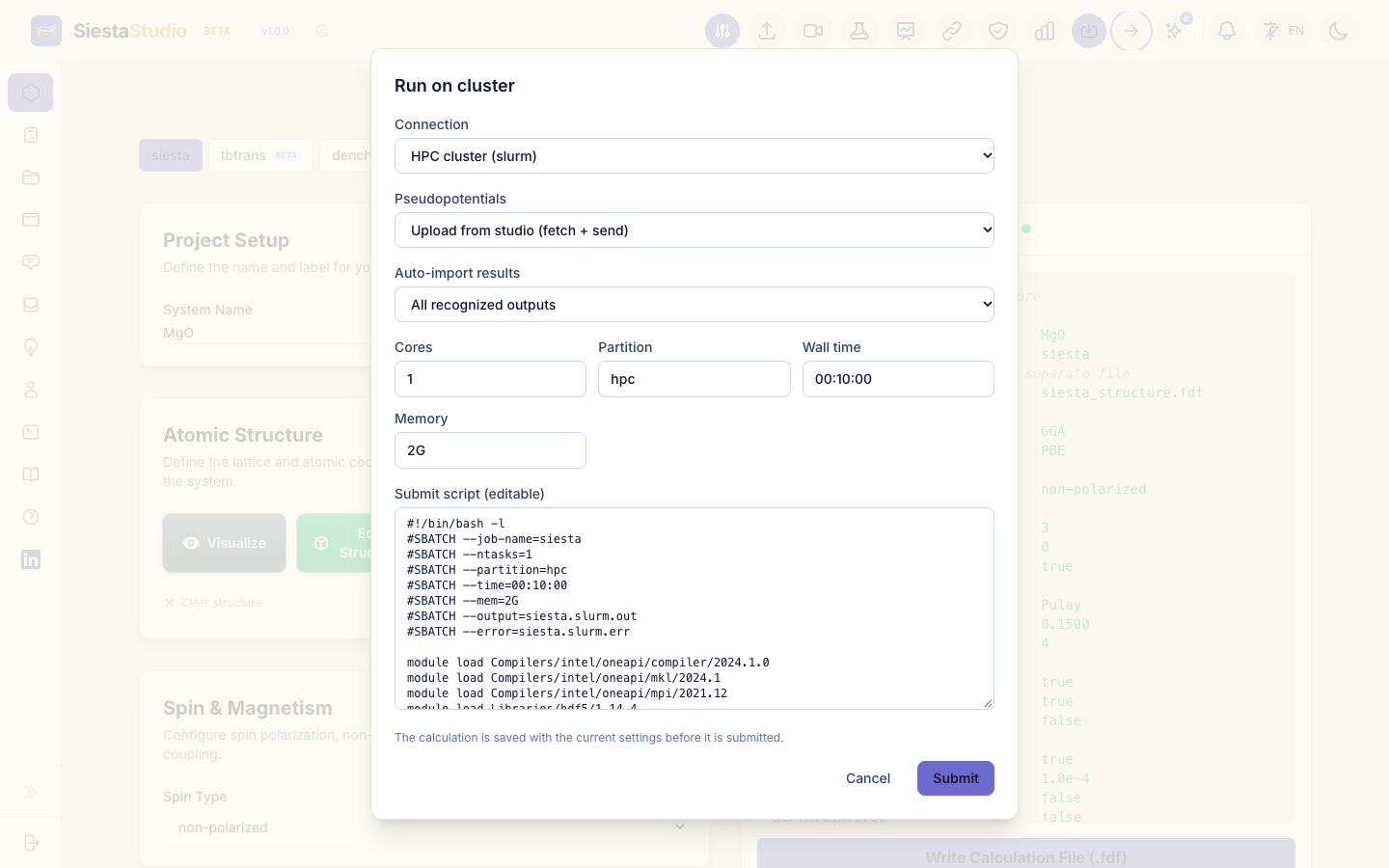
SIESTA stops after three iterations, and the job's status in the project's
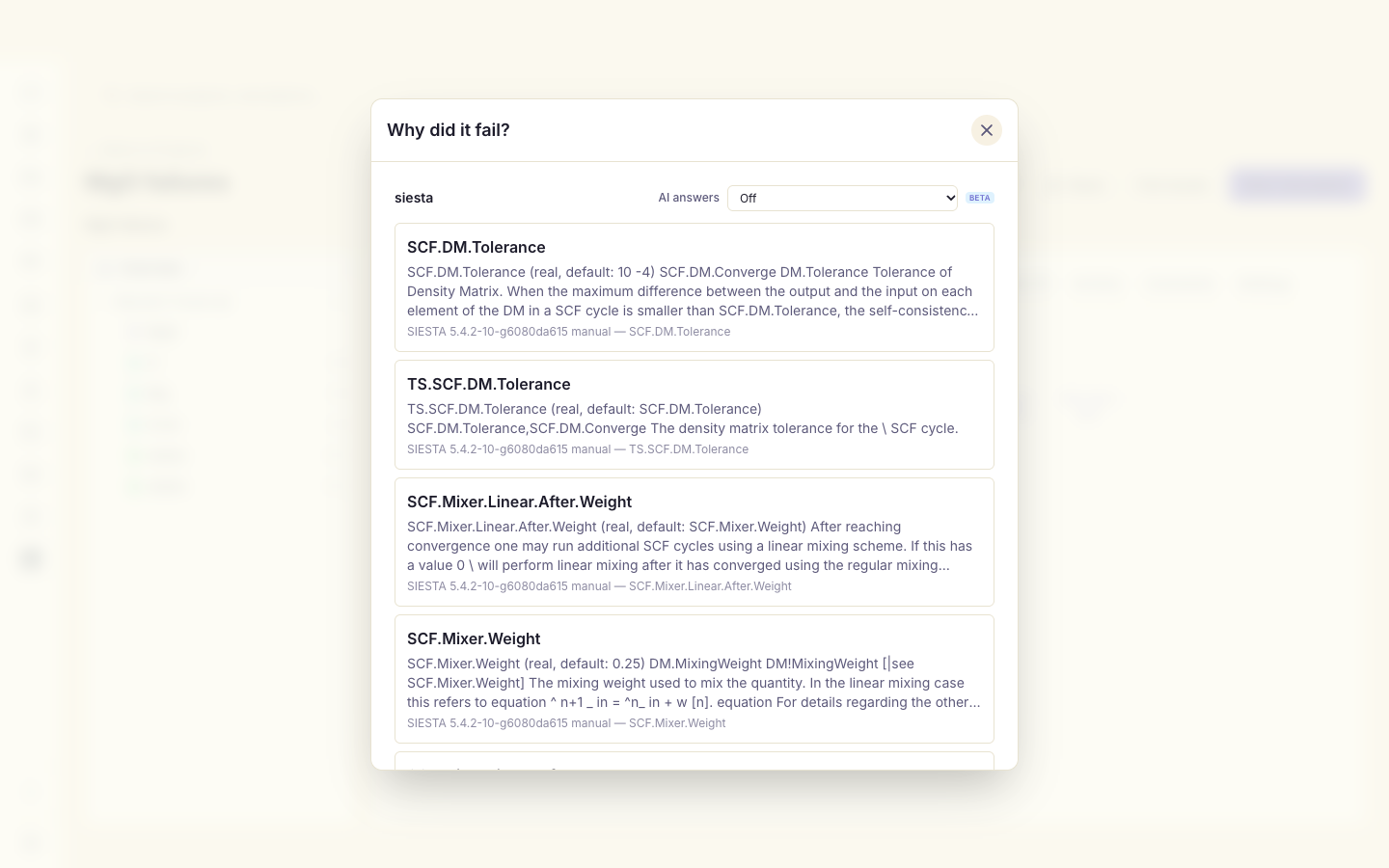
Cluster jobs tab turns to failed. Click Why did it fail? next
to it: SiestaStudio reads the end of the job's siesta.out on the cluster,
finds that the SCF did not converge, and lists the manual passages on SCF
convergence and mixing, as Explain does for an analysis. For a job the
scheduler stopped, it searches on the wall time or the memory instead.
6. Ask the docs assistant
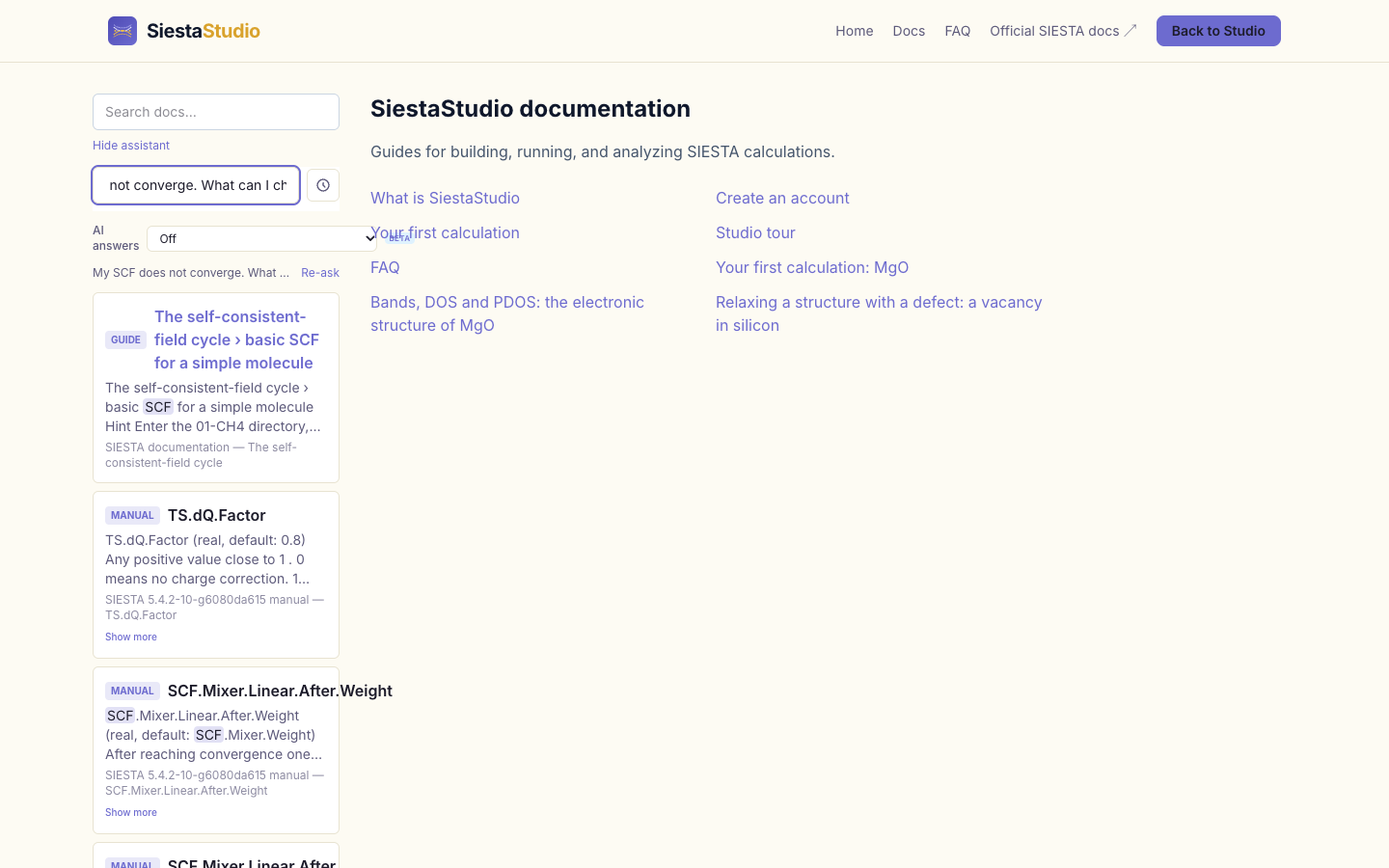
Open Docs and click Ask the assistant under the search box (you need
to be signed in). Type My SCF does not converge. What can I change? and
press Enter. The assistant answers with passages from the SIESTA manual and
from these docs. Read the ones on SCF.Mixer... and MaxSCFIterations; not
every passage in the list is on topic, so check the titles.
What next
- Your first calculation: a run that works, from start to finish.
- Running on a cluster: setting up a cluster connection and running a job that works.