Pictures of the charge and wave functions: MgO
SIESTA's denchar utility turns the result of a calculation into pictures:
the electron density and individual wave functions on a grid of points in
space, ready for a 3D viewer. In this tutorial you export a workflow that
runs SIESTA and then denchar on MgO, and you look at
- the electron density,
- the wave function at the top of the valence band,
- the wave function at the bottom of the conduction band,
which together show why MgO is an ionic insulator: the occupied states sit on oxygen, the first empty one leans towards magnesium.
It takes about 15 minutes; the workflow runs in about a minute.
Before you start
- A SiestaStudio account and SIESTA 5 with its
dencharutility. - Your first calculation explains the database search, the wizard and the downloads.
1. MgO and a single-point calculation
Create a project MgO denchar, open the studio, search the database for
MgO (Search DB) and import mp-1265 (rock salt, 2 atoms). Run the
wizard with Bulk Crystal, Insulator, Single-point energy and
Standard, and Apply All. Check Diagnostics, download the
pseudopotentials and save the calculation.
2. The denchar workflow
Open Workflow Builder and choose the template Charge density visualization (SCF → denchar): an SCF step and a Denchar (3D) step.
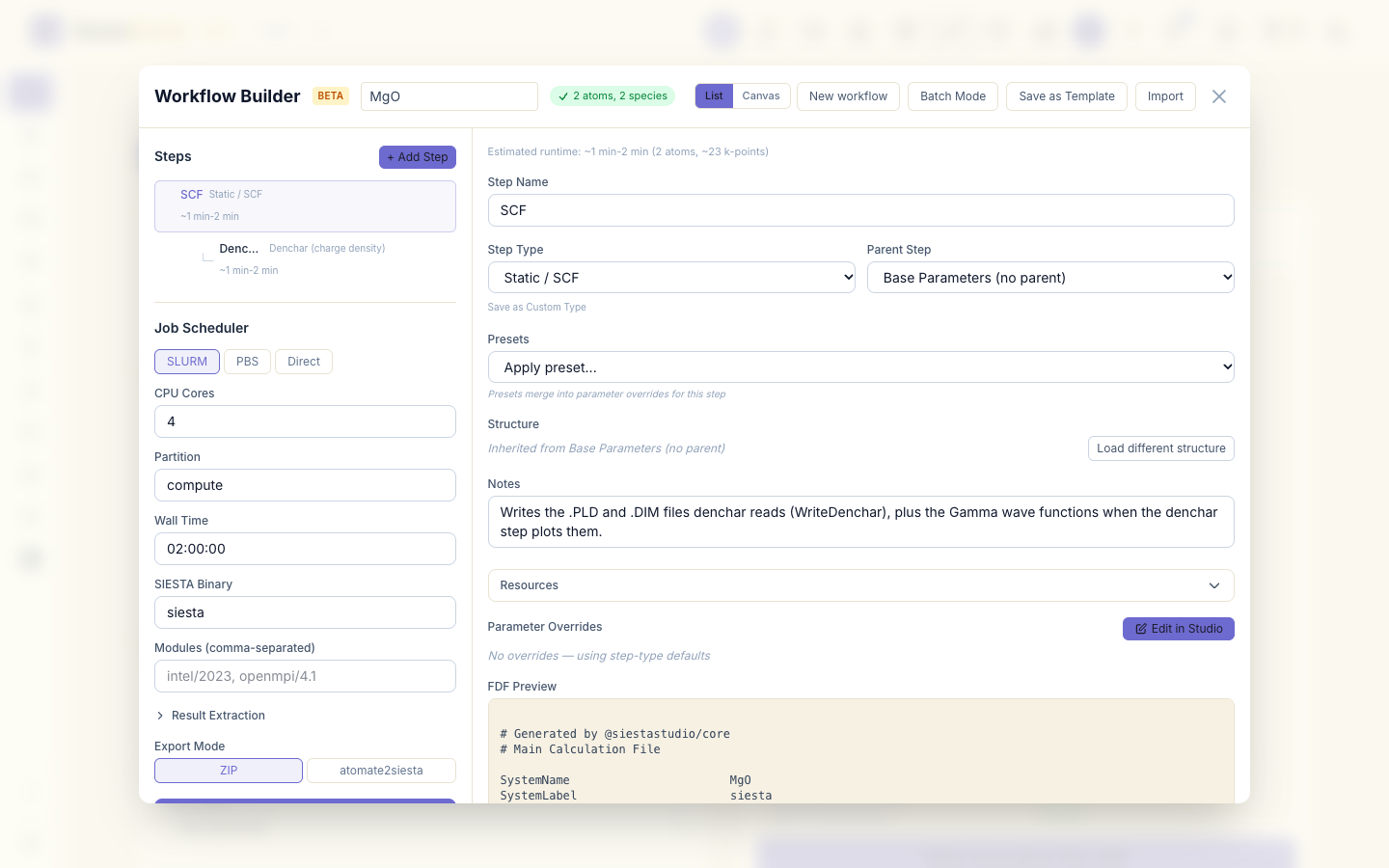
By default denchar draws the electron density. To draw two wave functions too, select the Denchar (3D) step, click Edit in Studio, and in the denchar panel:
- switch on Plot wavefunctions,
- set the bands to
8and9.
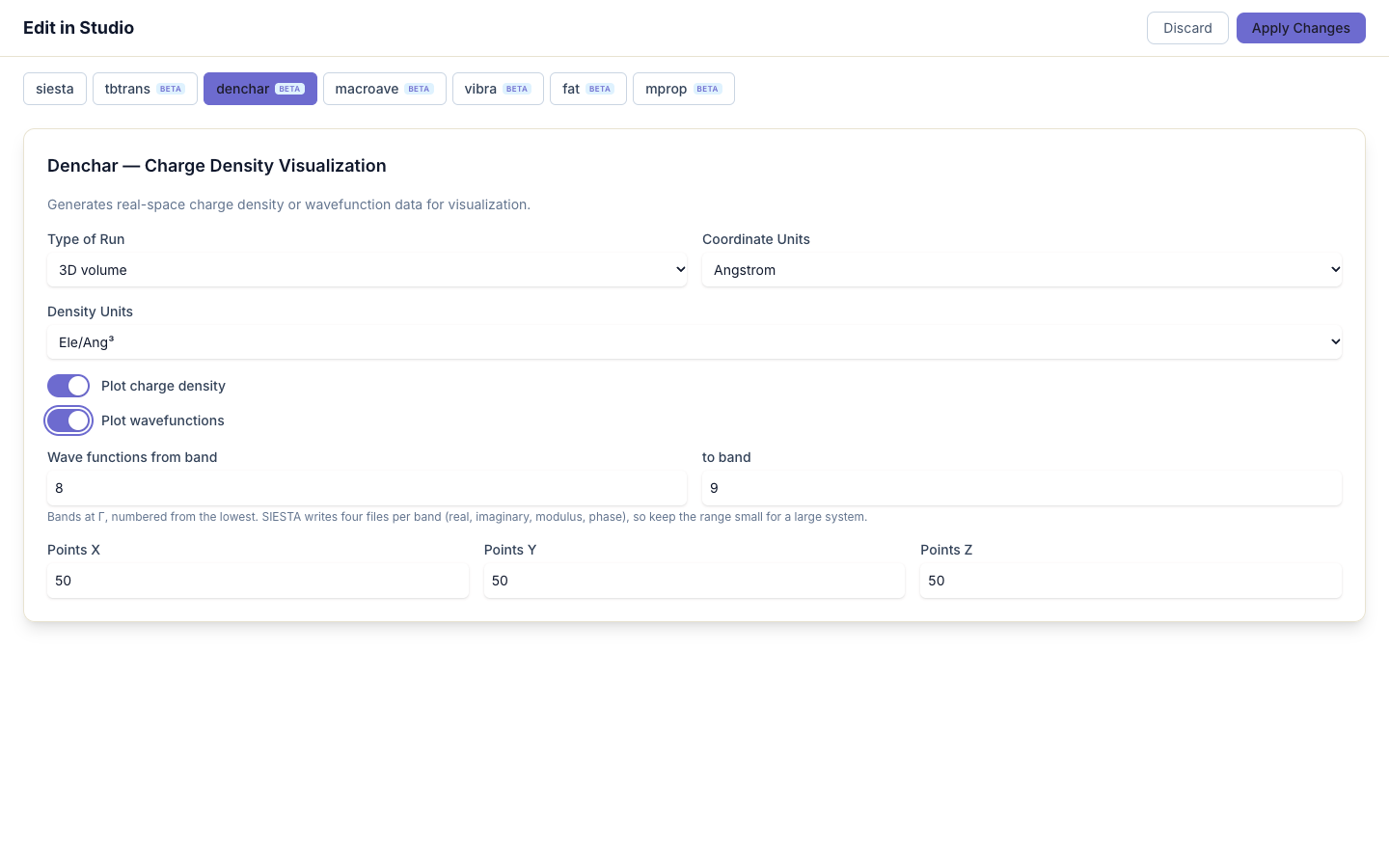
Why 8 and 9: with these pseudopotentials Mg brings 10 valence electrons (including its 2s and 2p semicore shells) and O brings 6, so the 16 electrons fill 8 bands. Band 8 is the top of the valence band and band 9 the bottom of the conduction band. denchar plots the wave functions at Γ, where both band edges of MgO are.
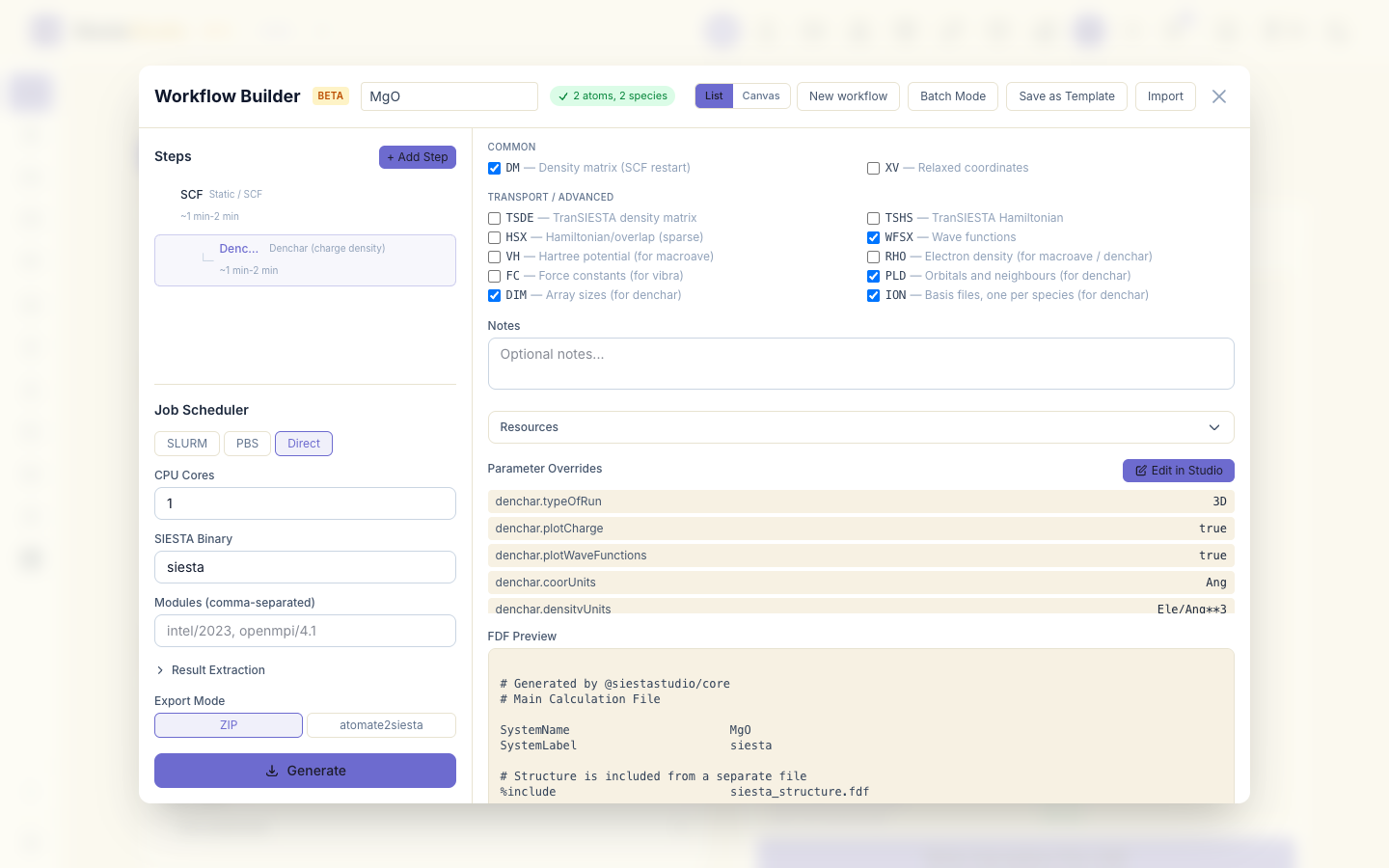
Click Apply Changes. The SCF step now also writes the files denchar needs:
WriteDenchar (the .PLD and .DIM files) and the wave functions of bands
8 and 9 at Γ. Choose Direct, 1 core, and Generate.
3. Run the workflow
Unzip workflow_mgo.zip and run:
sh download_pseudos.sh
bash submit_workflow.sh
01_static runs SIESTA; 02_denchar runs denchar on its output and writes
siesta.RHO.cube (the density) and, for each band, four cube files of the
wave function: the real part, the imaginary part, the modulus and the phase
(siesta.K1.WF.8.MOD.cube and so on; K1 is the Γ point). The box is the
smallest rectangular box around the primitive cell (3.42 × 2.42 × 5.93 Å, so
it also holds parts of the neighbouring cells), on 50 × 50 × 50 points.
4. The electron density
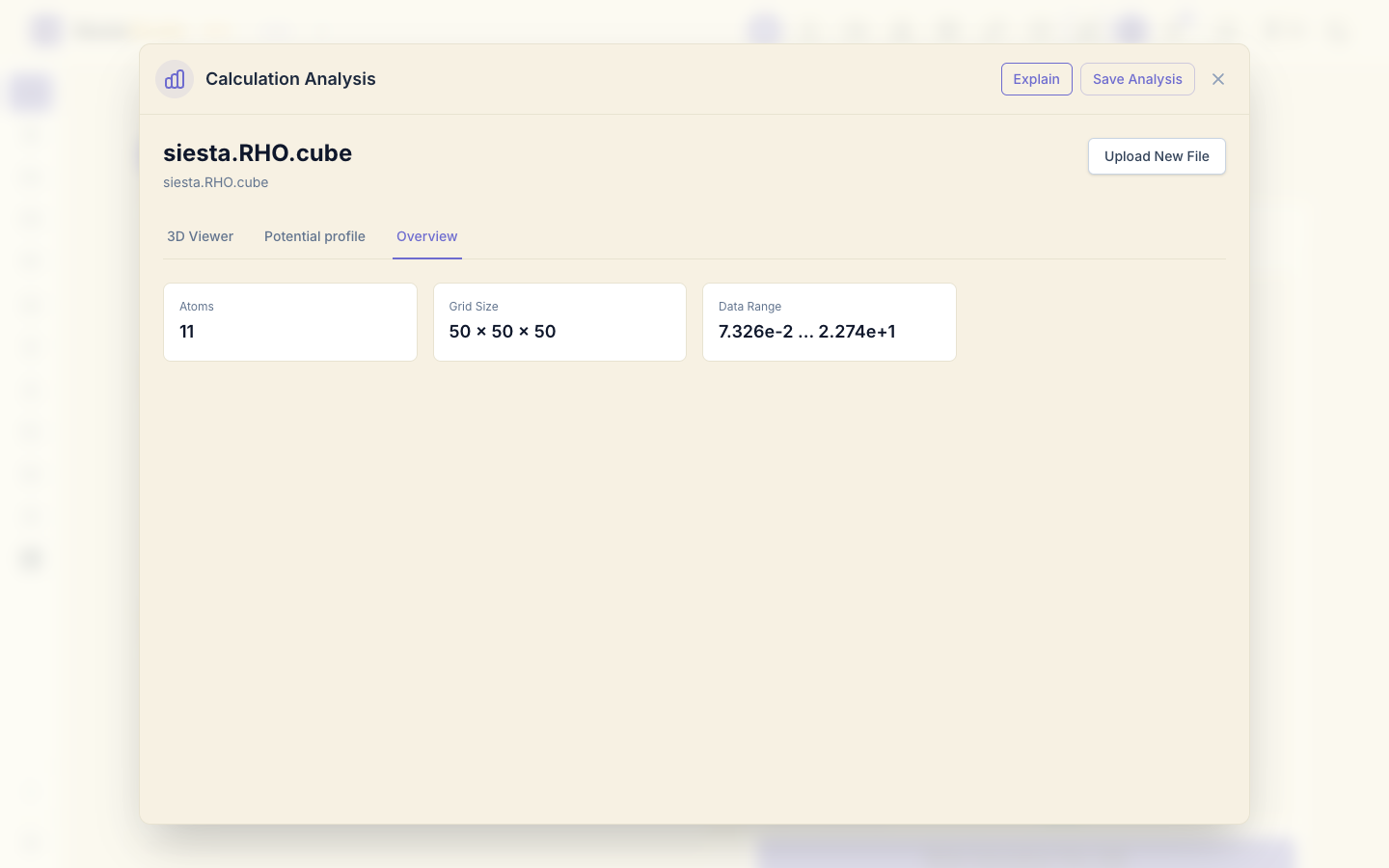
Click Analyze File and drop 02_denchar/siesta.RHO.cube. The 3D viewer
shows the cell with its atoms (Mg green, O red) and the surface where the
density equals the Isovalue.
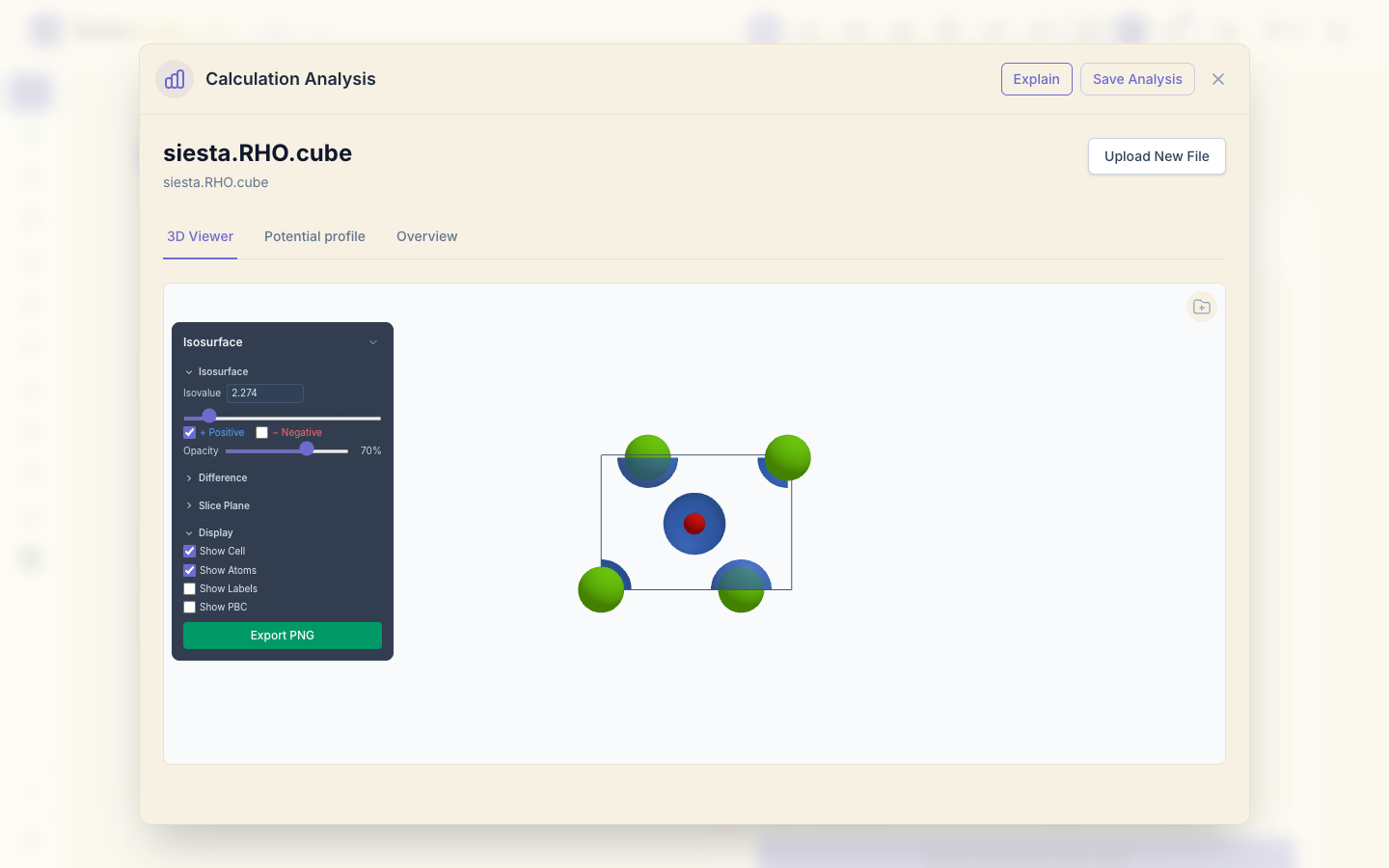
The Overview tab gives the grid and the range of the values. The density is highest, 22.7 electrons/ų, at the Mg nucleus: its 2s and 2p semicore electrons are packed in a small sphere. Move the Isovalue slider to see the surfaces grow and shrink.
5. The top of the valence band
Click Upload New File and open siesta.K1.WF.8.MOD.cube, the modulus of
the band-8 wave function. It sits on the oxygen atom, with the lobes of an O
2p orbital.
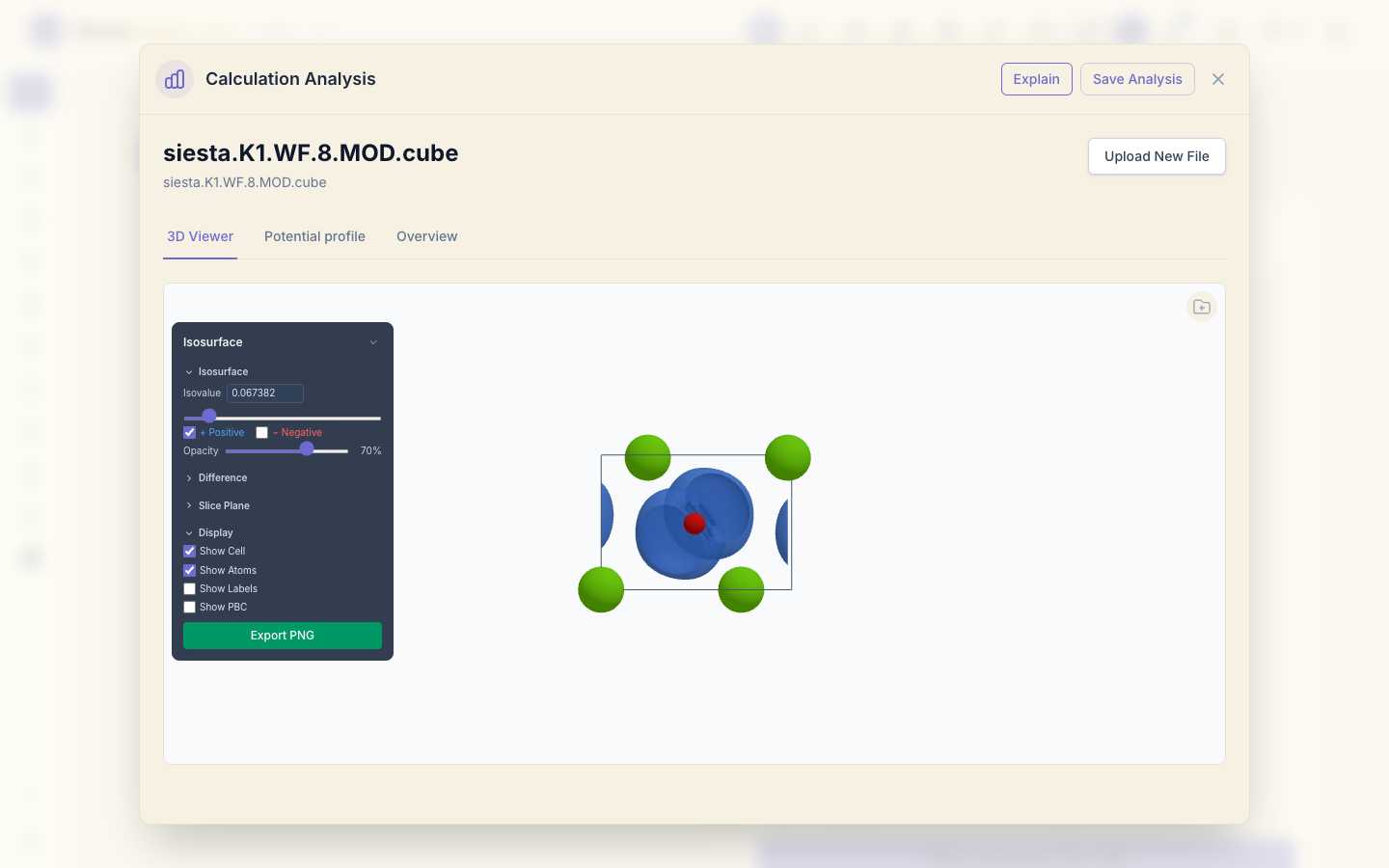
Counting where the wave function is: of the |ψ|² in the box, 63% lies within 1 Å of an O nucleus and 2% within 1 Å of a Mg nucleus. The valence band of MgO is made of O 2p states, the electrons Mg gave to O.
6. The bottom of the conduction band
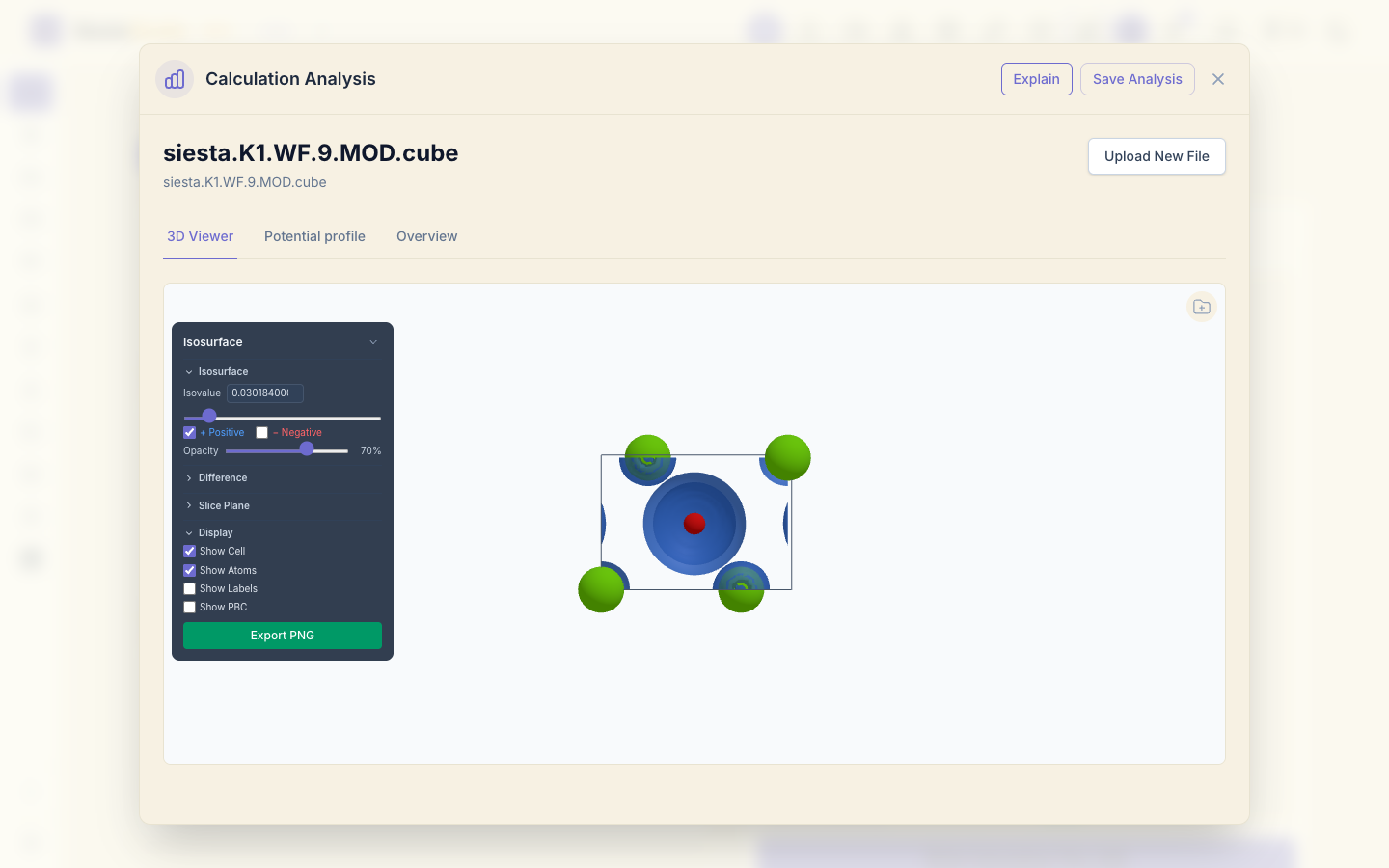
Open siesta.K1.WF.9.MOD.cube. This state is spread over the cell, with
more weight near the Mg nuclei (22% of the |ψ|² in the box within 1 Å) than
near O (16%): the first empty
state is mostly Mg 3s, the orbital Mg emptied.
The .REAL and .IMAG cubes show the sign of the wave function (use
+ Positive and − Negative in the isosurface panel); the .PHASE
cube its phase.
7. Save the analysis
Click Save Analysis, choose the project and save.
What next
- Charge density and potential grids: the density SIESTA writes on its own grid, without denchar.
- Orbital projections: the same O 2p and Mg 3s character, band by band.