Your first calculation: MgO
In this tutorial you set up, run and analyse a first SIESTA calculation for magnesium oxide (MgO, rock salt), using only SiestaStudio and SIESTA itself. You will:
- create a project to keep your work together,
- find MgO in a materials database instead of typing coordinates,
- let the calculation wizard choose sensible settings,
- check the input and download it with its pseudopotentials,
- run SIESTA,
- open the result in SiestaStudio and read the energy, Fermi level and charges.
It takes about 15 minutes. The SIESTA run itself takes a few seconds.
Before you start
- A SiestaStudio account (sign up with Google, GitHub, ORCID or e-mail).
- SIESTA 5 on your computer, or access to a cluster where it is installed. This tutorial runs SIESTA on your own machine; Run on a cluster shows how SiestaStudio can submit the same run for you.
1. Create a project
Projects keep calculations and their results together. Open Projects with
the folder icon in the left sidebar and click New Project (or Create
your first project in a new account). Name it MgO tutorial and click Create.

The first time you open SiestaStudio a short tour appears; you can follow it or click Skip Tour.
2. Open the studio in your project
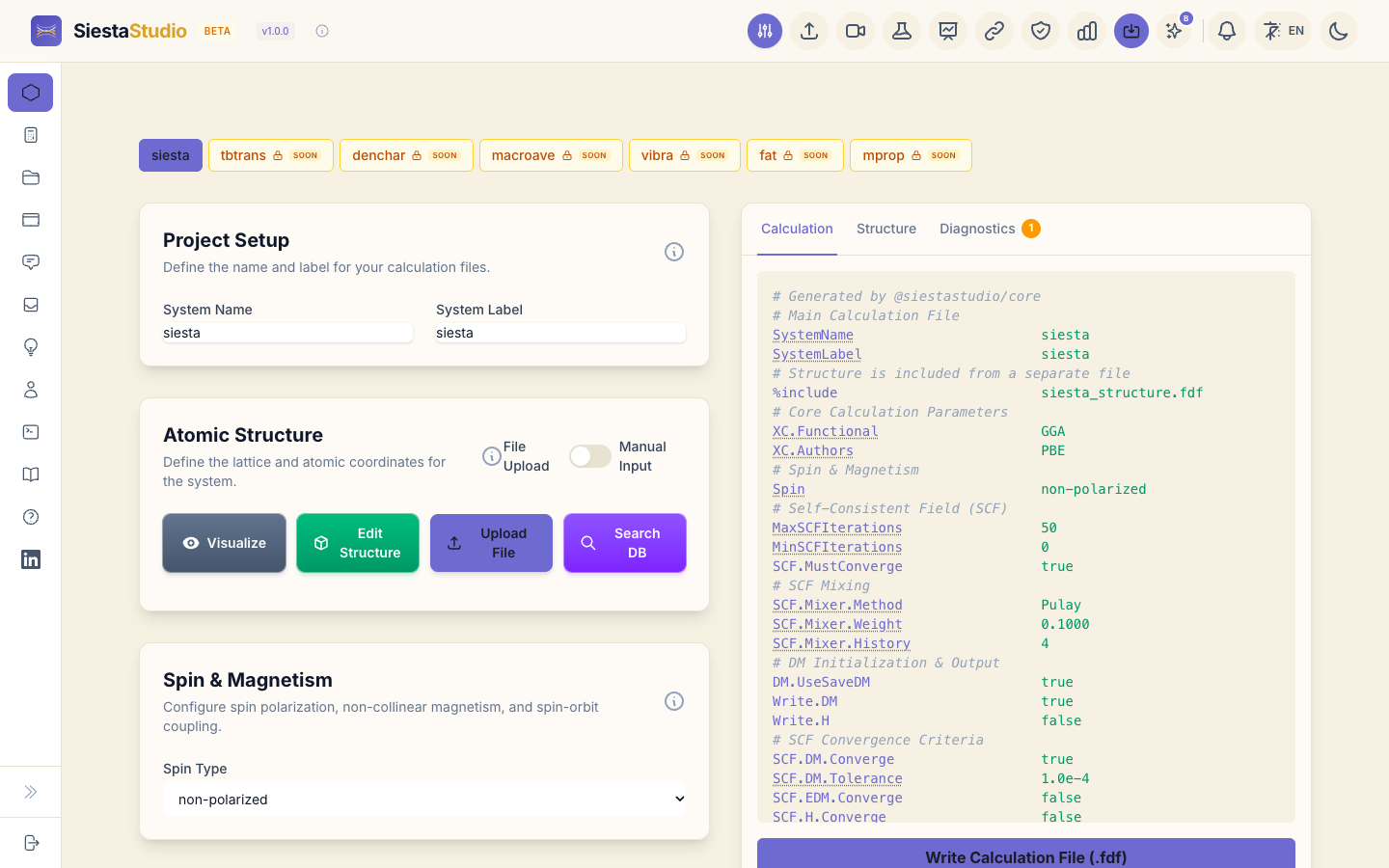
Open the project and start a new calculation, or go to the studio with the project selected. The left side holds the parameter panels, starting with Atomic Structure; the right side shows the input file as SIESTA will read it.
3. Find MgO in the materials database
In Atomic Structure, click Search DB. Type MgO (chemical formula,
capital letters as written) and press Enter. SiestaStudio asks the Materials
Project database through OPTIMADE and lists the matching entries.
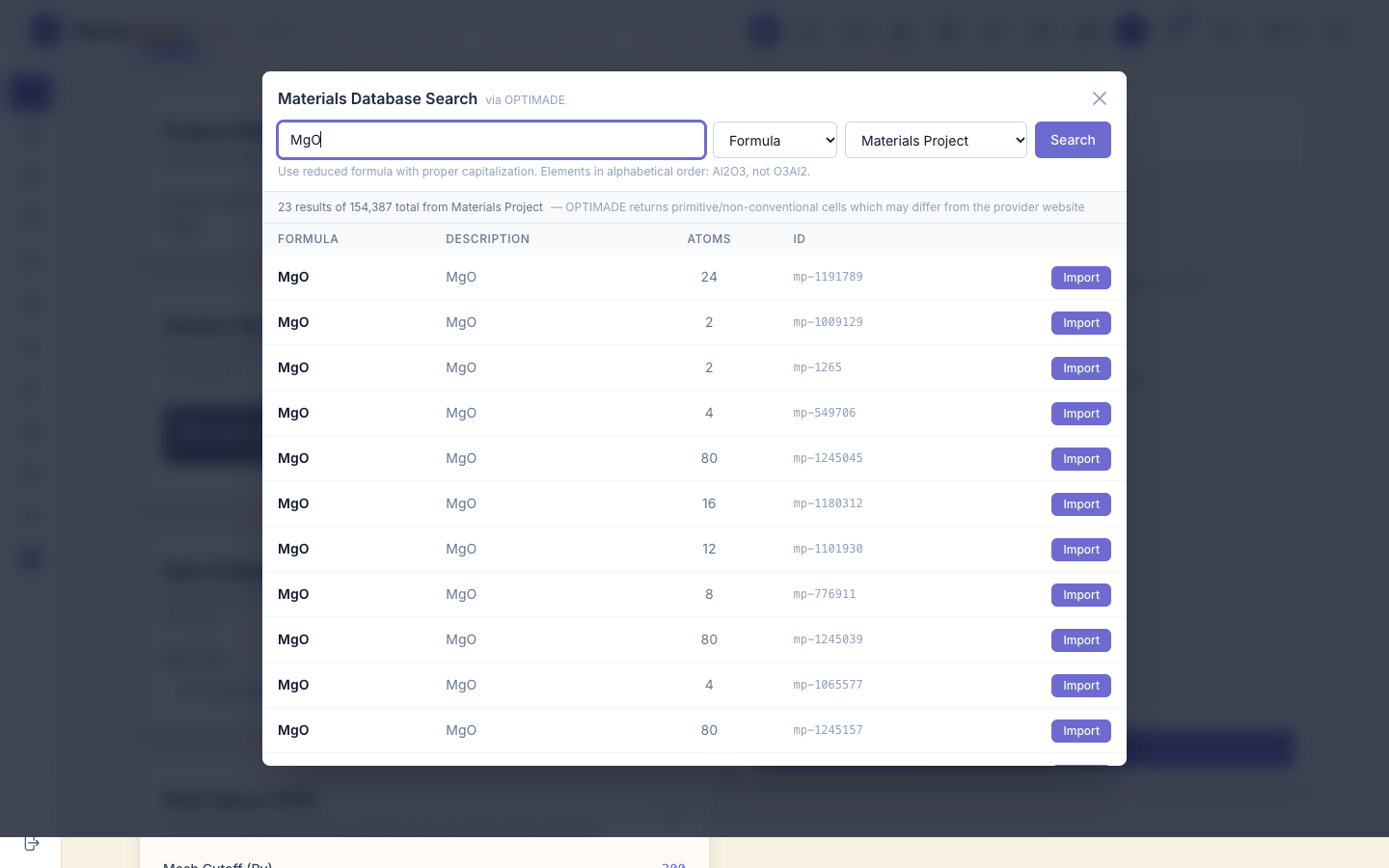
Several MgO structures are listed, and two of them have 2 atoms. Choose mp-1265: this is rock-salt MgO, the common form. Go by the ID: mp-1009129 also has 2 atoms but is a different, hexagonal form. Click Import on that row.
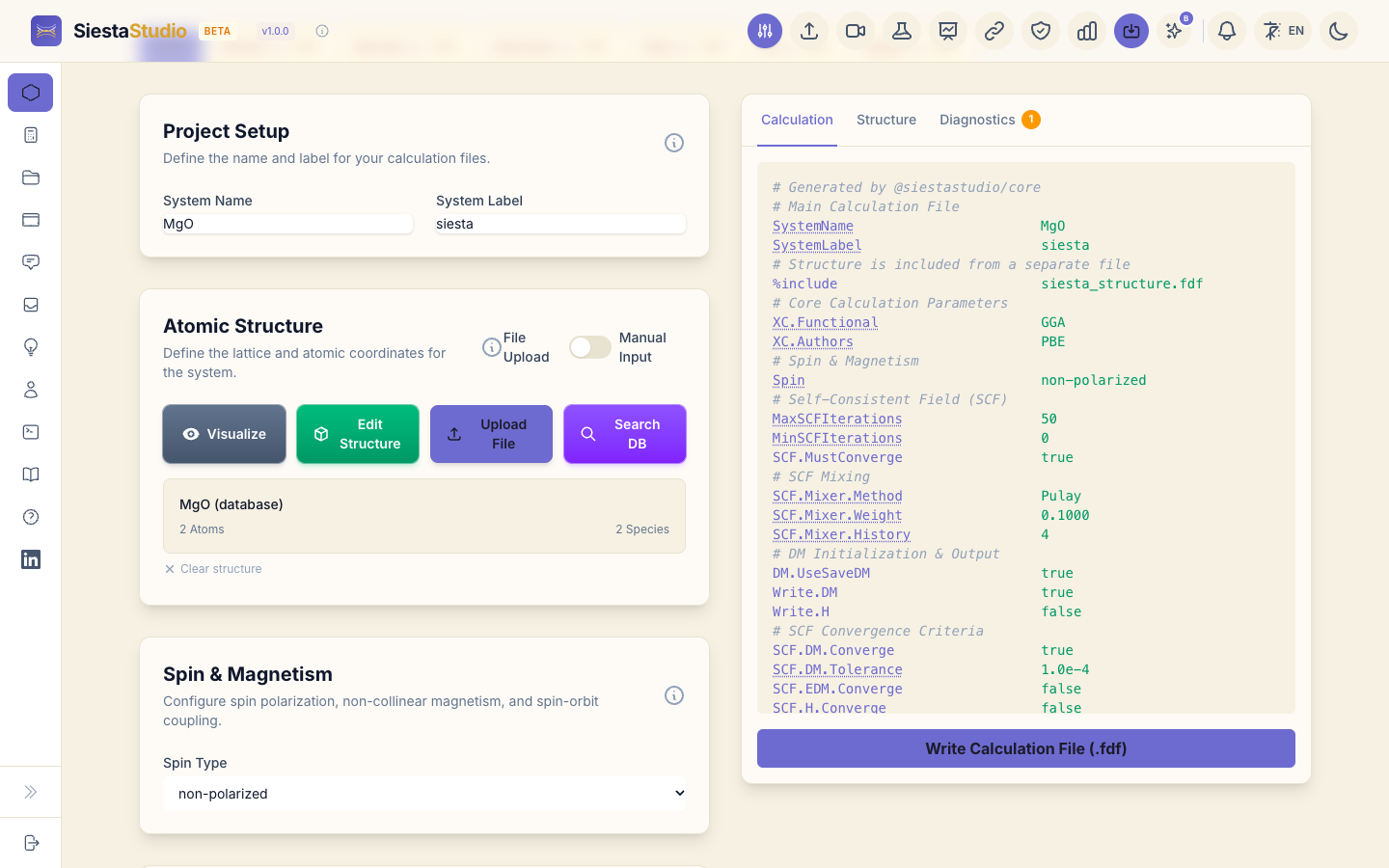
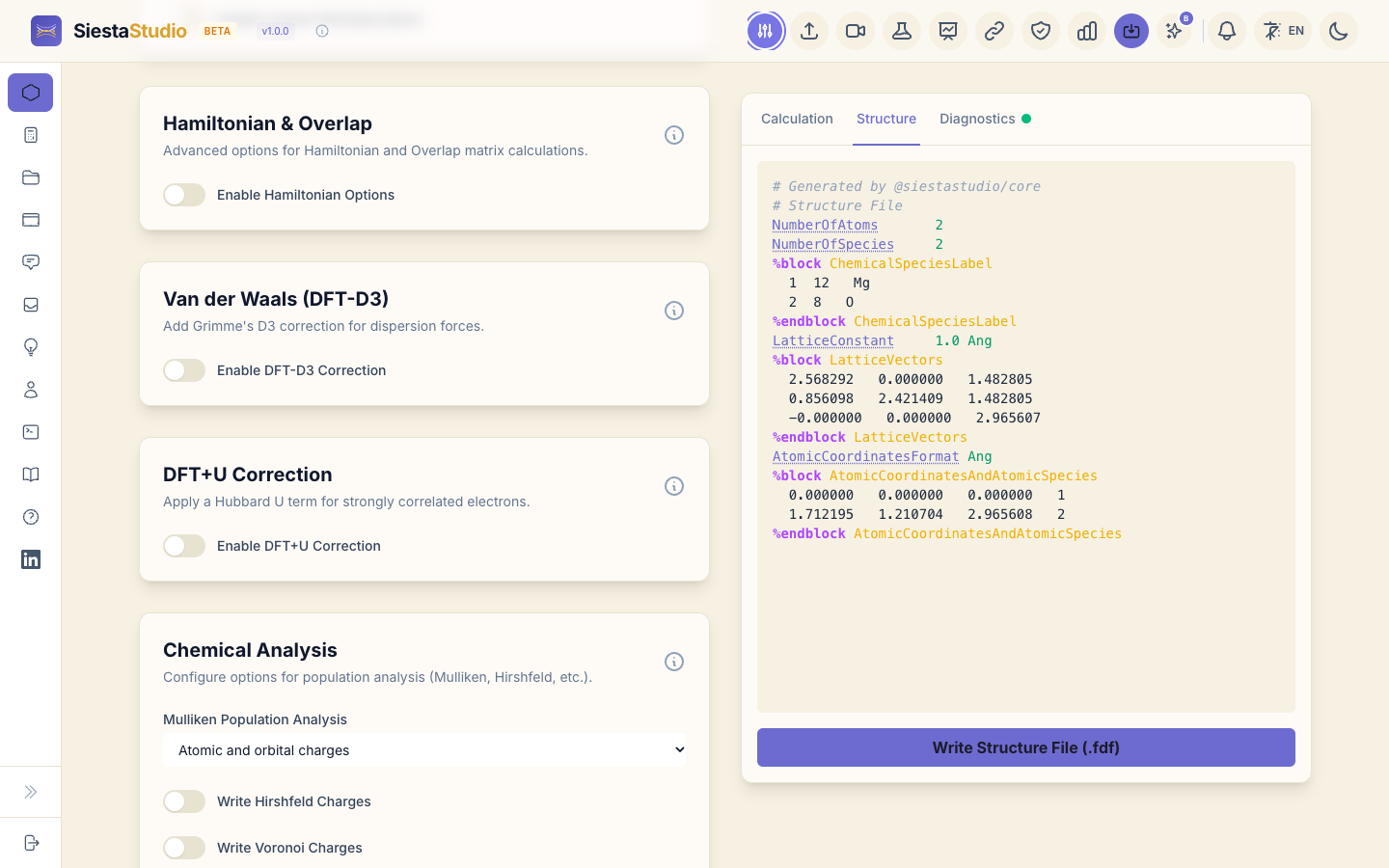
The structure panel now shows MgO (database). The cell is the primitive
cell of rock salt: two atoms, three lattice vectors of equal length
(2.966 Å each).
4. Set up the calculation with the wizard
Click the wizard button in the header (Calculation Setup Wizard). It asks four questions, offers optional features, and then shows what it will set:
- System type: Bulk Crystal.
- Material: Insulator.
- What to calculate: Single-point energy.
- Accuracy: Standard (recommended).
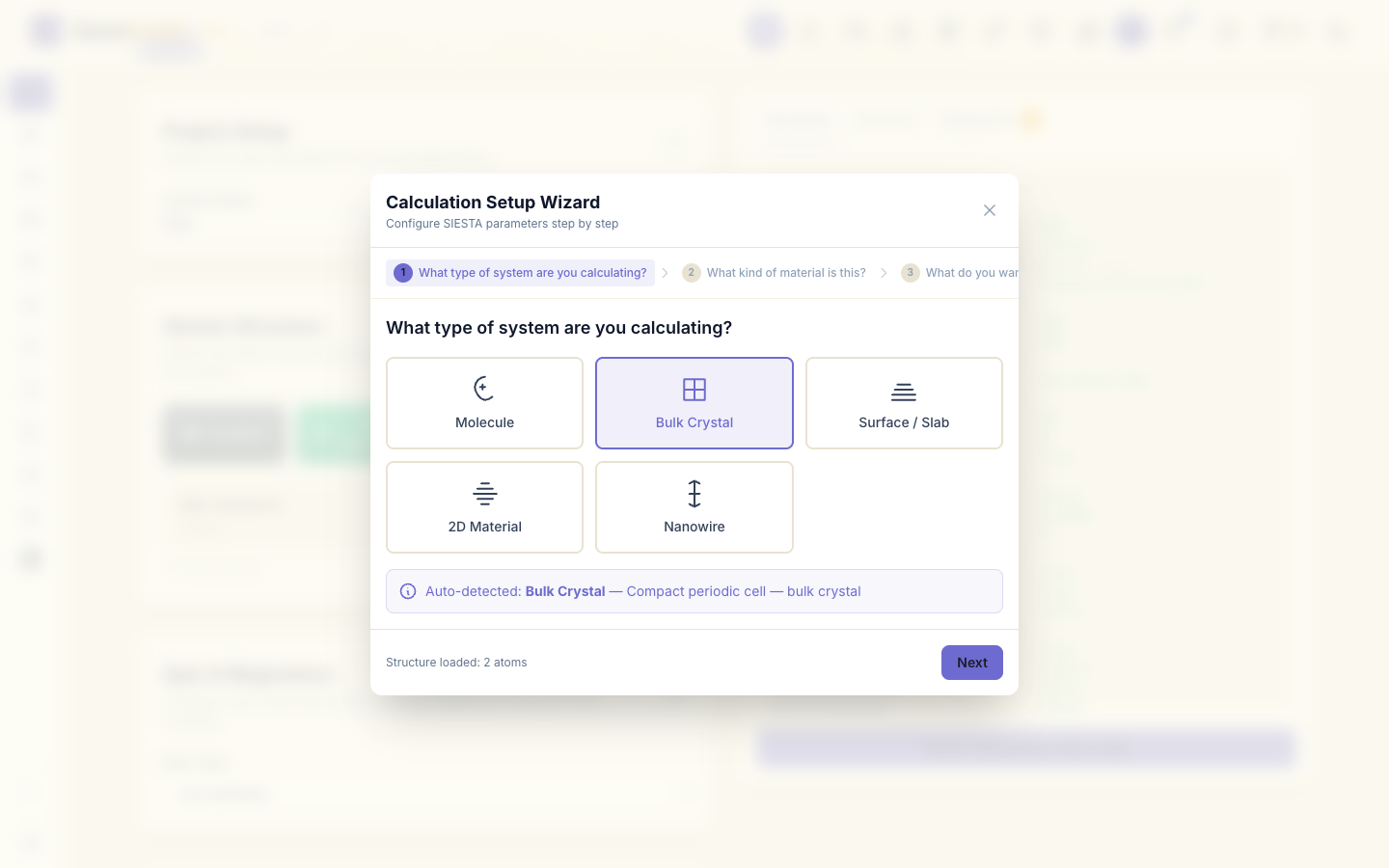
Leave the optional features as they are and click Next. The last page lists every setting with a short explanation:
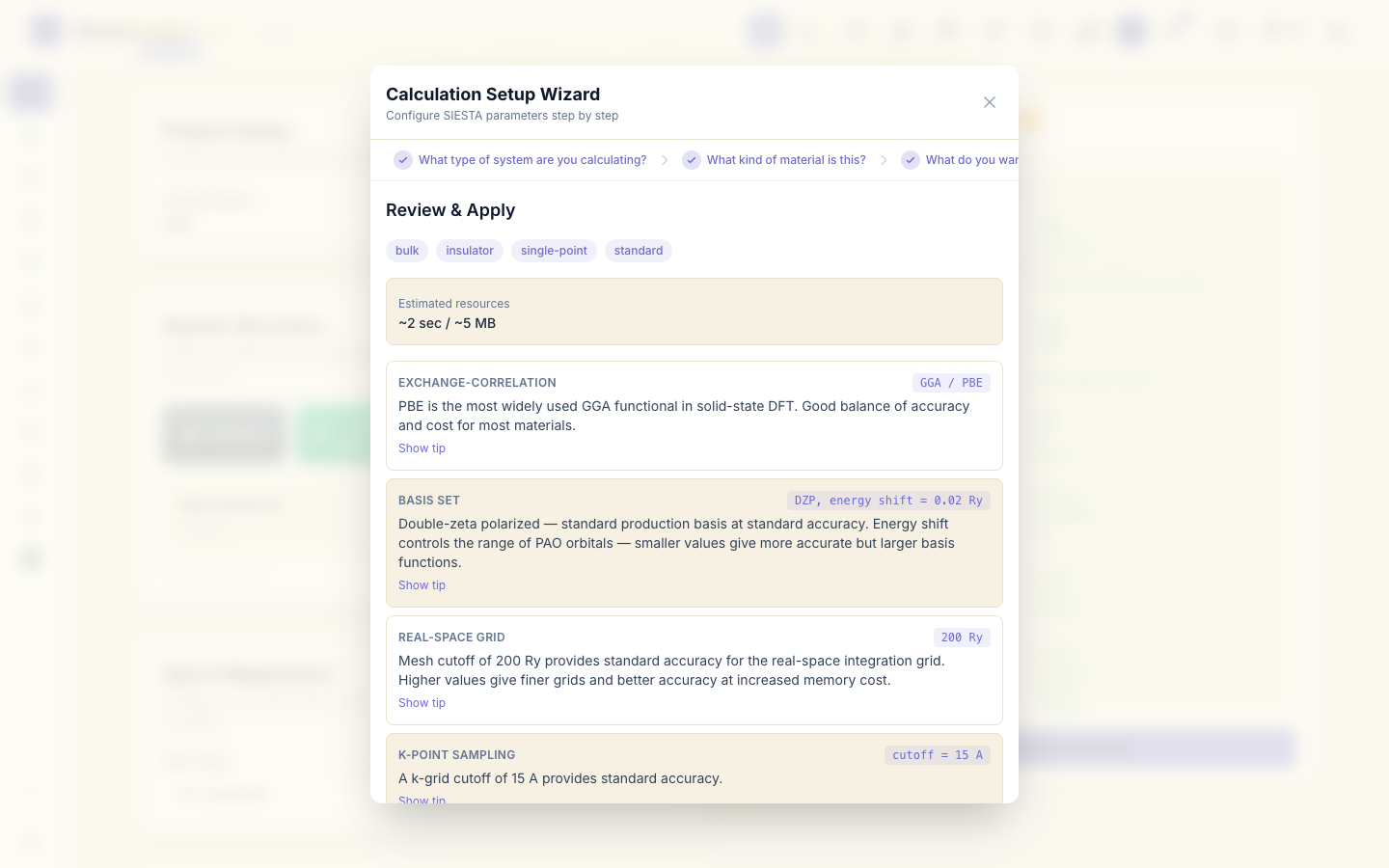
- exchange-correlation: GGA, PBE;
- basis set: DZP (double zeta plus polarization), energy shift 0.02 Ry;
- real-space grid: mesh cutoff 200 Ry;
- k-points: cutoff 15 Å.
Click Apply All.
5. Check the basis set and k-points
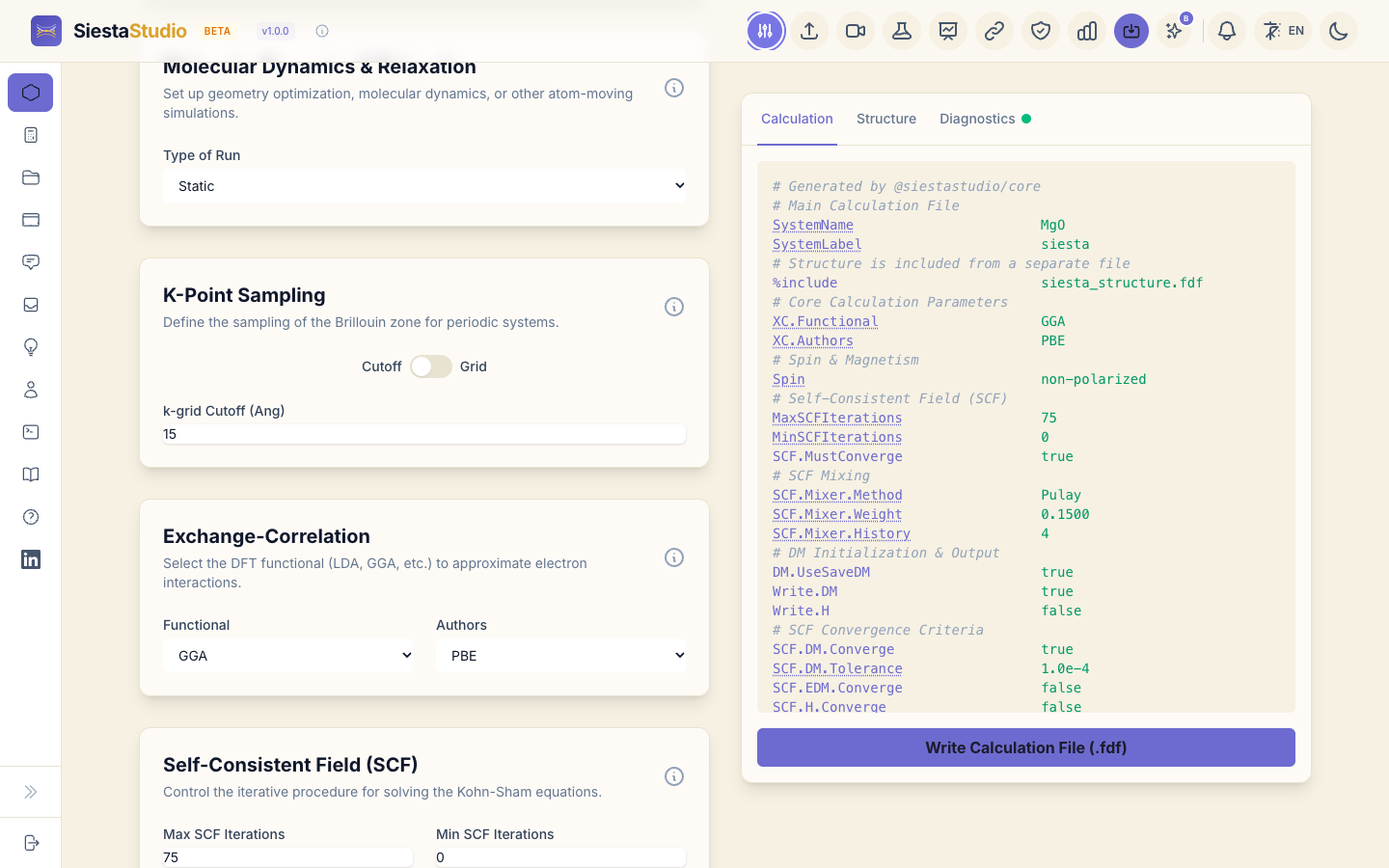
Scroll through the parameter panels. Basis Set & Projectors shows DZP, and K-Point Sampling shows a k-grid cutoff of 15 Å. Every panel can be changed by hand; the input preview on the right follows each change.
6. Ask for Mulliken charges
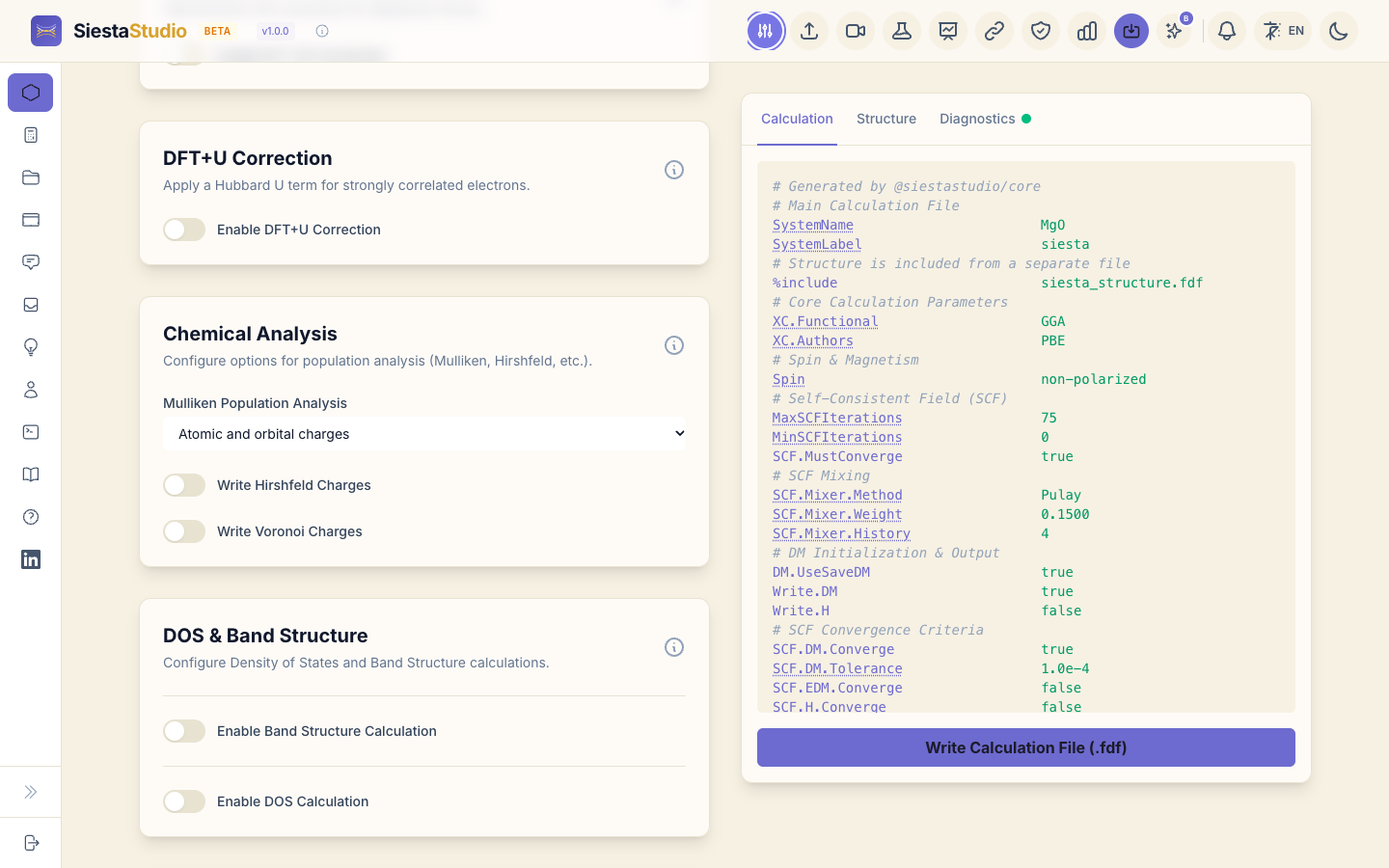
To see how charge is shared between Mg and O, open the Chemical Analysis panel and set Mulliken Population Analysis to Atomic and orbital charges. (The other two choices add overlap populations between atoms or orbitals, which this tutorial does not need.)
7. Check the input
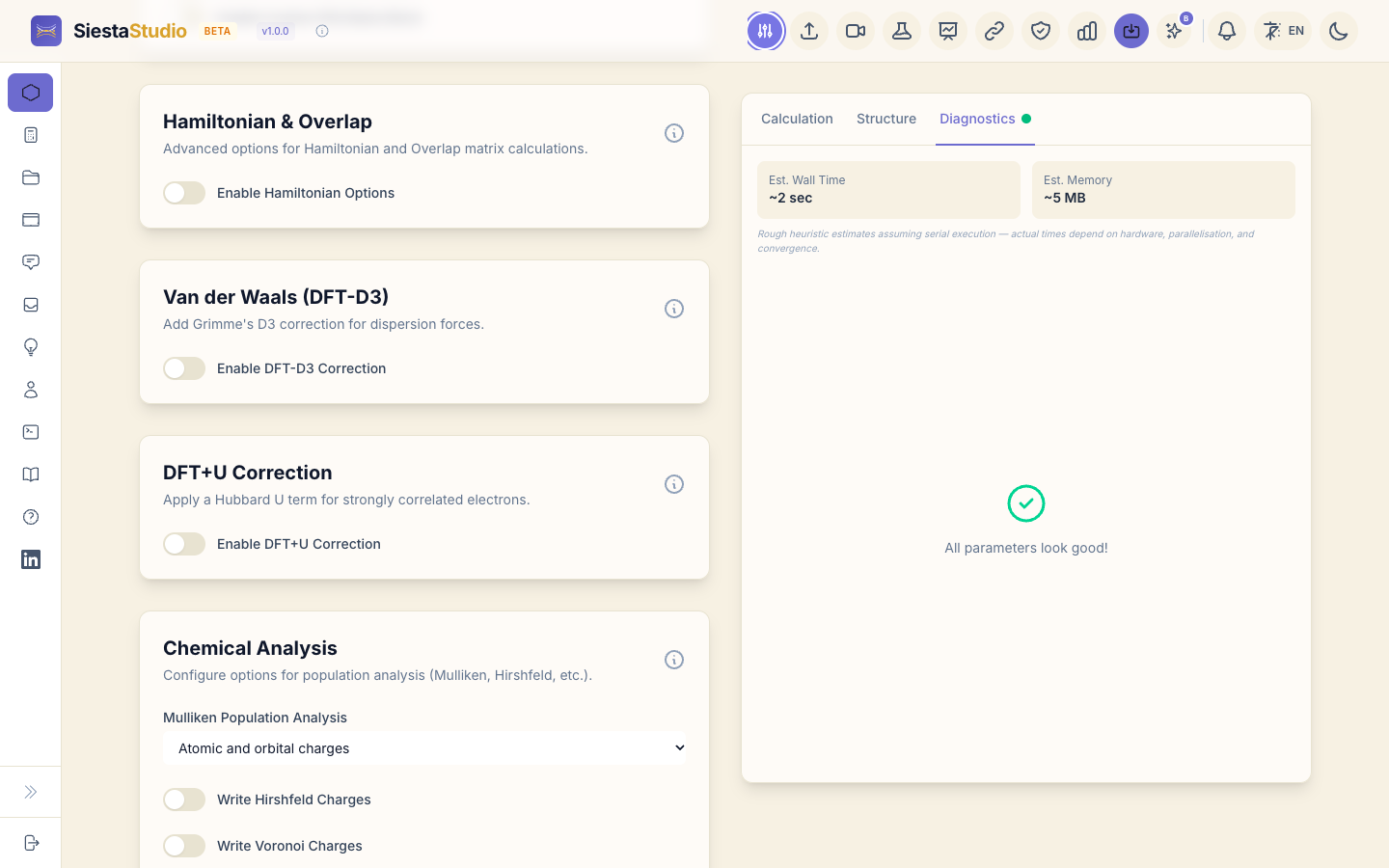
Open the Diagnostics tab on the right. SiestaStudio checks the settings for errors and inconsistencies; for this calculation it reports All parameters look good! It also estimates the run time and memory.
8. Download the input files
The input is two files:
- On the Calculation tab, click Write Calculation File (.fdf). This
saves
siesta.fdf, the settings. - On the Structure tab, click Write Structure File (.fdf). This saves
siesta_structure.fdf, the cell and atoms.siesta.fdfincludes it.
9. Download the pseudopotentials
SIESTA needs a pseudopotential file for each element. Click the Pseudopotentials button in the header. SiestaStudio recommends one PseudoDojo pseudopotential per element, matching your functional (PBE). Click Download All (ZIP).
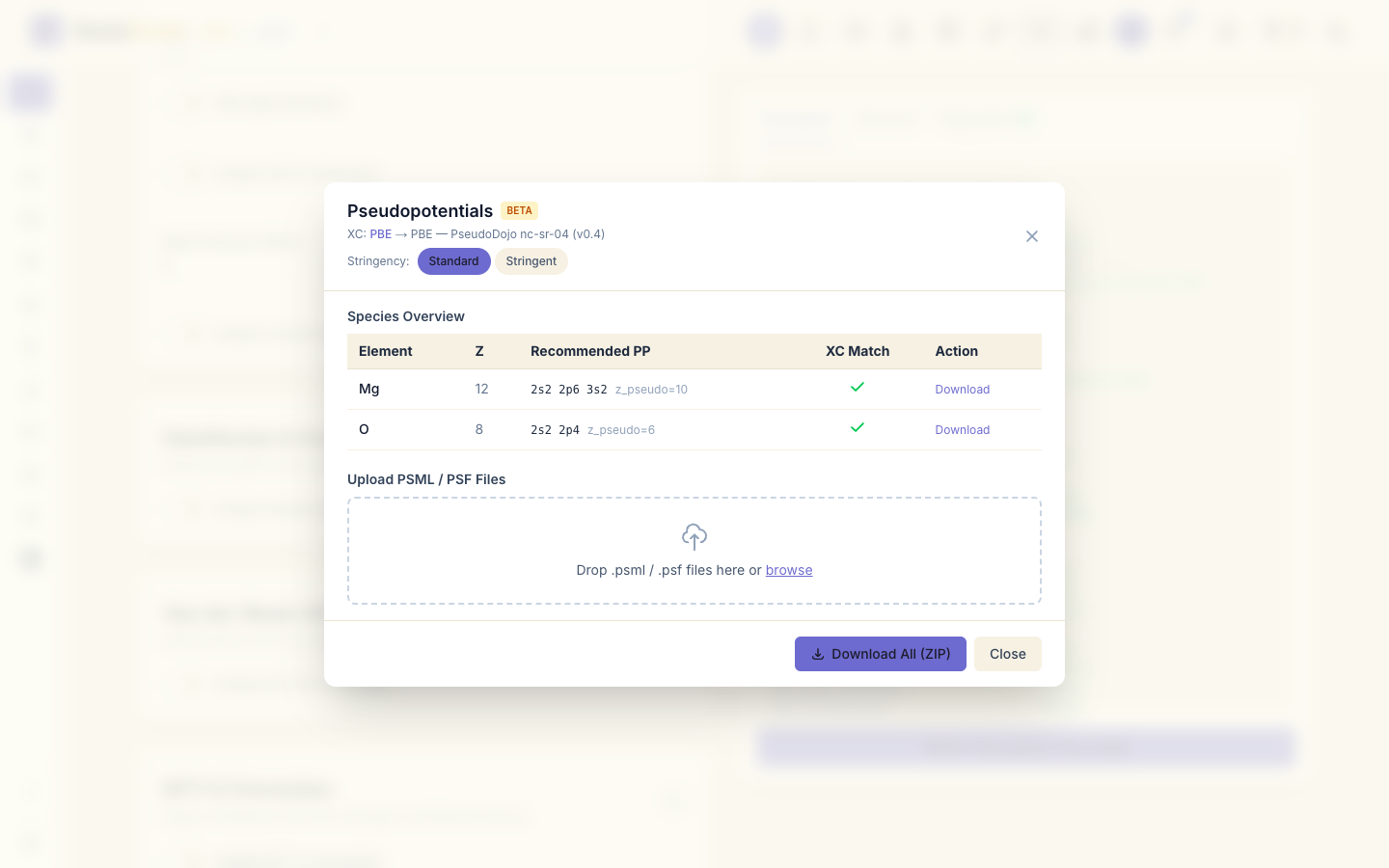
Unzip it: you get Mg.psml and O.psml. Put them in the same folder as the
two .fdf files.
10. Save the calculation
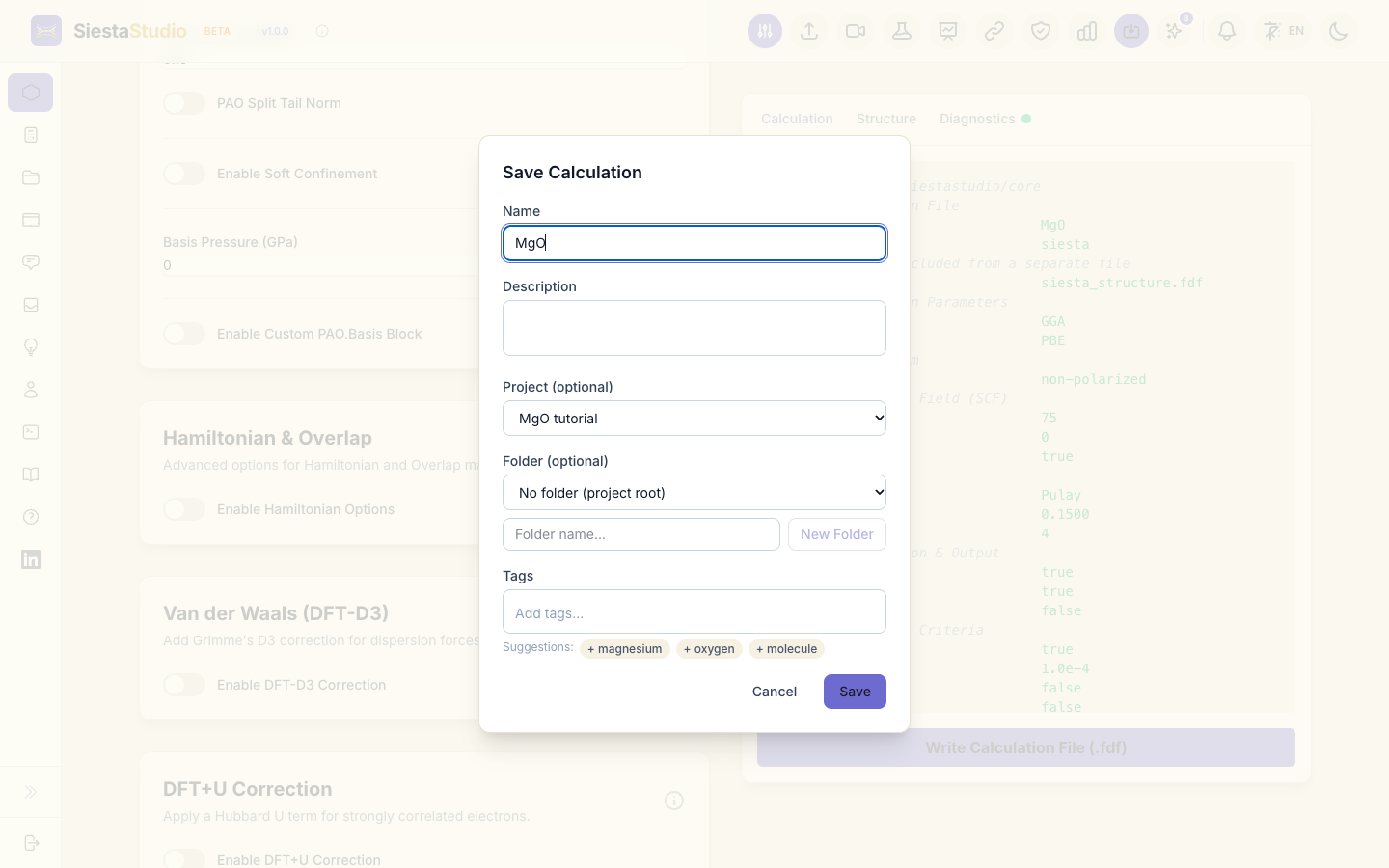
Click Save calculation in the header (the icon with the arrow into a
tray). Keep the name MgO, choose the project MgO tutorial, and click
Save. You can reopen it from the project at any time.
11. Run SIESTA
In the folder with the four files, run:
siesta < siesta.fdf > siesta.out
On a laptop it finishes in a few seconds. The output is siesta.out, plus
other files SIESTA writes next to it.
12. Open the output in SiestaStudio
Back in the studio, click Analyze File in the header and drop
siesta.out into the window (or click to choose it). SiestaStudio reads it
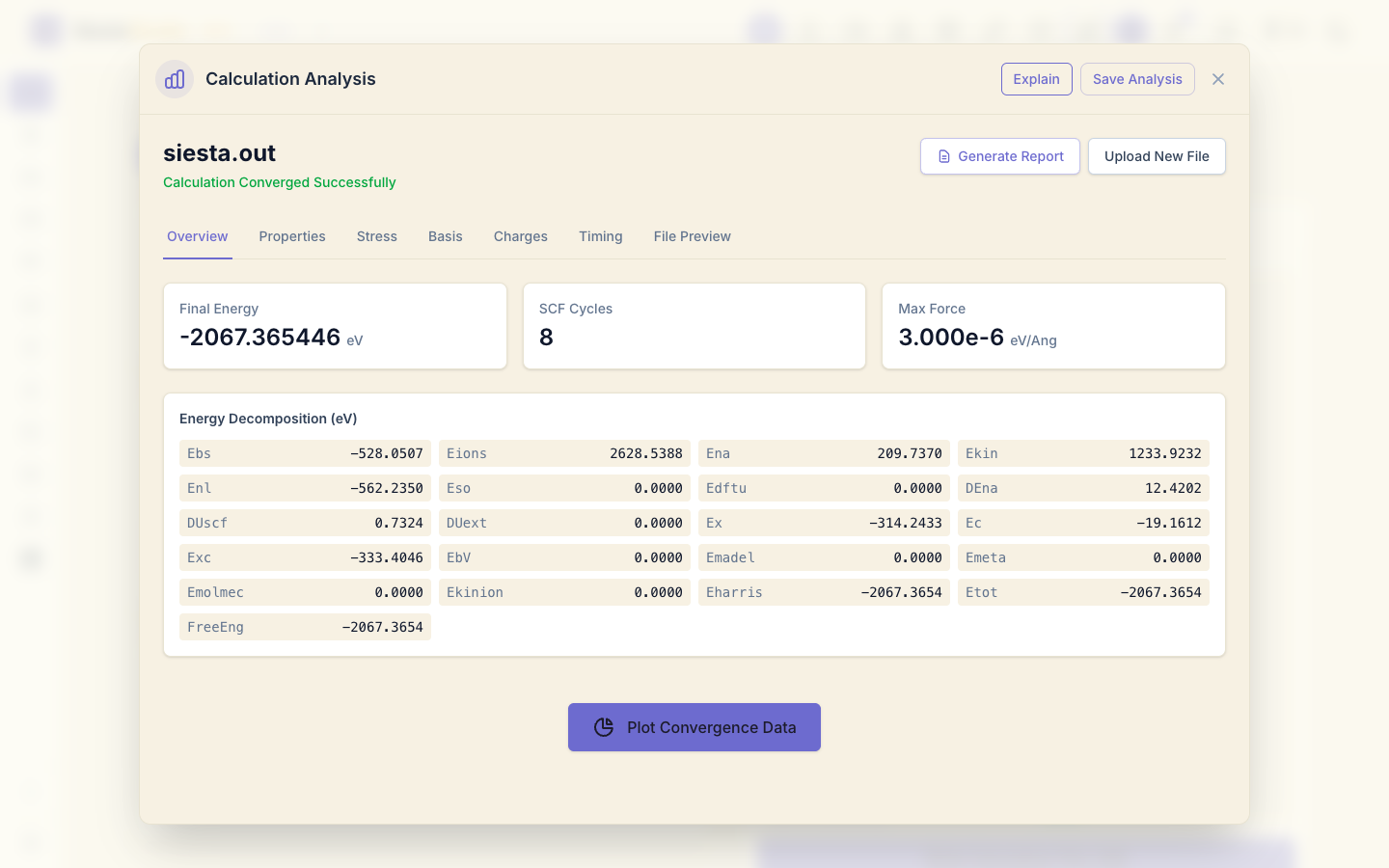
and shows Calculation Converged Successfully.
13. Read the results
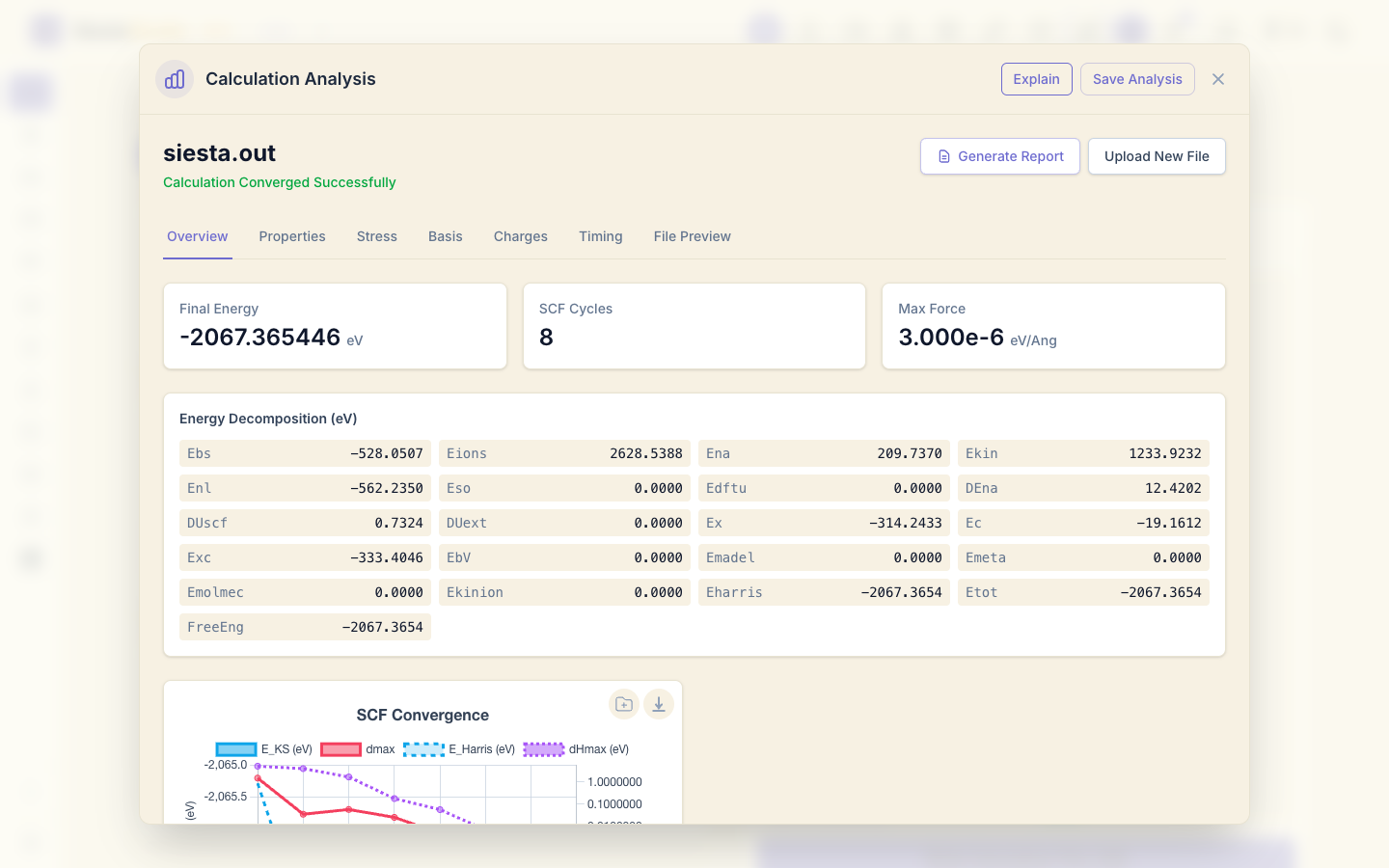
Overview shows the final total energy, -2067.365446 eV, the number of SCF cycles, and the energy broken into its parts. Click Plot Convergence Data to see how the energy settled during the self-consistency cycles.
Properties groups the main numbers. The Fermi energy is -2.262892 eV.
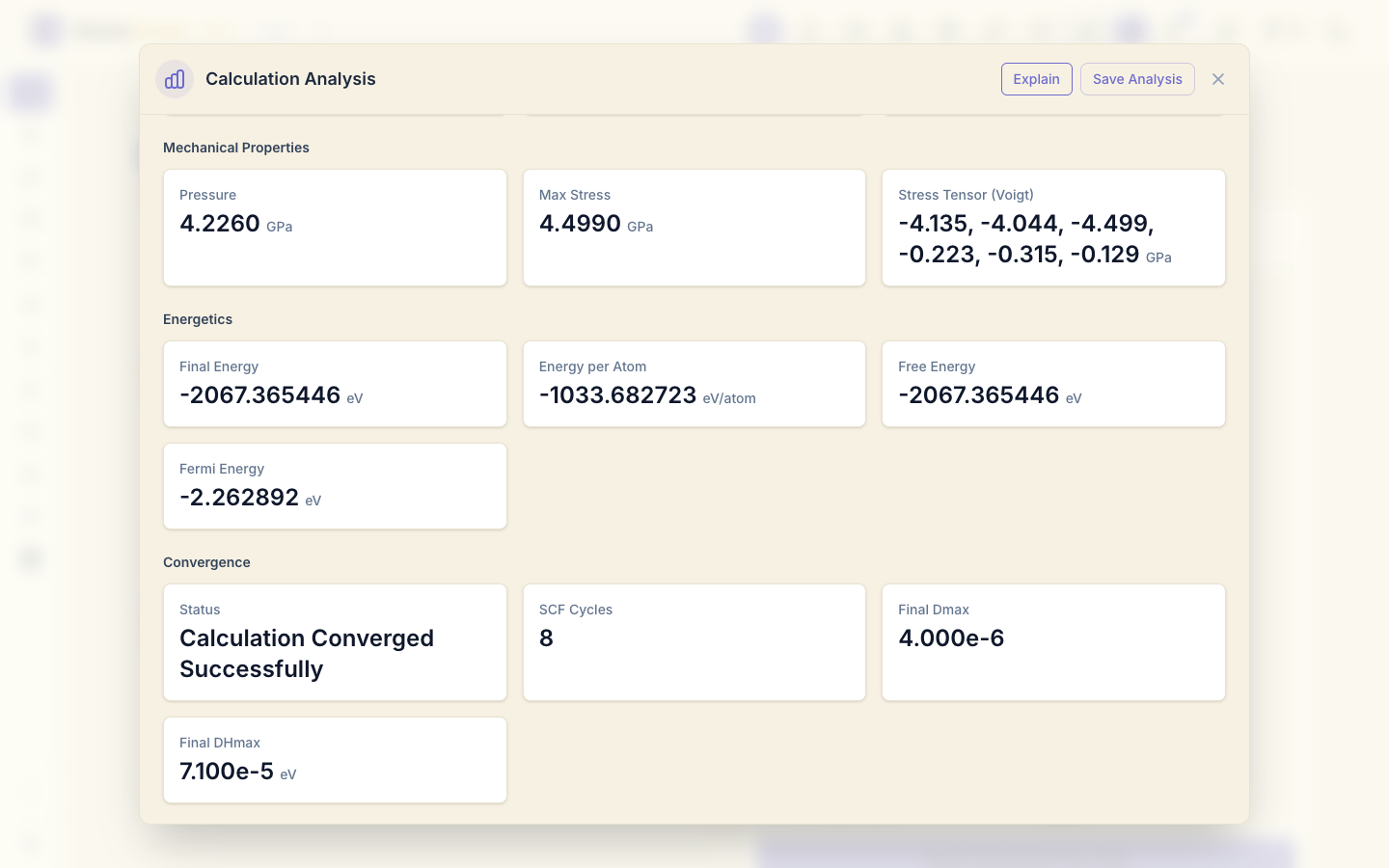
Under Mechanical Properties the pressure is 4.23 GPa (SIESTA prints 42.26 kbar). A small pressure like this is normal: the cell comes from the database, computed with other settings, and has not been relaxed with these. Relaxing a structure shows how to relax a structure.
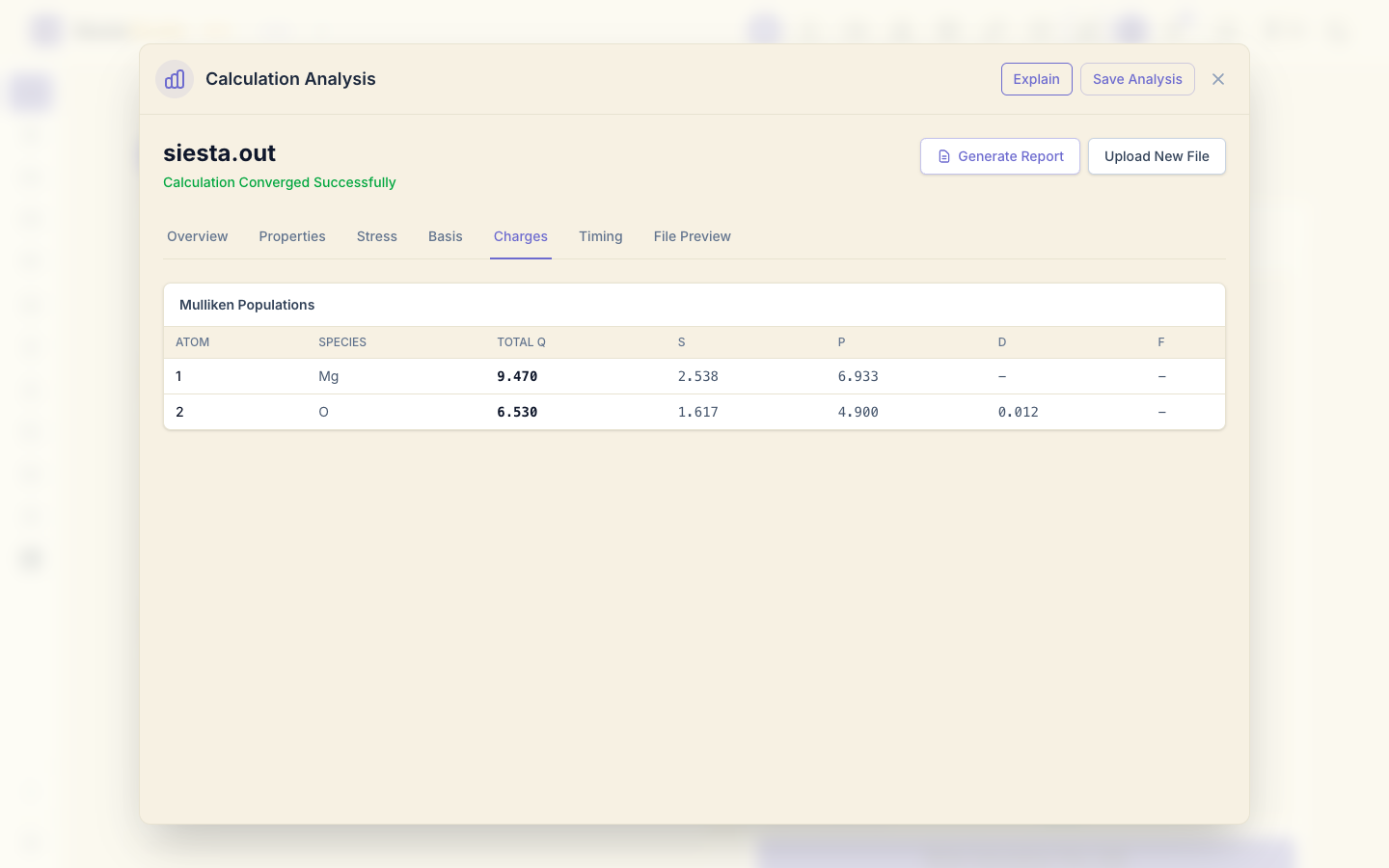
Charges shows the Mulliken populations: Mg keeps 9.47 of its 10 valence electrons and O has 6.53 of 6, so about half an electron moves from Mg to O, as expected for an ionic oxide. The s and p columns split each total by orbital type: Mg keeps 2.54 electrons in s and 6.93 in p orbitals.
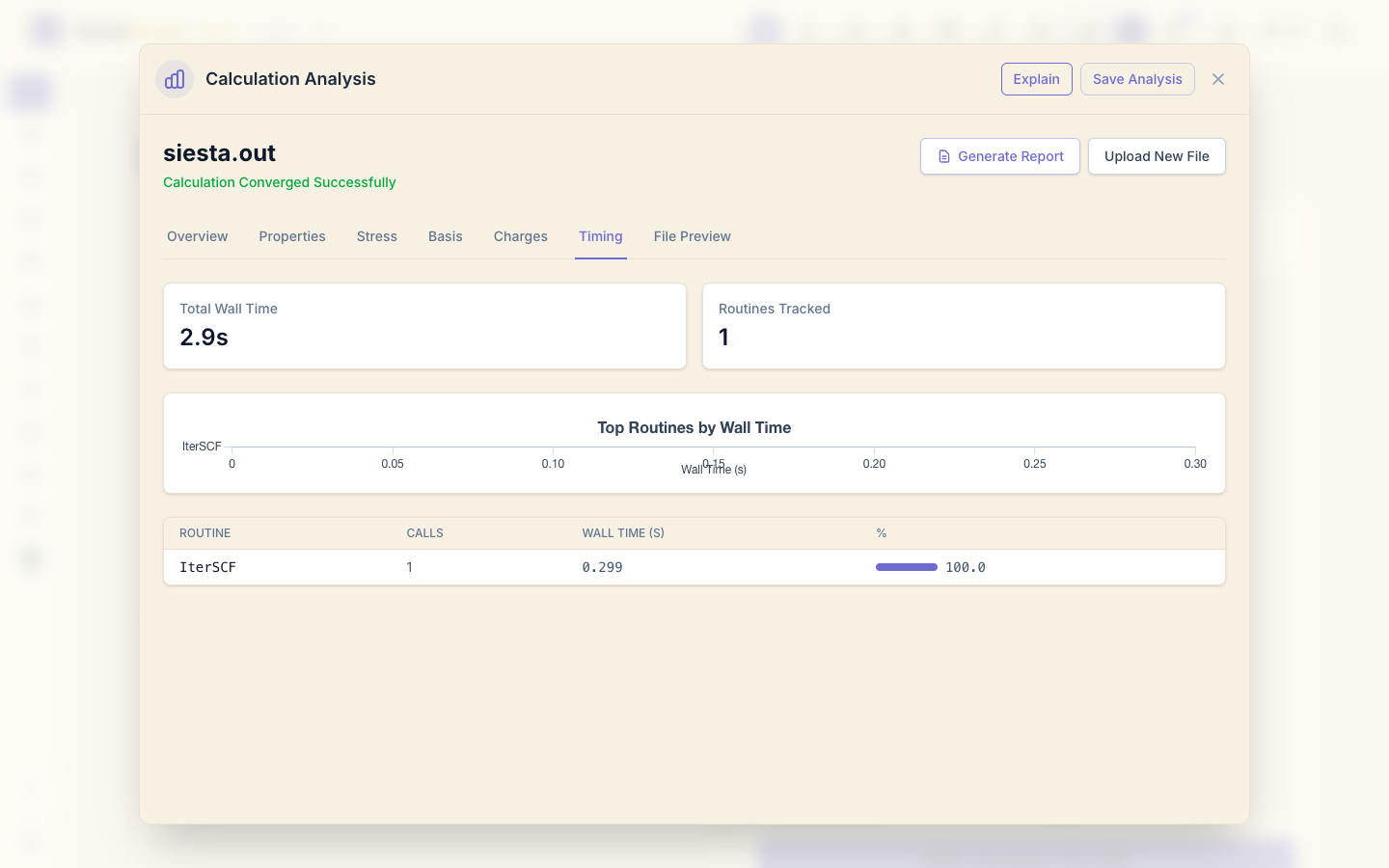
Timing shows where SIESTA spent its time.
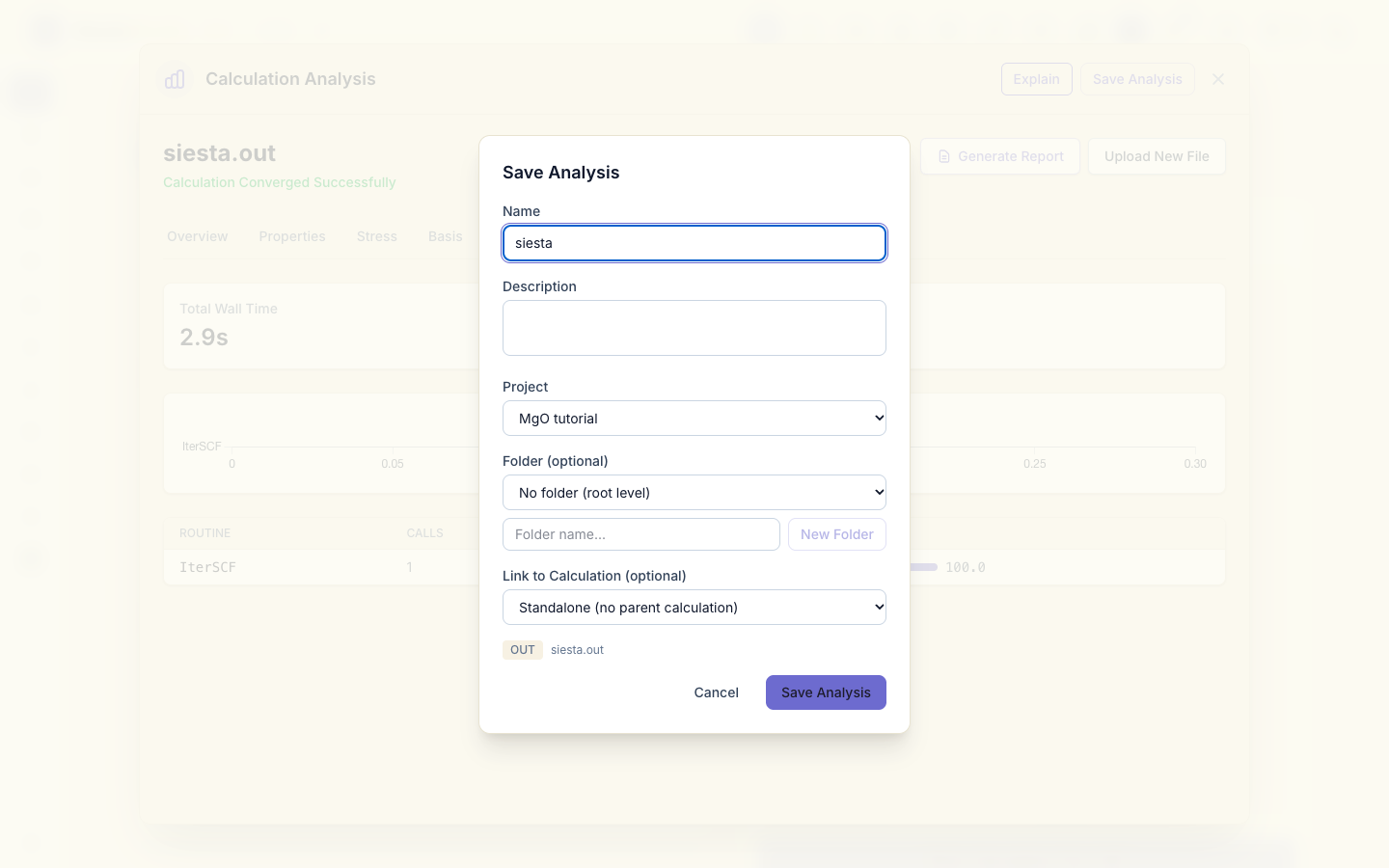
14. Save the analysis
Click Save Analysis, choose the project MgO tutorial, and click
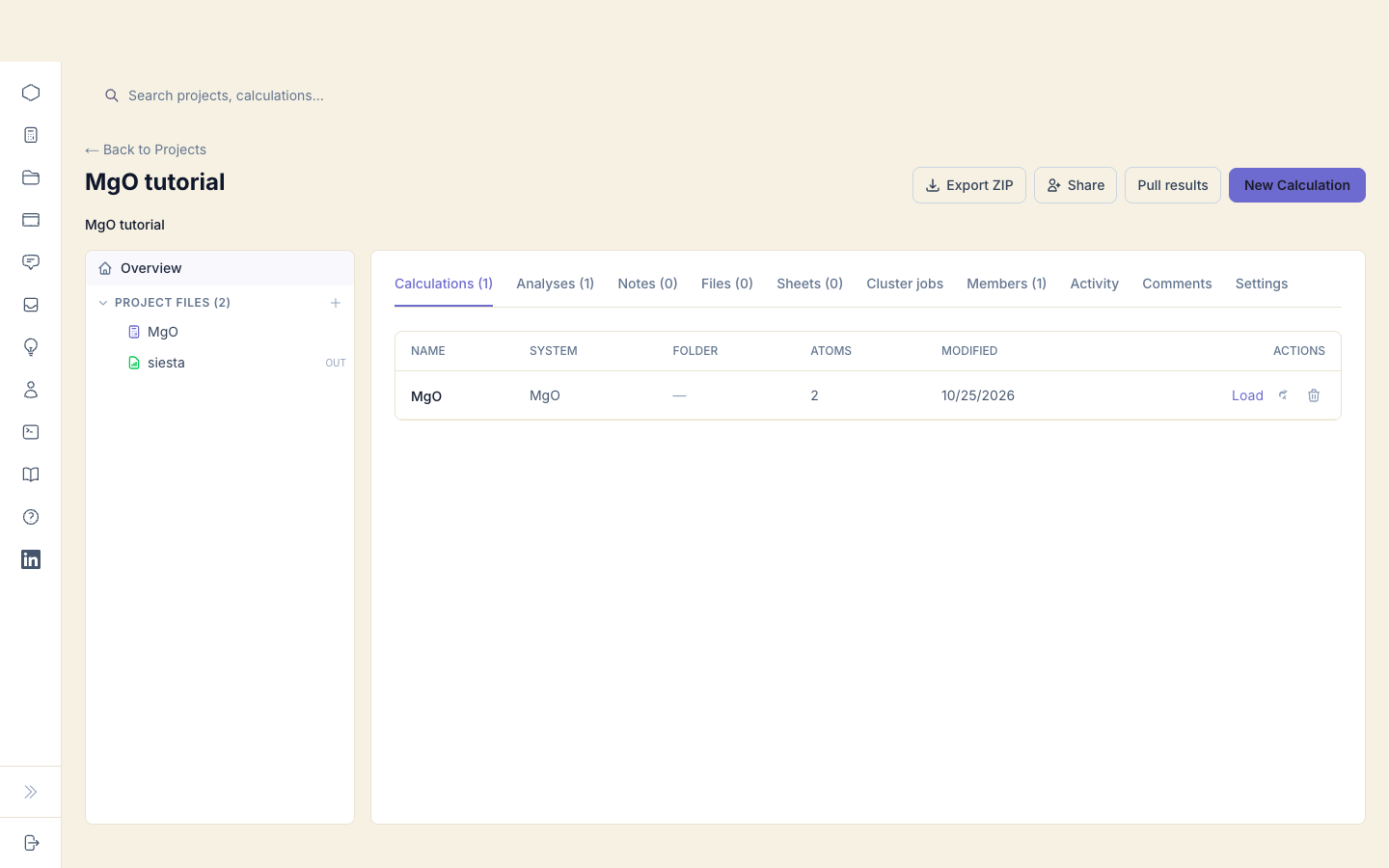
Save Analysis. The project now holds both the calculation and its result.
What next
- Bands, DOS and PDOS: the electronic structure of the same MgO.
- Relaxing a structure: let SIESTA move the atoms (and, if you want, the cell) to remove forces and pressure.