Surfaces and the work function: MgO(001)
The work function is the energy needed to take an electron from a material into the vacuum just outside it. A DFT calculation gets it from a slab: a few atomic layers with empty space (vacuum) on both sides. Far from the slab the electrostatic potential is flat, at the vacuum level. The work function is that vacuum level minus the Fermi energy.
MgO is an insulator, and for an insulator the Fermi energy is not a fixed point: it lies somewhere in the band gap, wherever the occupation scheme puts it. The numbers that describe an insulating surface are the ionization potential (vacuum level minus the top of the valence band) and the electron affinity (vacuum level minus the bottom of the conduction band). This tutorial reads all three, so you can see the difference.
In this tutorial you:
- cut a (001) slab of MgO, four layers thick, in the structure builder,
- run SIESTA and save the electrostatic potential on the real-space grid,
- read the potential profile, the vacuum level and the work function in SiestaStudio, and get the ionization potential from the band edges,
- export the same calculation as a workflow that also runs SIESTA's
macroaveutility, - place a water molecule on the surface.
It takes about 30 minutes; the SIESTA run takes about 10 seconds.
Before you start
- A SiestaStudio account, SIESTA 5 on your computer (with the
macroaveutility for part 2). - Your first calculation explains the downloads and Analyze File.
1. Build MgO and cut a slab
Create a project MgO slab, open the studio, and click Edit Structure.
In Generate Structure, choose Face-Centered Cubic, lattice constant
4.21 Å, elements Mg,O, and click Generate Structure: the cubic cell
of rock salt, 8 atoms, 2 species.
Open Slab Creation and set:
- Miller indices h
0, k0, l1(the (001) surface); - Thickness
2(two cubic cells, that is four atomic layers); - Vacuum (Å)
15; - Center slab in vacuum ticked.
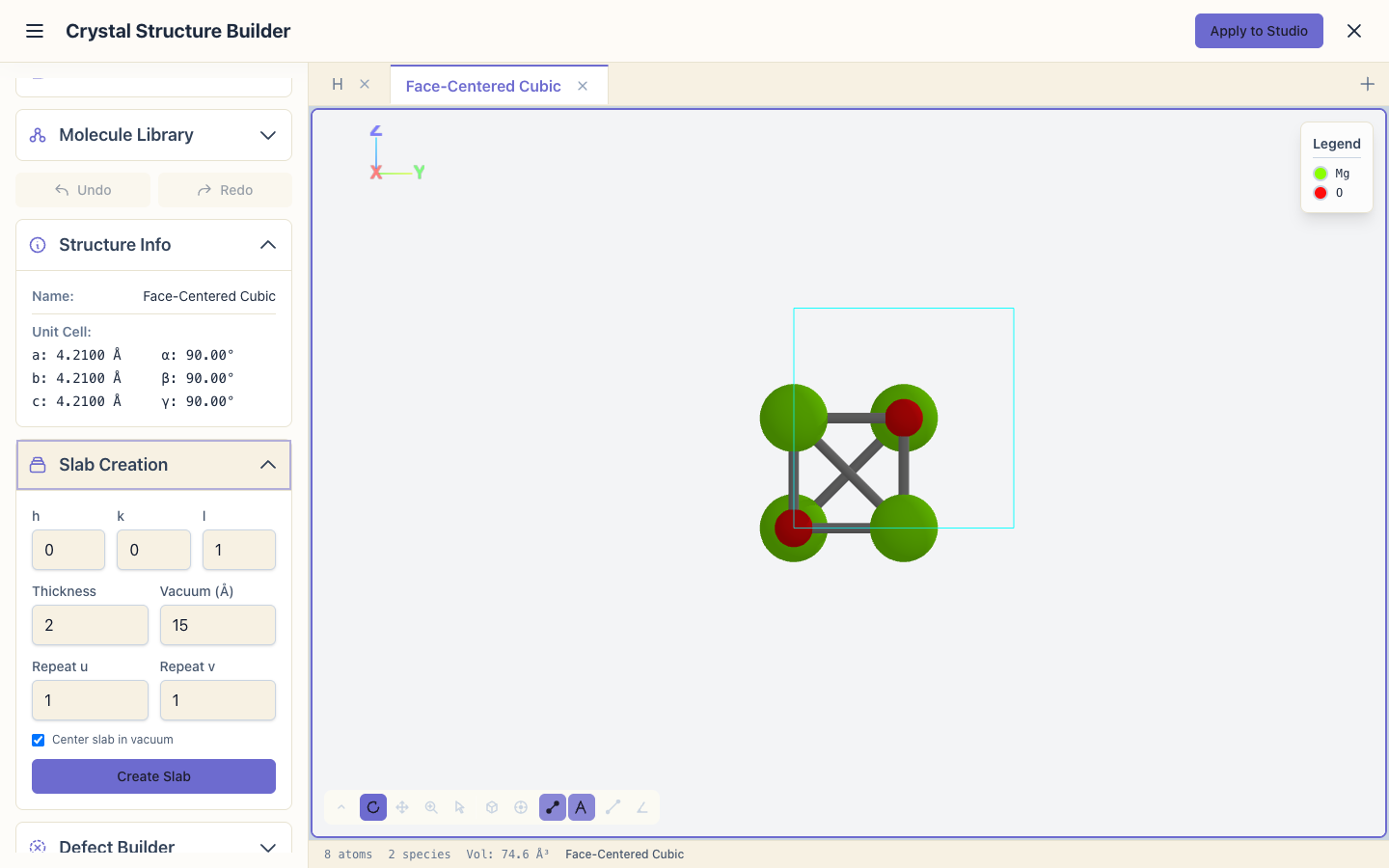
The Miller indices start at (1, 0, 0). For a cubic cell that is the same surface, but the vacuum then goes along a instead of c. SiestaStudio's potential profile and most surface tools expect the vacuum along c, so enter (0, 0, 1).
Click Create Slab. The status bar shows 16 atoms.
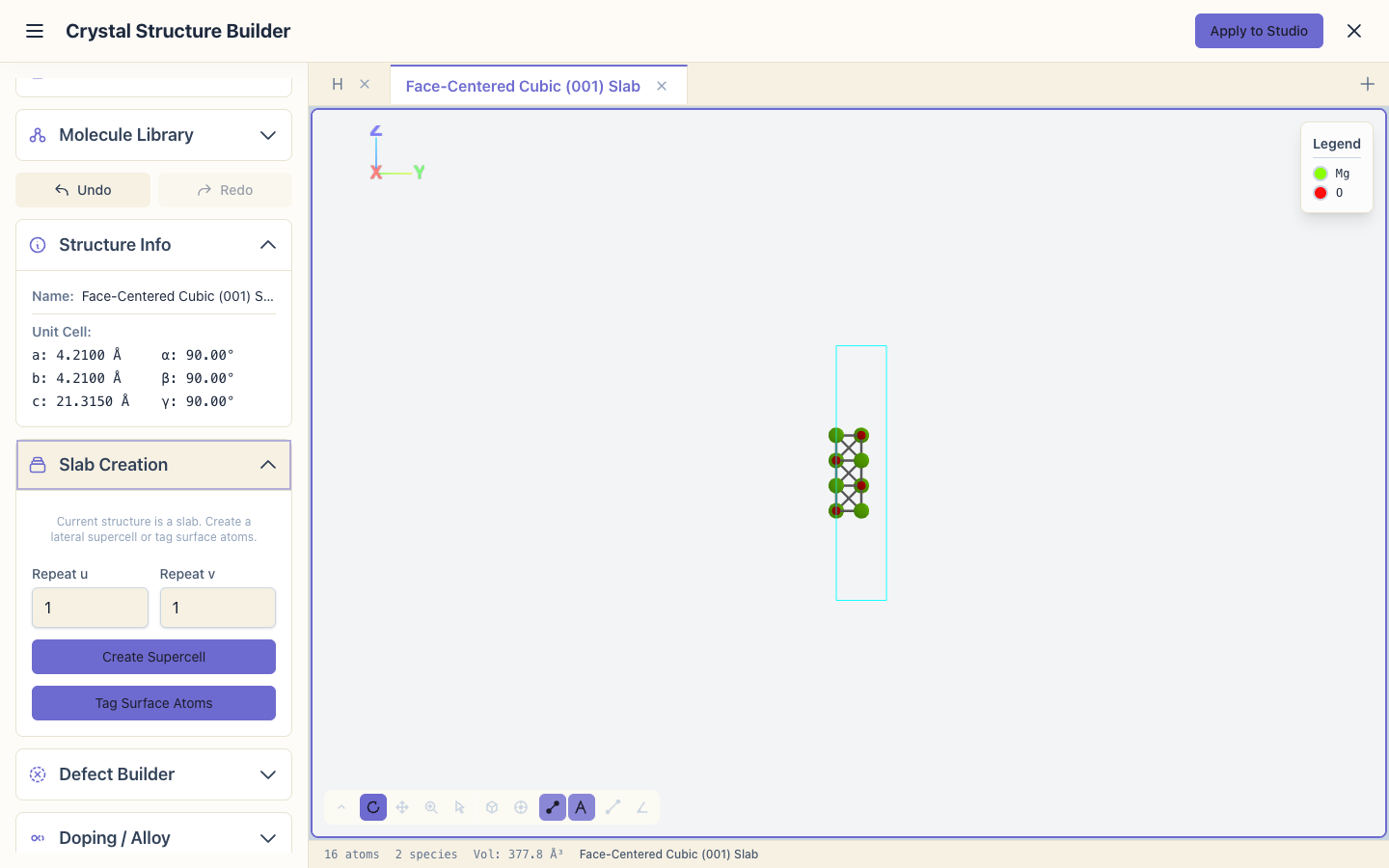
The surface atoms appear as separate species (Mg_surface, O_surface).
They use the same pseudopotentials as Mg and O; the labels only let you
treat them differently later if you want to. That is why the input has four
species.
Click Apply to Studio and set the System Name to MgO slab.
2. Set up the calculation
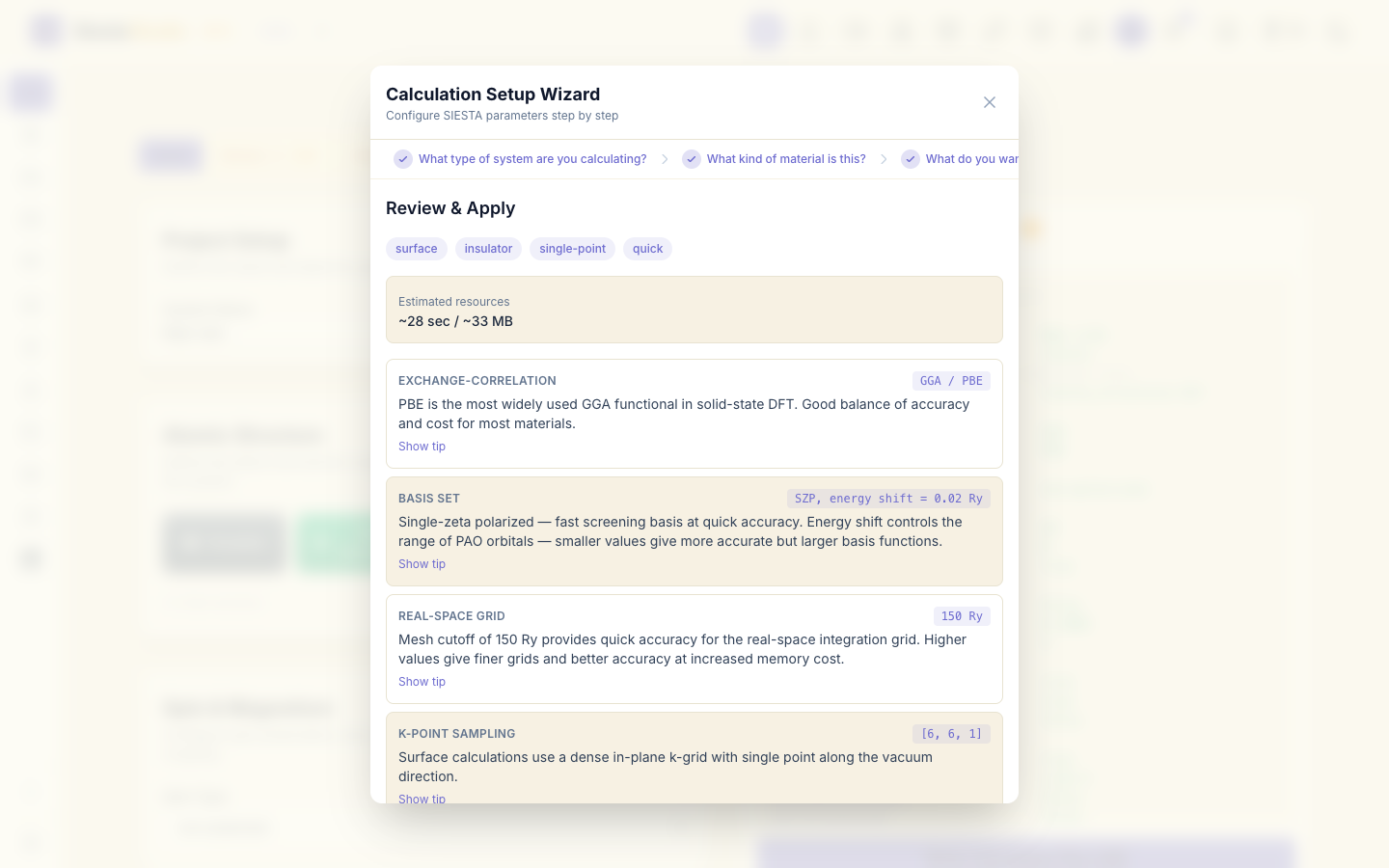
Open the wizard:
- System type: Surface / Slab.
- Material: Insulator.
- What to calculate: Single-point energy.
- Accuracy: Quick.

For a slab the wizard samples k-points in the surface plane only (a 6x6x1 grid here): nothing is periodic across the vacuum, so one k-point along c is enough. Click Apply All.
3. Save the electrostatic potential
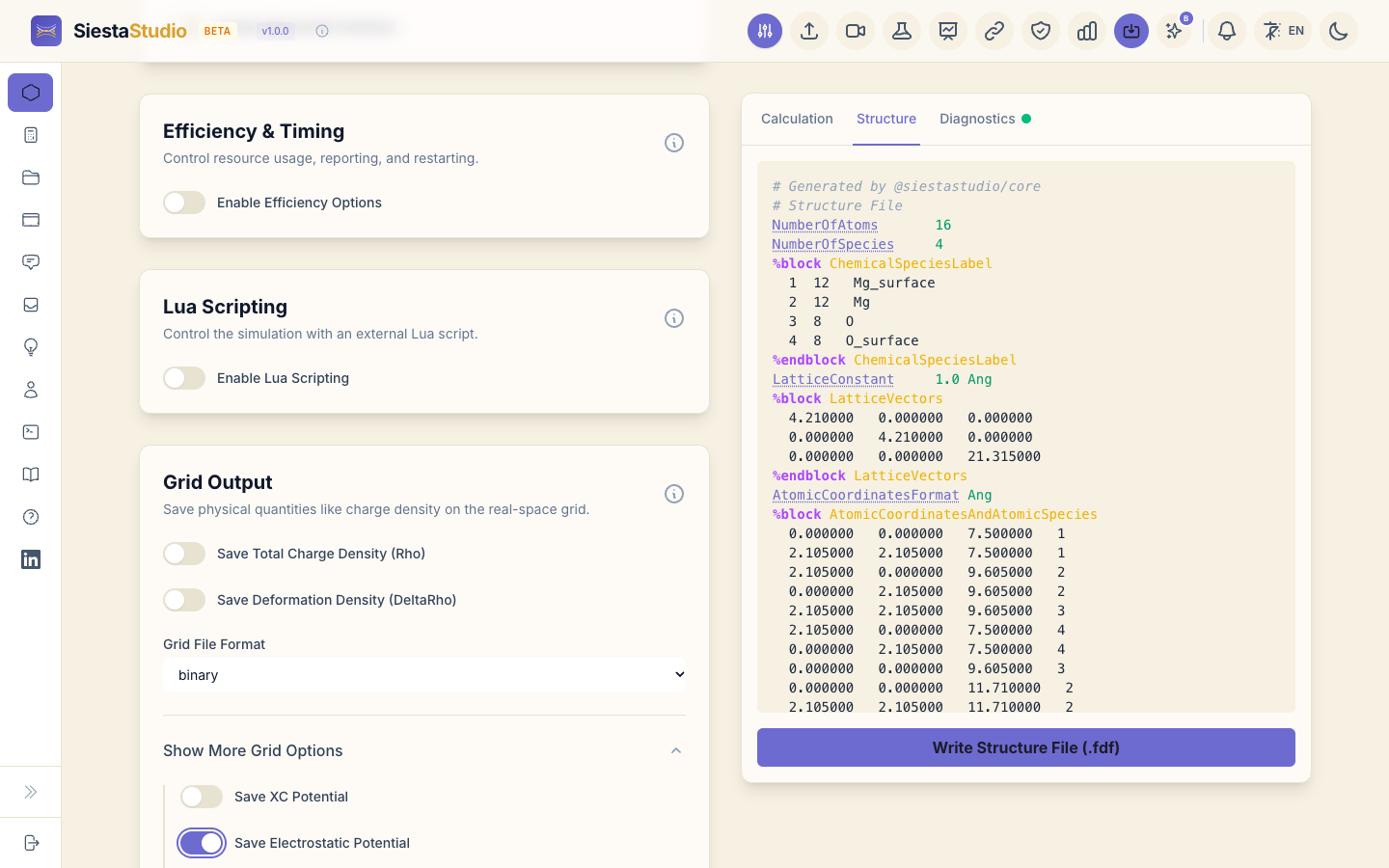
Open Grid Output and click Show More Grid Options. Switch on Save Electrostatic Potential, and leave Grid File Format on binary.
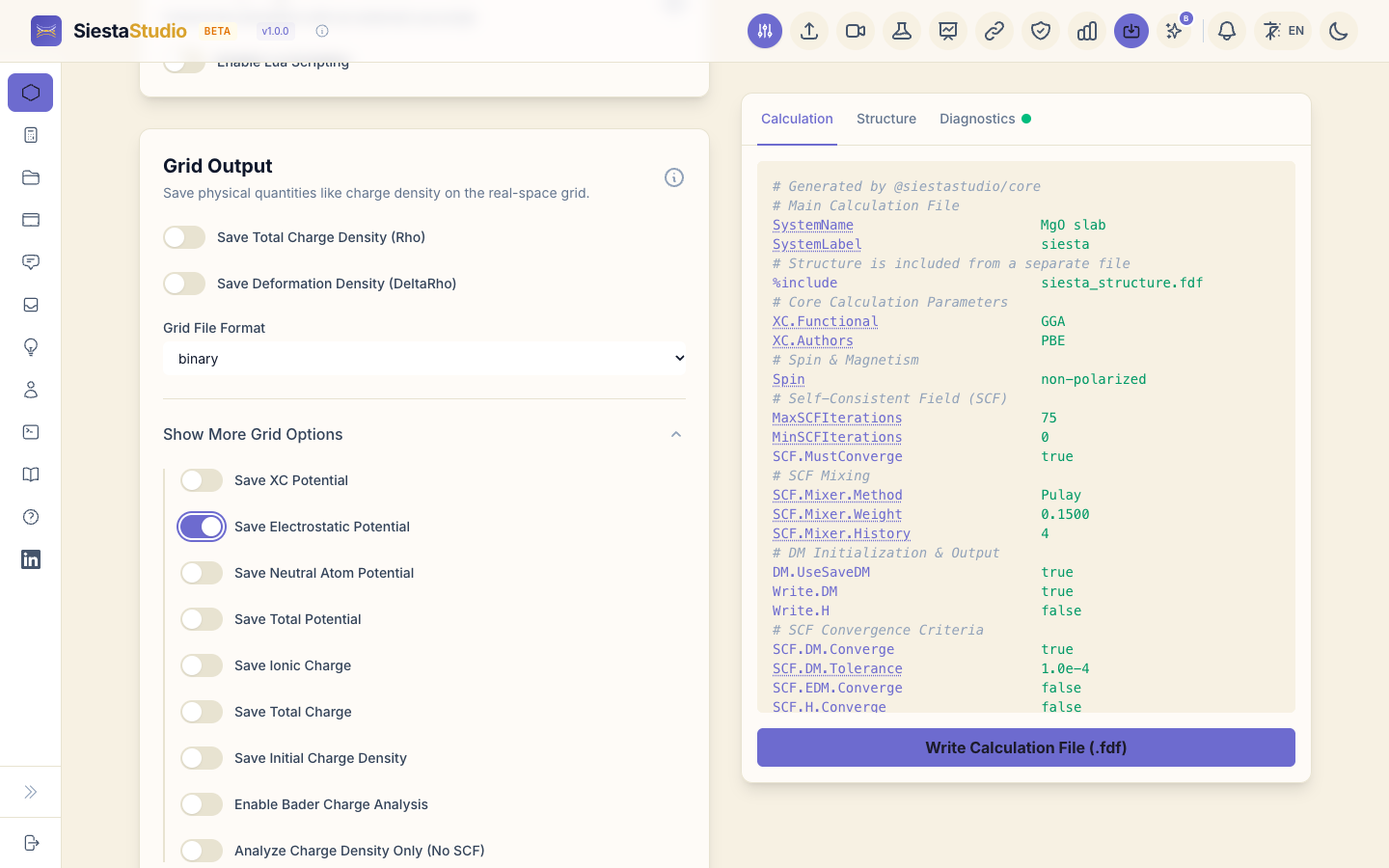
SIESTA then writes siesta.VH, the electrostatic (Hartree plus local
pseudopotential) potential on the grid, in SIESTA's own binary format, which
SiestaStudio reads.
4. Check, download and save
- Diagnostics: All parameters look good!
- Download
siesta.fdfandsiesta_structure.fdf. In the structure file the cell's c vector is 21.32 Å long: 6.31 Å of slab plus 15 Å of vacuum. - Pseudopotentials, Download All (ZIP), unzip next to the files.
- Save calculation, project
MgO slab.
5. Run SIESTA
siesta < siesta.fdf > siesta.out
Besides siesta.out, SIESTA writes siesta.VH and siesta.XV.
6. The potential profile and the work function
Click Analyze File and drop siesta.VH. Open the Potential profile
tab.
- Click Upload .xv for atomic planes and choose
siesta.XV. SiestaStudio reads the atom positions and reports Detected: slab — vacuum along c (15.0 Å), and averages along c. - Next to Fermi energy (eV), click from .out and choose
siesta.out. The Fermi energy is -3.102 eV.
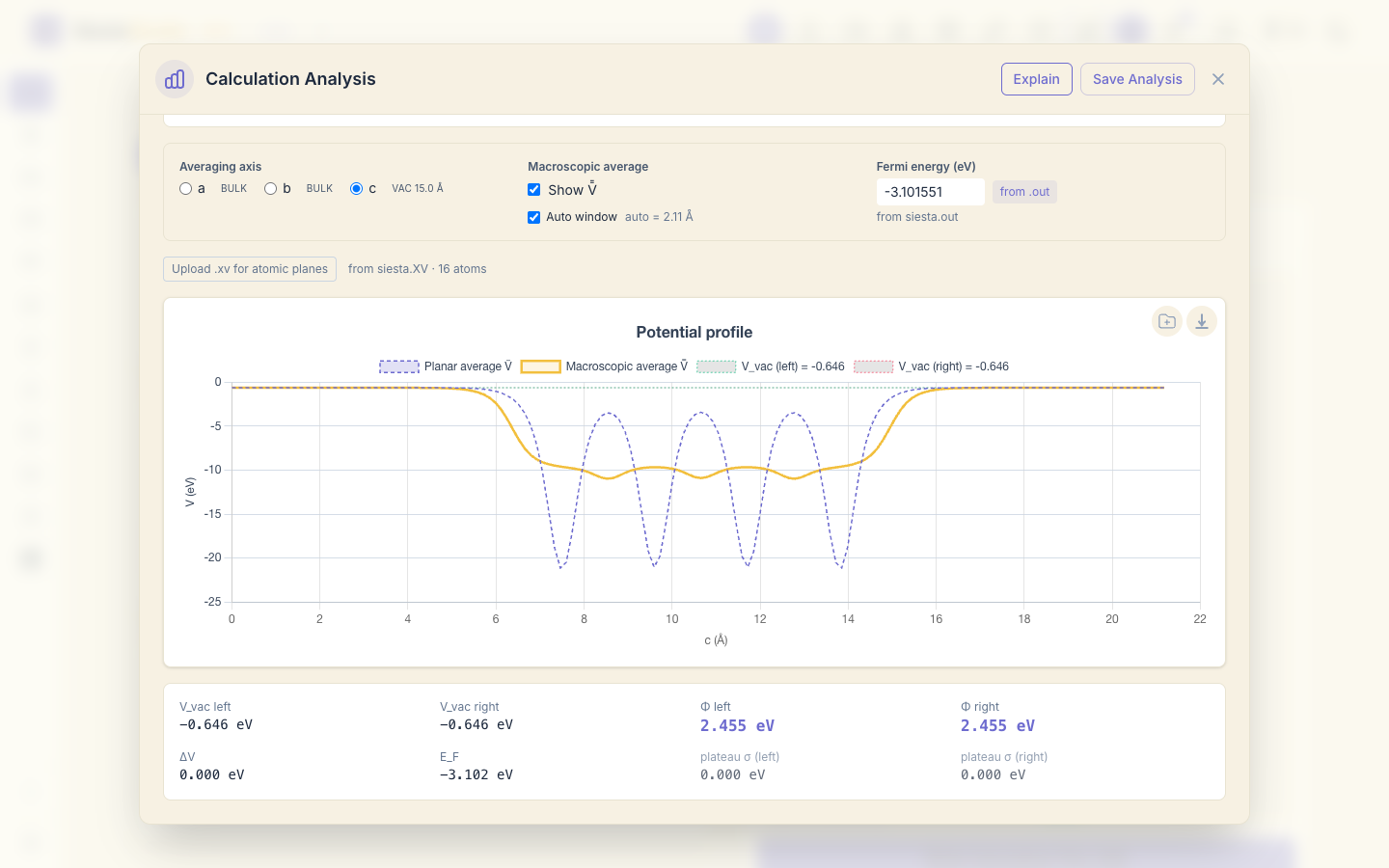
The plot shows the planar average of the potential along c: four dips, one per atomic layer, and flat regions on both sides, which are the vacuum. The two sides agree because the slab is symmetric, so there is no dipole across it.
SIESTA writes the potential in Ry; SiestaStudio converts it to eV. The panel reads a vacuum level V_vac of -0.646 eV on both sides, and the work function
Φ = V_vac − E_F = −0.646 − (−3.102) = 2.455 eV.
SIESTA's own macroave utility (next section) gives the same -0.646 eV
vacuum level.
For MgO, though, Φ depends on where the Fermi level sits in the 3.77 eV gap,
so it is not a property of the surface. Use the band edges instead. They are
in siesta.EIG (Bands, DOS and PDOS
shows them in the studio): top of the valence band −4.659 eV, bottom of the conduction band
−0.886 eV. Then
ionization potential = V_vac − VBM = −0.646 − (−4.659) = 4.01 eV, electron affinity = V_vac − CBM = −0.646 − (−0.886) = 0.24 eV.
PBE puts the band edges too close together (the gap is 3.77 eV here against 7.8 eV measured), so both numbers come out lower than in experiment.
The Macroscopic average curve is the planar average smoothed over one layer spacing: Auto window finds it from the dips, 2.11 Å here (the MgO(001) layer spacing is 2.10 Å). Untick it to enter another window. The vacuum level, and so the work function, does not depend on the window.
With Quick settings and four layers, take the values as an illustration; converge the slab thickness, vacuum and basis before you compare it with experiment.
7. The same calculation as a workflow, with macroave
SiestaStudio can export a calculation as a workflow: a folder with one directory per step and a script that runs them in order. Click Workflow Builder in the header. Under Built-in Templates, choose Work function (SCF → macroave).

The template has two steps: an SCF run that saves the potential, and
macroave, which averages it. Under Job Scheduler choose Direct (run
on this computer), set CPU Cores to 1 (or the number of cores your
SIESTA build can use with MPI), and click Generate. You get
workflow_mgo_slab.zip.

Unzip it and run:
sh download_pseudos.sh      # fetches the pseudopotentials into pseudos/
bash submit_workflow.sh
The SCF step runs in 01_static, then the script copies the potential to
02_macroave and runs macroave there, with its input file macroave.in.
macroave writes siesta.PAV (planar average) and siesta.MAV
(macroscopic average). Drop 02_macroave/siesta.PAV into Analyze File.
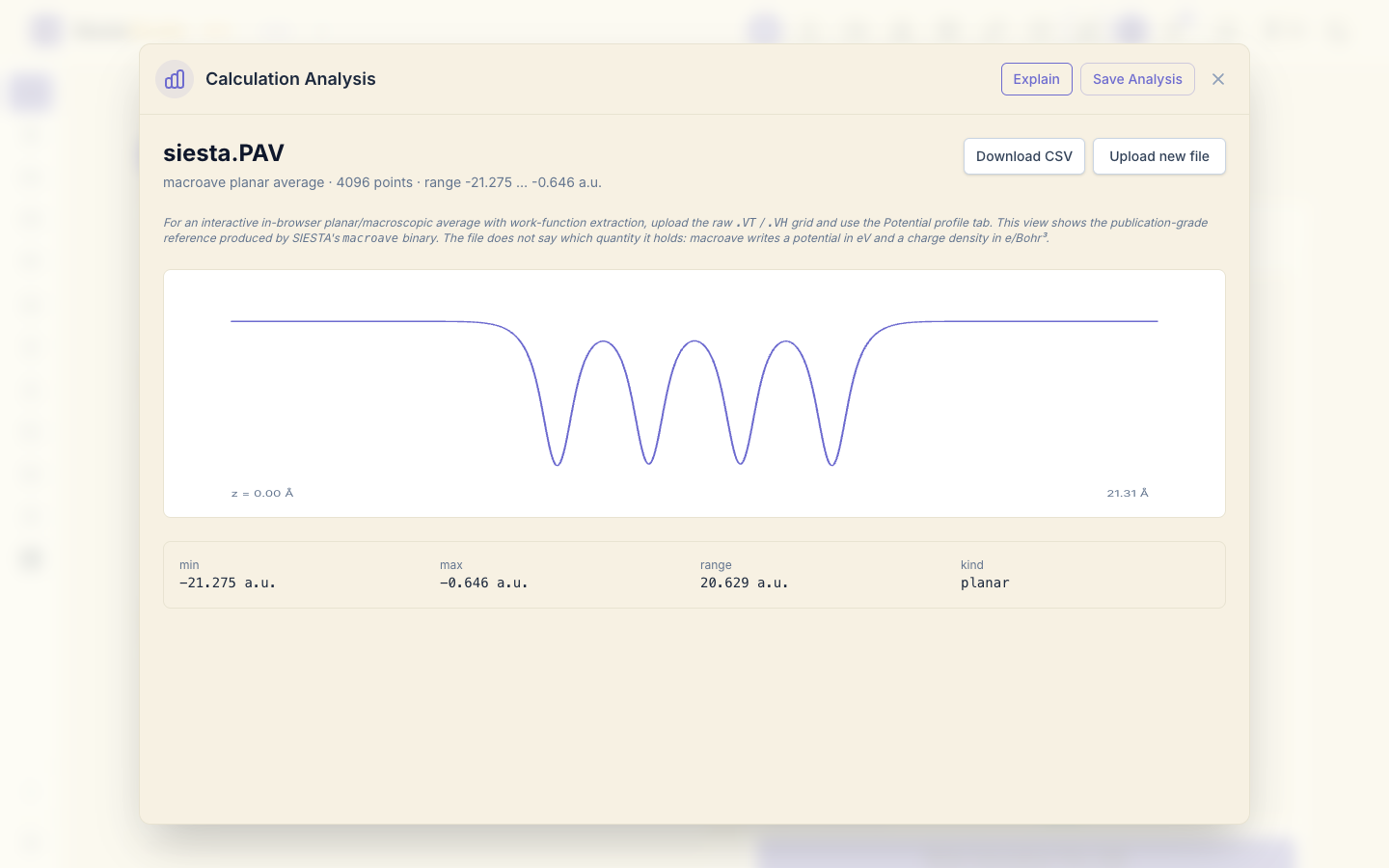
The view shows the same four dips across the 21.3 Å cell. macroave
writes a potential in eV, but its files do not say which quantity they hold,
so the values are labelled "a.u.". The flat vacuum value, -0.646, is the
vacuum level in eV, as in section 6.
8. Save the analysis
Click Save Analysis, project MgO slab.

9. A molecule on the surface
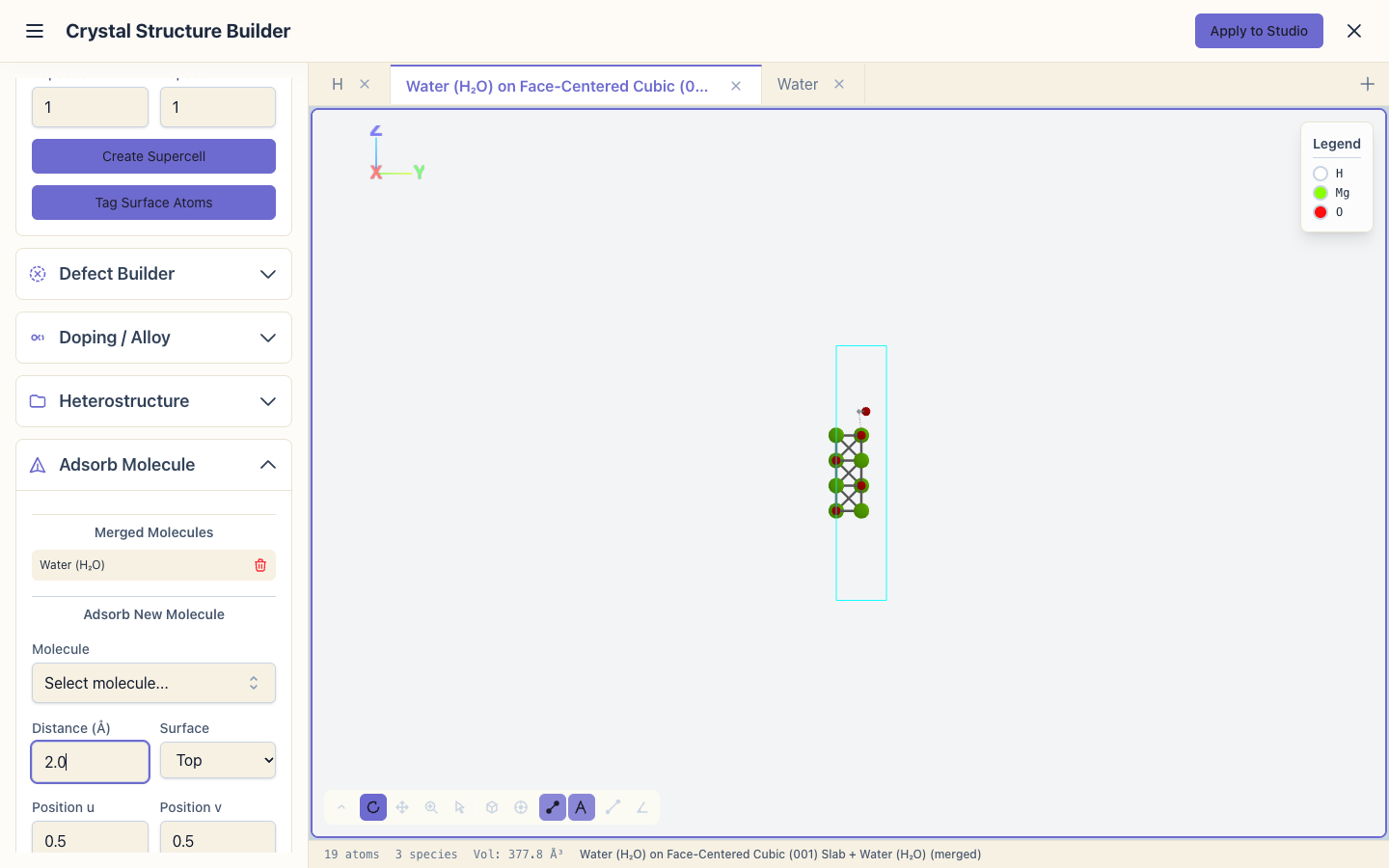
The structure builder can place a molecule on a slab. Open the builder again and make the same slab (section 1). Then:
- Click + next to the scene tabs to open a new scene. In Molecule
Library, search
water, choose Water, and click Load Molecule. - Go back to the slab's tab (Face-Centered Cubic (001) Slab).
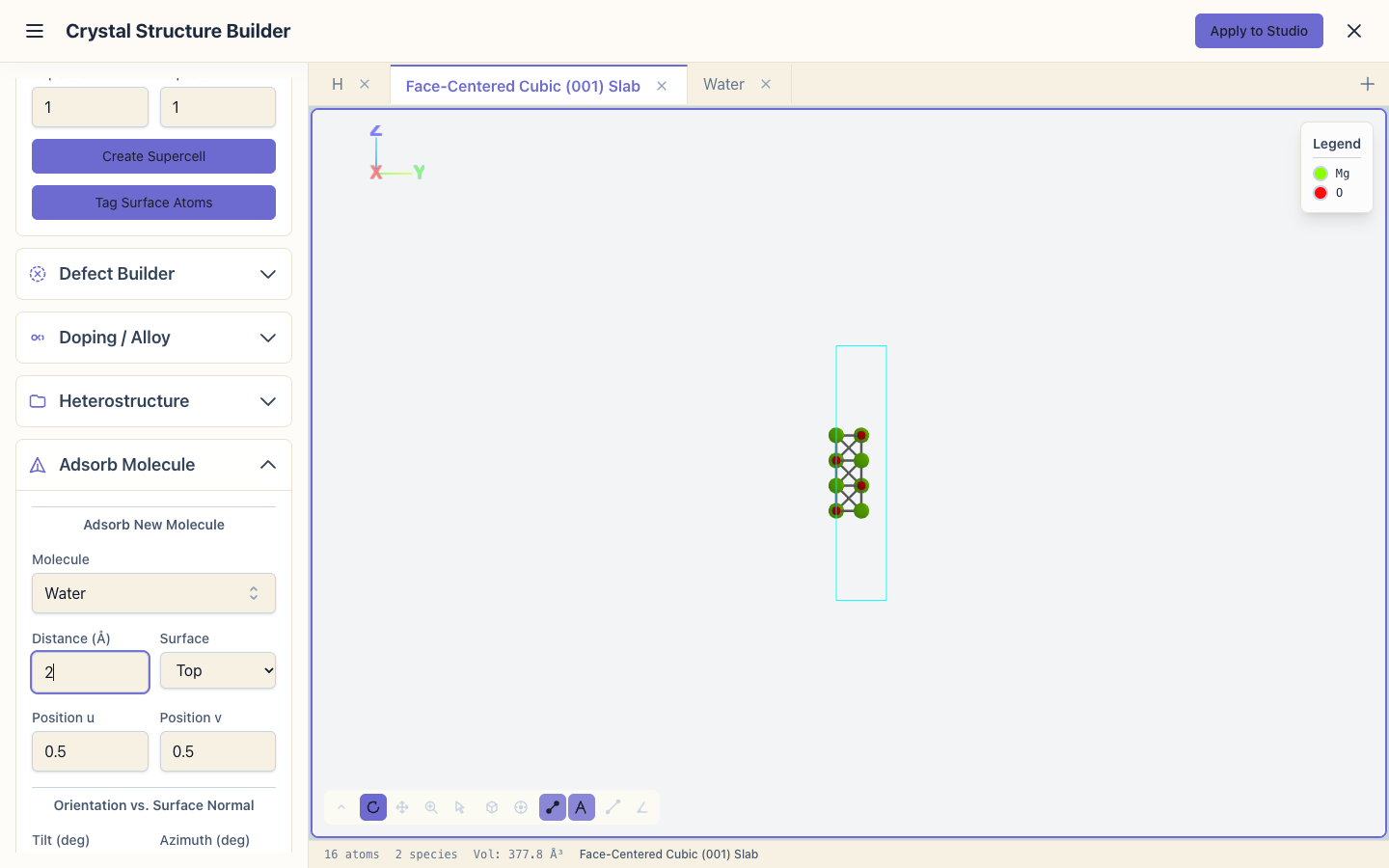
- Open Adsorb Molecule. Choose the water scene as the molecule, set the
distance to
2.0Å, and click Adsorb Molecule. - Click Merge All into Slab. The status bar shows 19 atoms: 16 + 3.
From here, Apply to Studio and set up a relaxation as in Relaxing a structure to find where the molecule settles.
What next
- Building structures: more of the builder.
- Molecular dynamics: the water molecule on its own, moving.