Magnetism (and DFT+U): ferromagnetic iron
Iron is ferromagnetic: each atom carries a magnetic moment of about 2.2 Bohr magnetons. In this tutorial you build bcc iron in the structure builder, run a spin-polarized calculation, read the moment, look at how the spin-up and spin-down electrons differ in the DOS and band structure, and see what a Hubbard U on the Fe 3d shell (DFT+U) does to the moment.
It takes about 20 minutes; each SIESTA run takes under a minute.
1. Build bcc iron
Create a project named Fe magnetism and open the studio in it. In Atomic
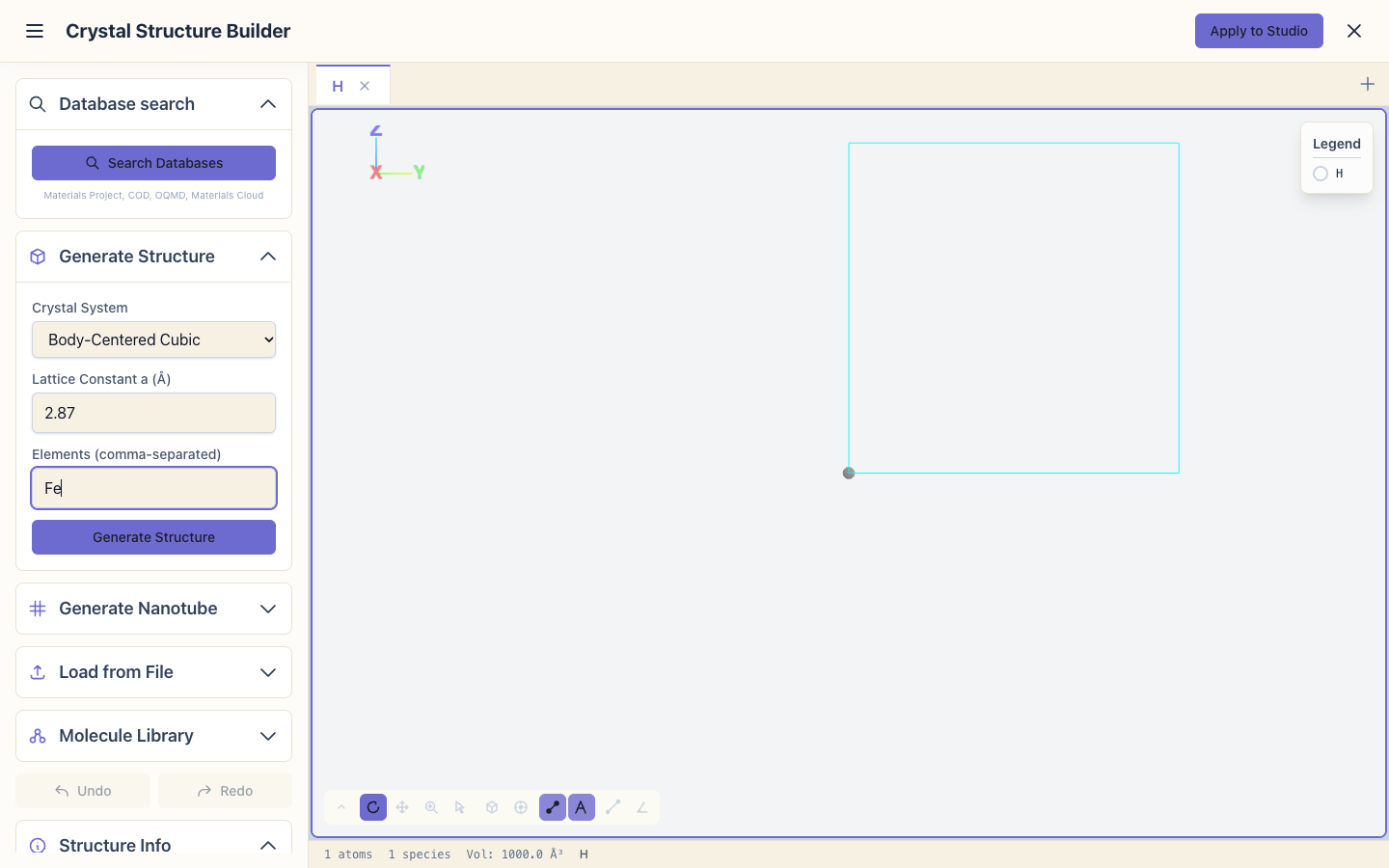
Structure, click Edit Structure to open the Crystal Structure
Builder. In Generate Structure:
- Crystal System: Body-Centered Cubic
- Lattice Constant a (Å): 2.87 (the measured value for iron)
- Elements: Fe
and click Generate Structure. The builder makes the conventional cubic cell with 2 atoms. Open Symmetry and click Primitive Cell: the cell becomes the 1-atom primitive cell of bcc iron, half the work for SIESTA.
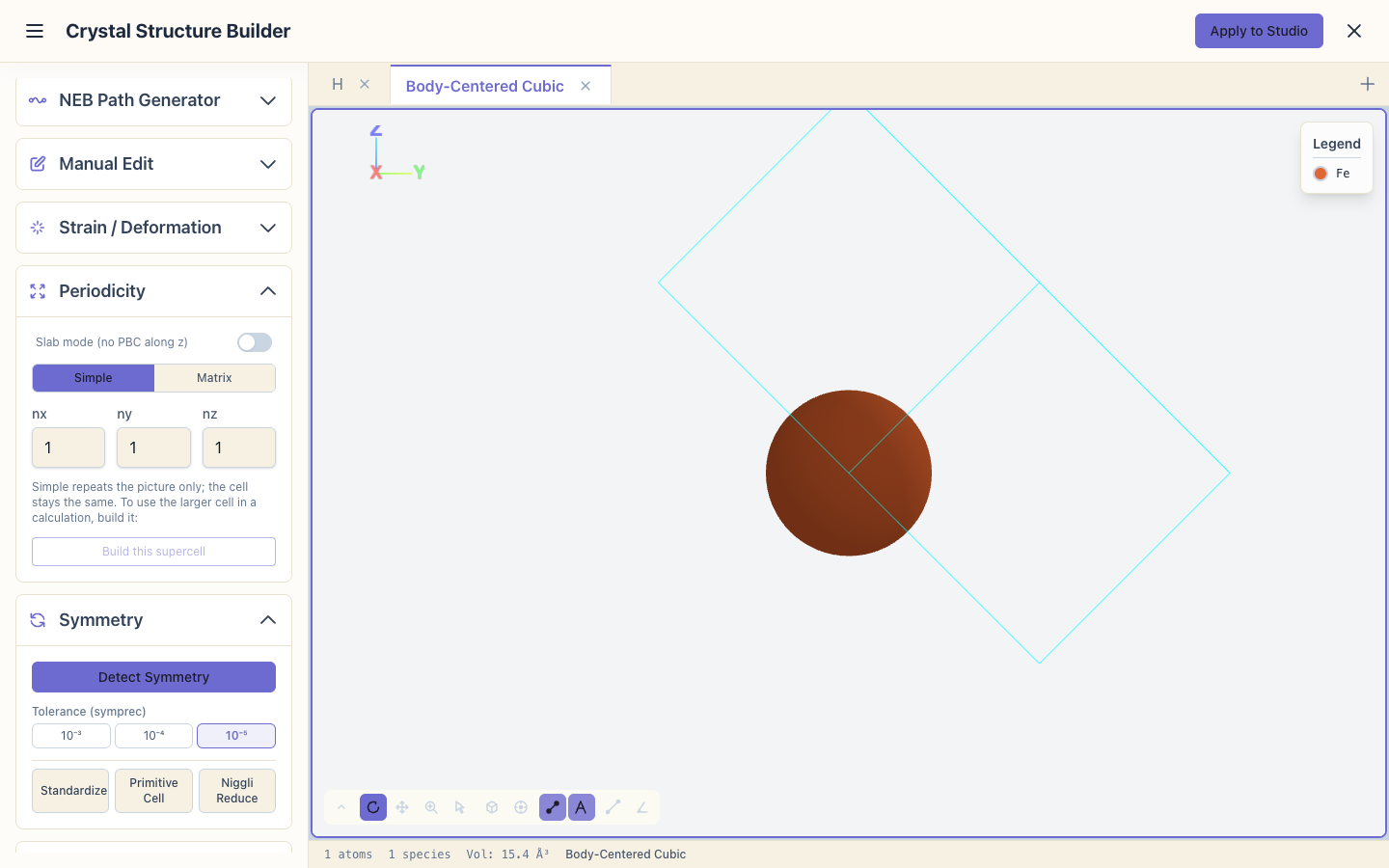
Click Apply to Studio, and set System Name to Fe.
2. Set up a spin-polarized calculation
Open the Calculation Setup Wizard and choose Bulk Crystal, Magnetic, Band structure and Standard. On Optional features:
tick Spin-polarized (marked "Recommended" for a magnetic material) and Compute DOS.
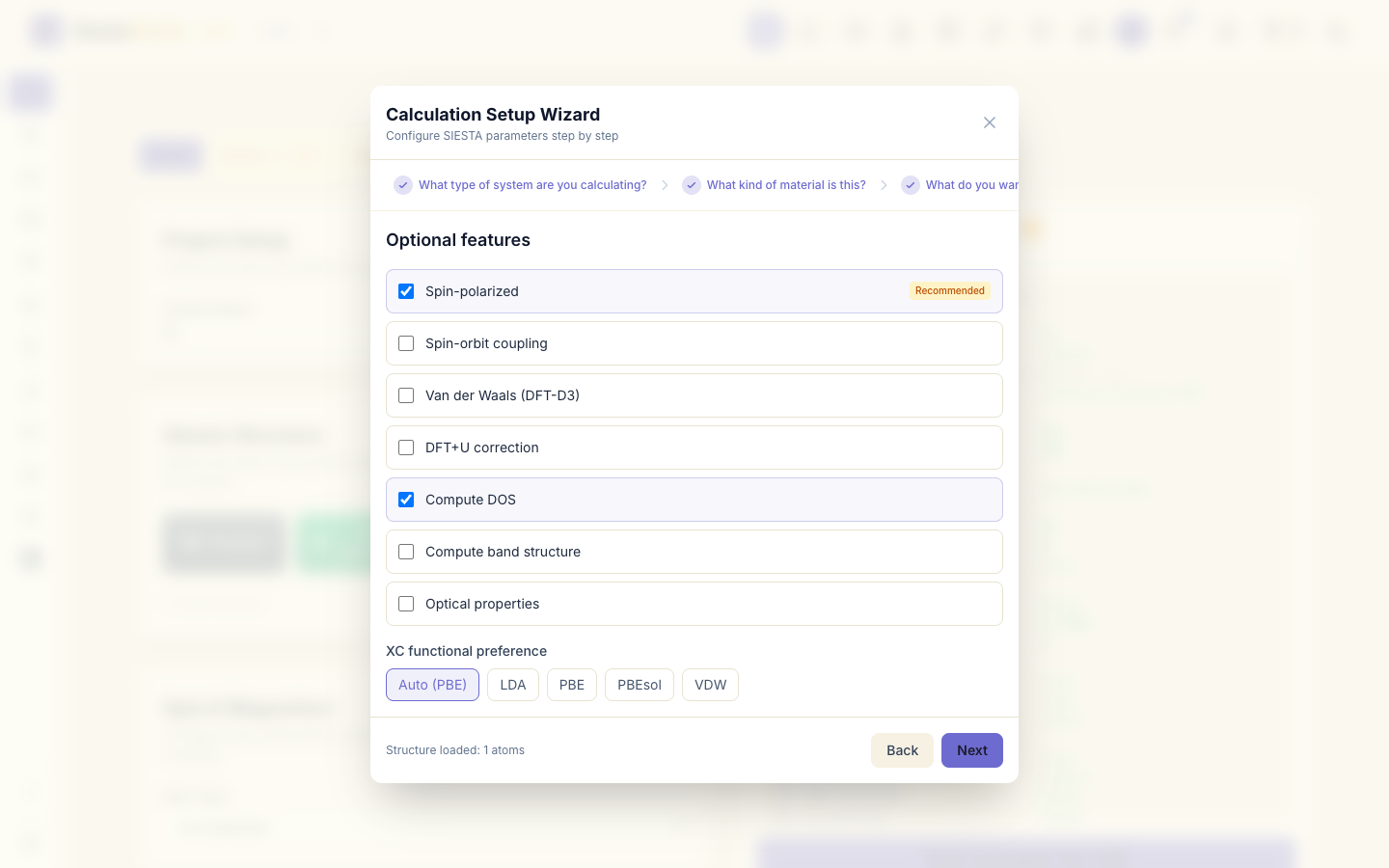
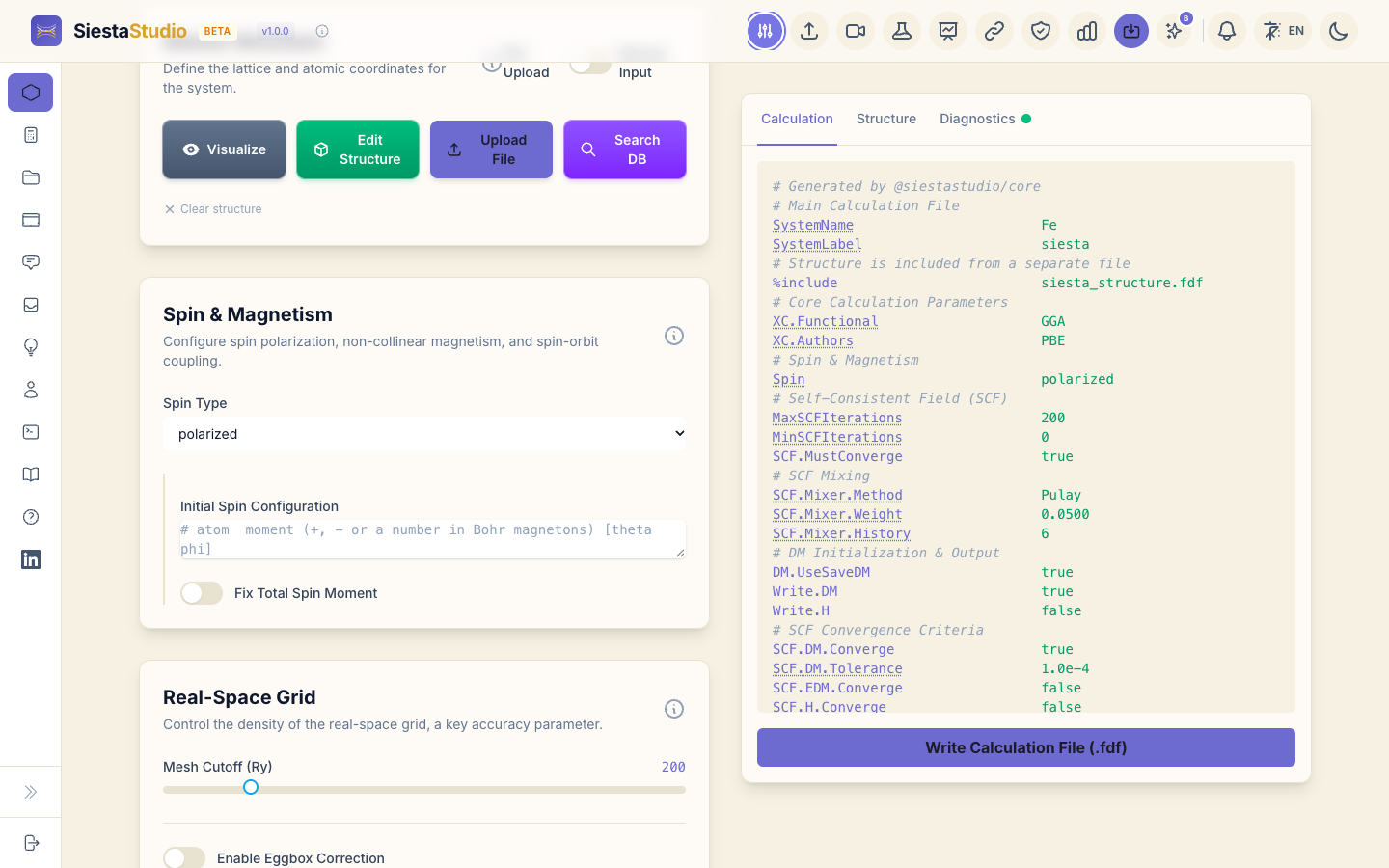
Click Next and Apply All. In Spin & Magnetism the Spin Type is now polarized. Leave Initial Spin Configuration empty: SIESTA then starts with all spins parallel, which is what you want for a ferromagnet.
3. The k-path and the charges
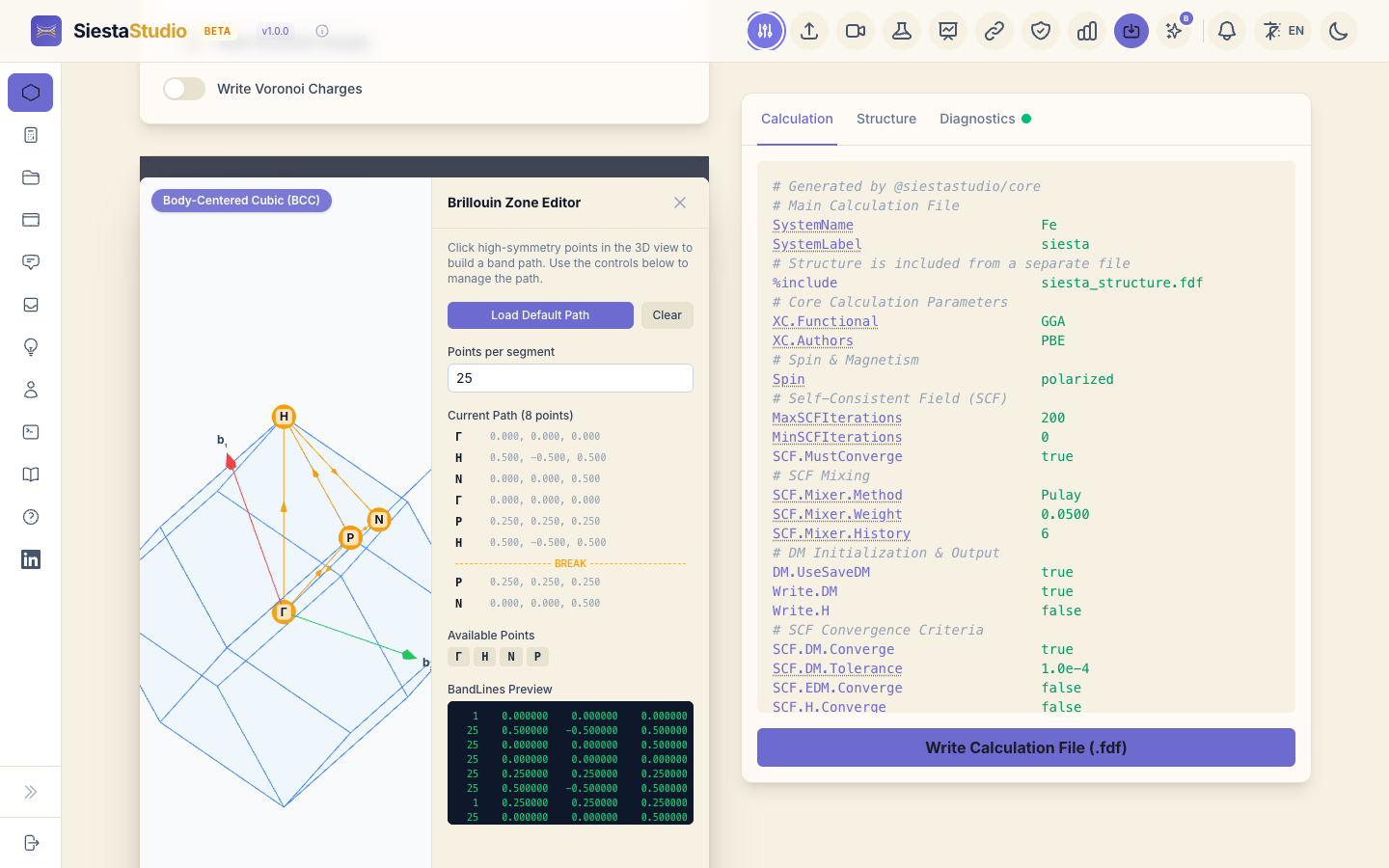
In DOS & Band Structure, click Open BZ Editor. It recognises the Body-Centered Cubic cell and loads the standard path Γ-H-N-Γ-P-H-P-N. Click Apply.
In Chemical Analysis, set Mulliken Population Analysis to Atomic and orbital charges.
4. Check, download and save
Check Diagnostics, download the two input files and the pseudopotentials,
and save the calculation as Fe.
5. A second calculation with DFT+U
To compare, make a second calculation that adds a Hubbard U on the Fe 3d
electrons. Saving again in the studio would overwrite Fe, so make a copy
first:
-
Open Calculations in the sidebar, find
Feand click Duplicate. A copy,Fe (copy), appears. Click Load on it.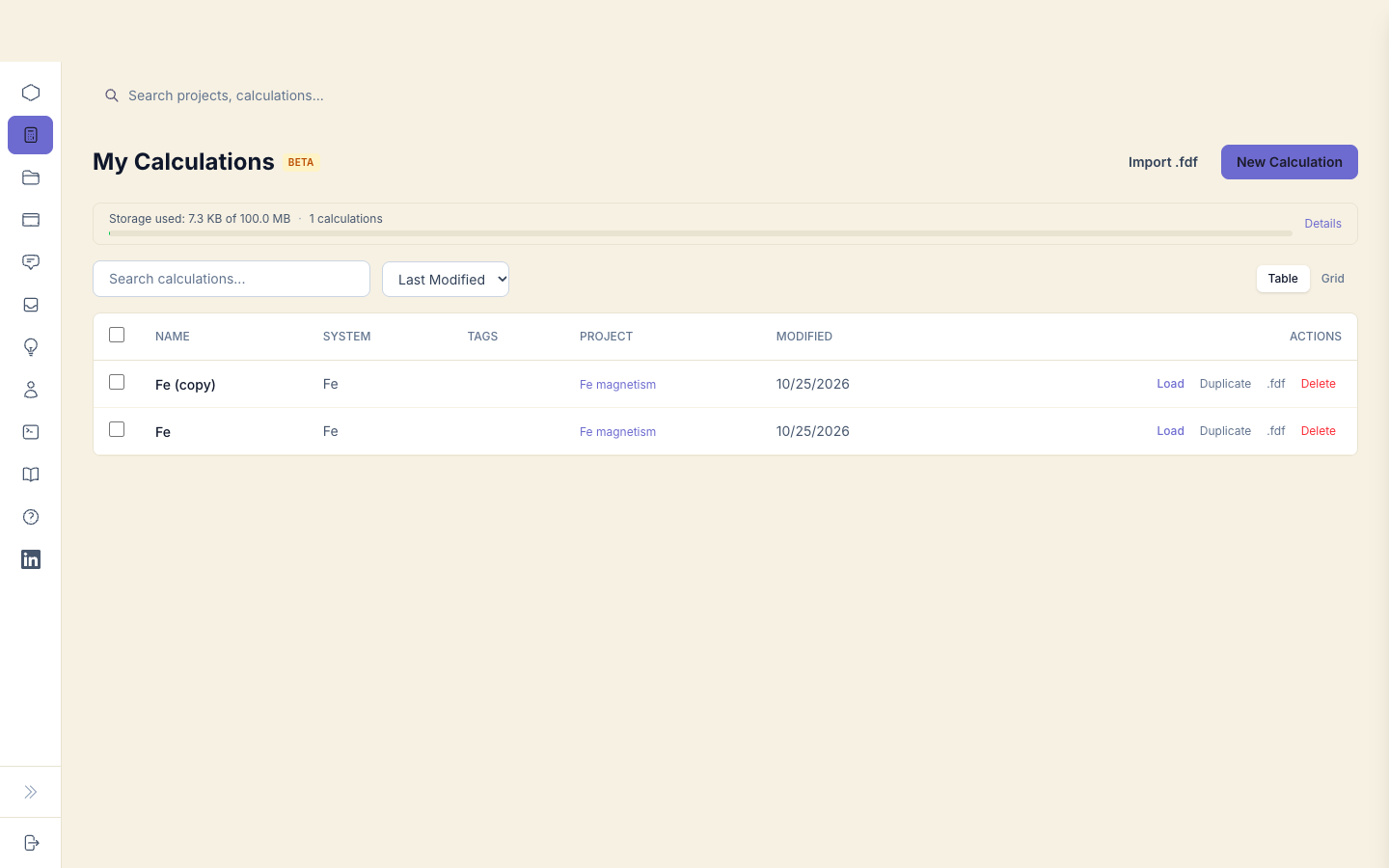
-
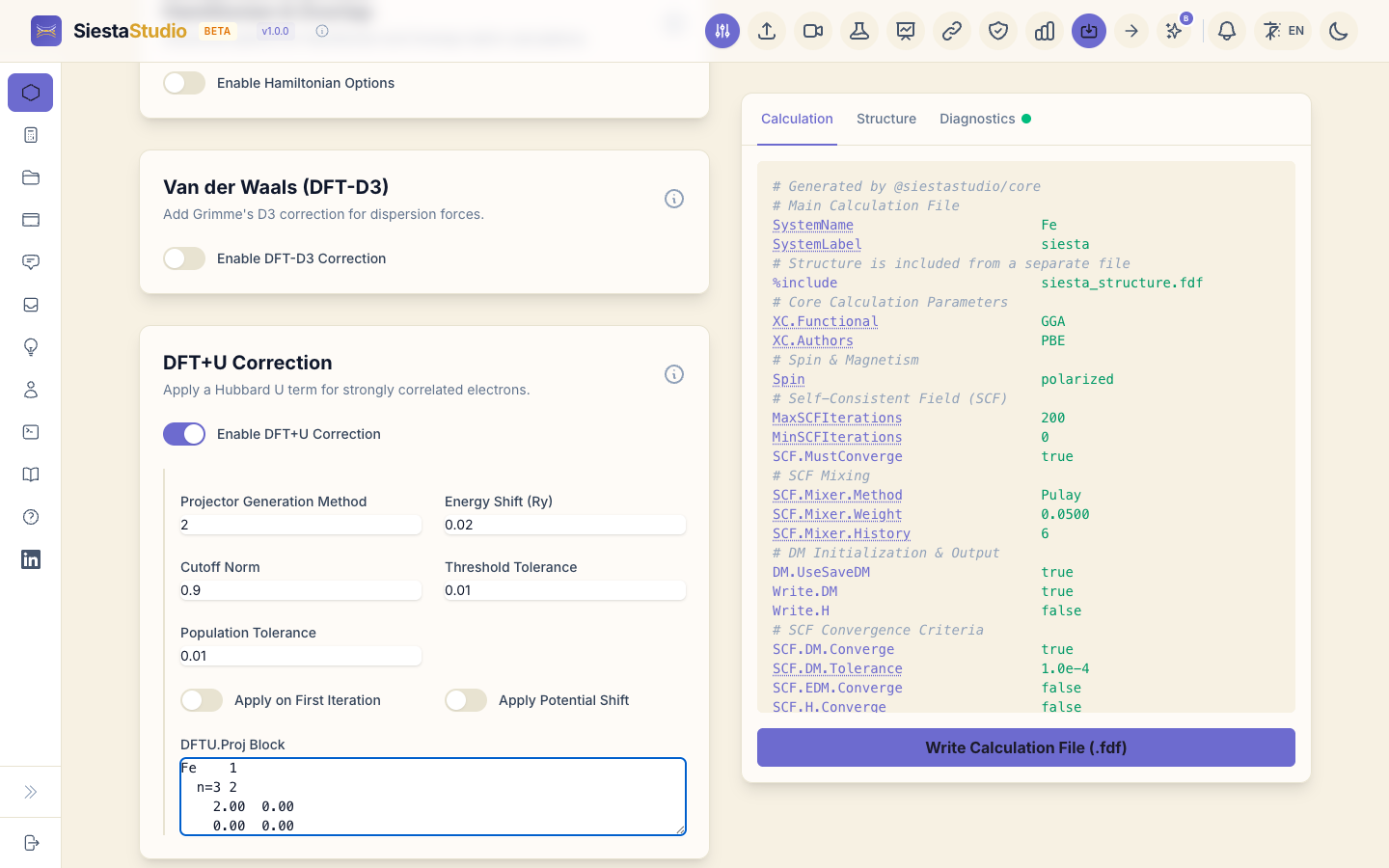
In DFT+U Correction, switch on Enable DFT+U Correction and type in DFTU.Proj Block:
Fe    1
  n=3 2
    2.00  0.00
    0.00  0.00
The lines say: one shell for Fe; the shell n = 3, l = 2 (3d); U = 2.00 eV and J = 0.00 eV; and a projector radius of 0, which lets SIESTA choose it.
-
Download the two input files into another folder, and save the calculation: in the dialog, change the name to
Fe DFT+U. The copy is already in the projectFe magnetism.
6. Run SIESTA
Run each calculation in its own folder, with Fe.psml next to the input
files:
siesta < siesta.fdf > siesta.out
7. The magnetic moment
The moment of iron comes out at 2.29 μB, close to the measured 2.22 μB
(you read it in the studio in the next section, or in the last spin moment
line of siesta.out). With U = 2 eV on the 3d
shell it rises to about 2.74 μB: the Hubbard U pushes the d electrons
towards being localized, which favours a larger moment.
This second run is a demonstration of how DFT+U is set up and what it does. For a metal like iron, where the d electrons are not localized, plain GGA is already the better description: the moment with U moves away from the measured value. DFT+U is meant for materials with localized d or f electrons, such as transition-metal oxides.
8. The output in the studio
Open Analyze File and drop in the siesta.out of the plain calculation:
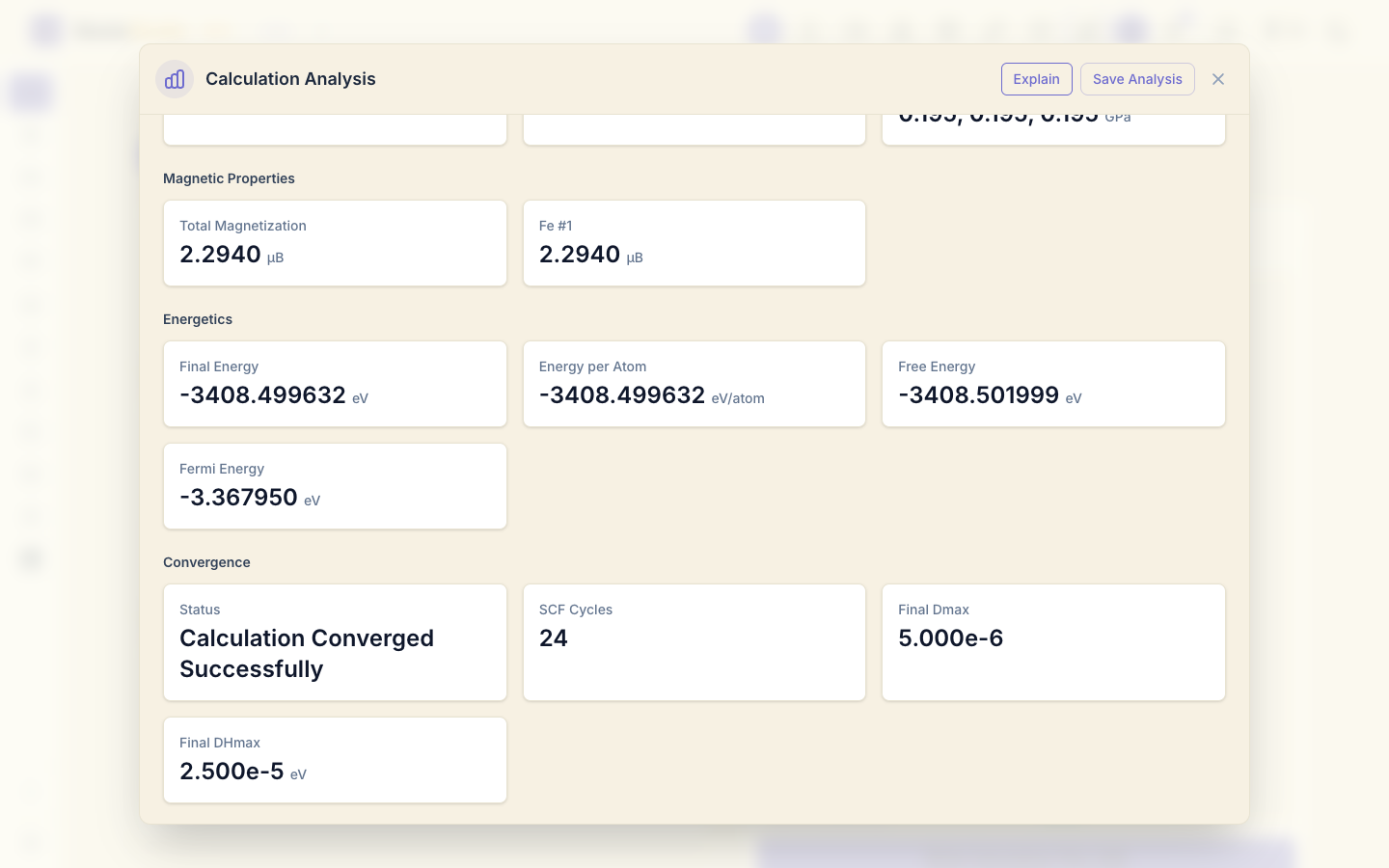
it converged. Properties shows the magnetic moment under Magnetic
Properties, 2.294 μB in total and per atom (Fe #1), and the Fermi
energy, -3.368 eV. The siesta.out of the DFT+U run shows 2.743 μB.
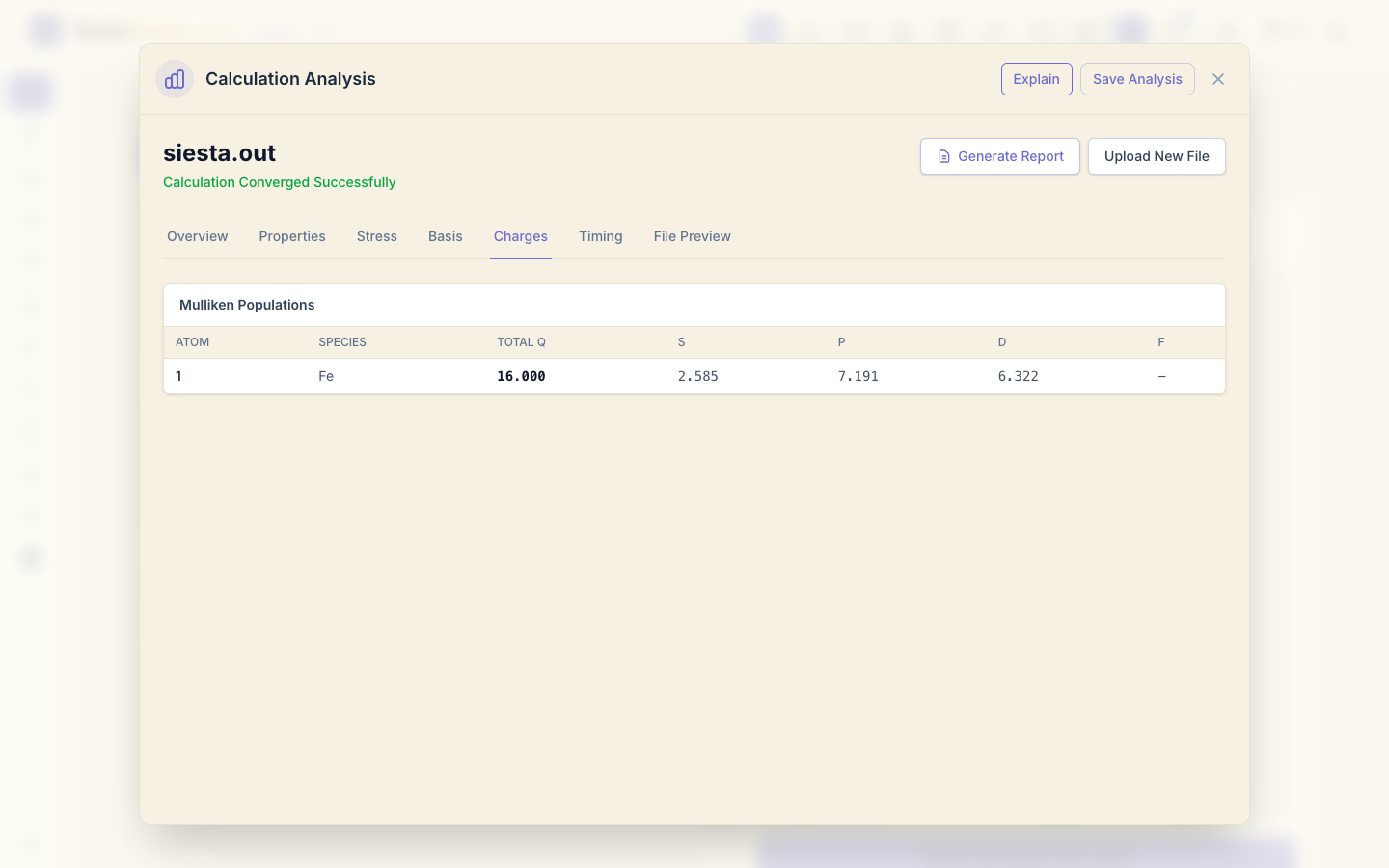
Charges shows the Mulliken population of the Fe atom: 16 electrons in total (the valence of this pseudopotential), counting both spins.
The Properties tab also shows a pressure of -16.6 GPa. A negative pressure (tension) is expected here: 2.87 Å is the measured lattice constant, larger than the PBE equilibrium of about 2.83 Å, so the cell would like to shrink. Part of it can also come from the modest Standard settings: converge the basis, mesh cutoff and k-points before you trust a pressure.
9. Spin-up and spin-down electrons
Open siesta.DOS, type the Fermi energy, -3.368, into Set Fermi Energy
(E_f) (or click from .out and choose siesta.out), and click Plot
Density of States. The
spin-up DOS is drawn above the axis, the spin-down DOS below it.
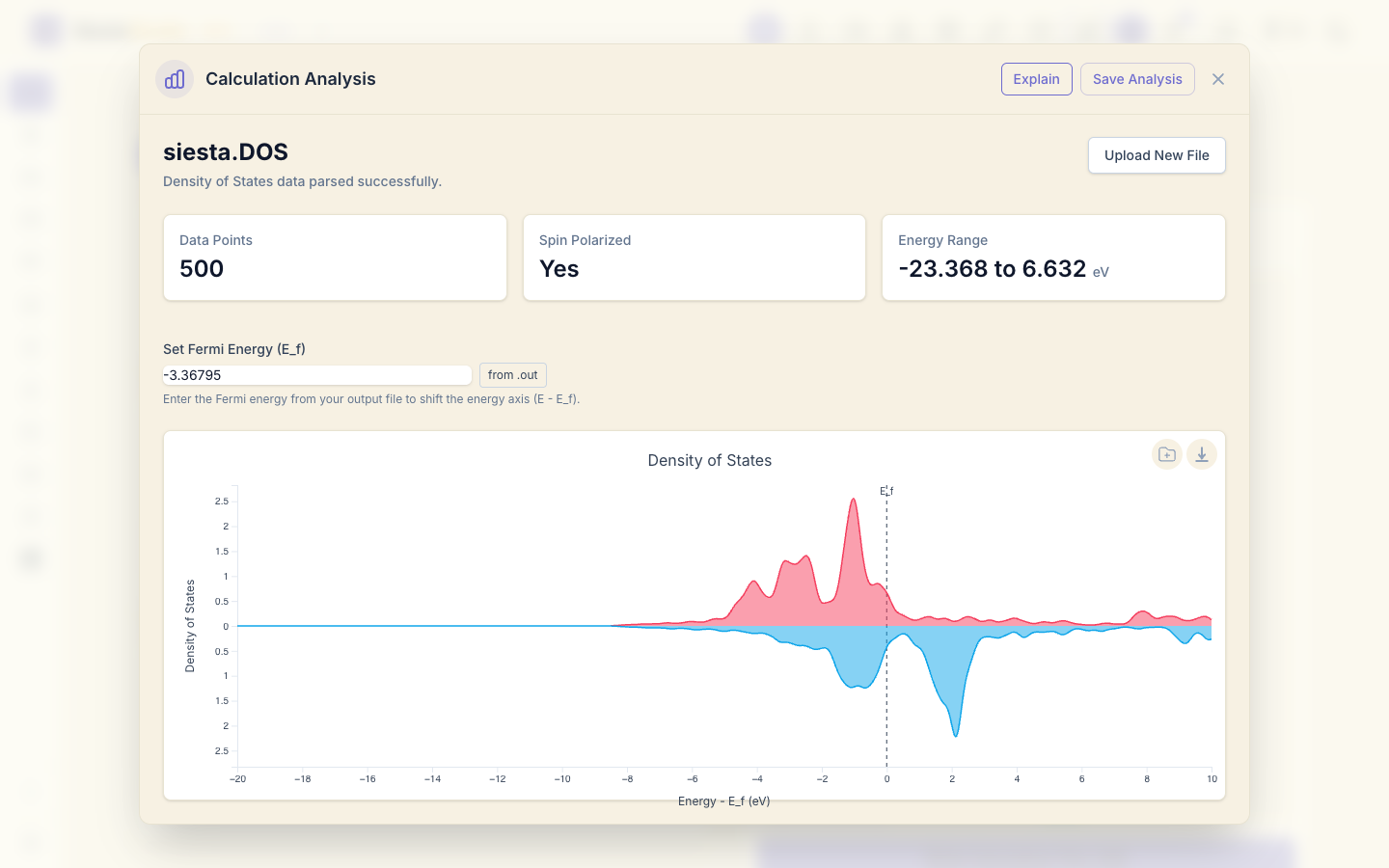
The d states of the two spins are shifted apart: the spin-up d band is almost full (below E_F), the spin-down d band is partly empty. This exchange splitting is what gives iron its moment: there are more spin-up than spin-down electrons.
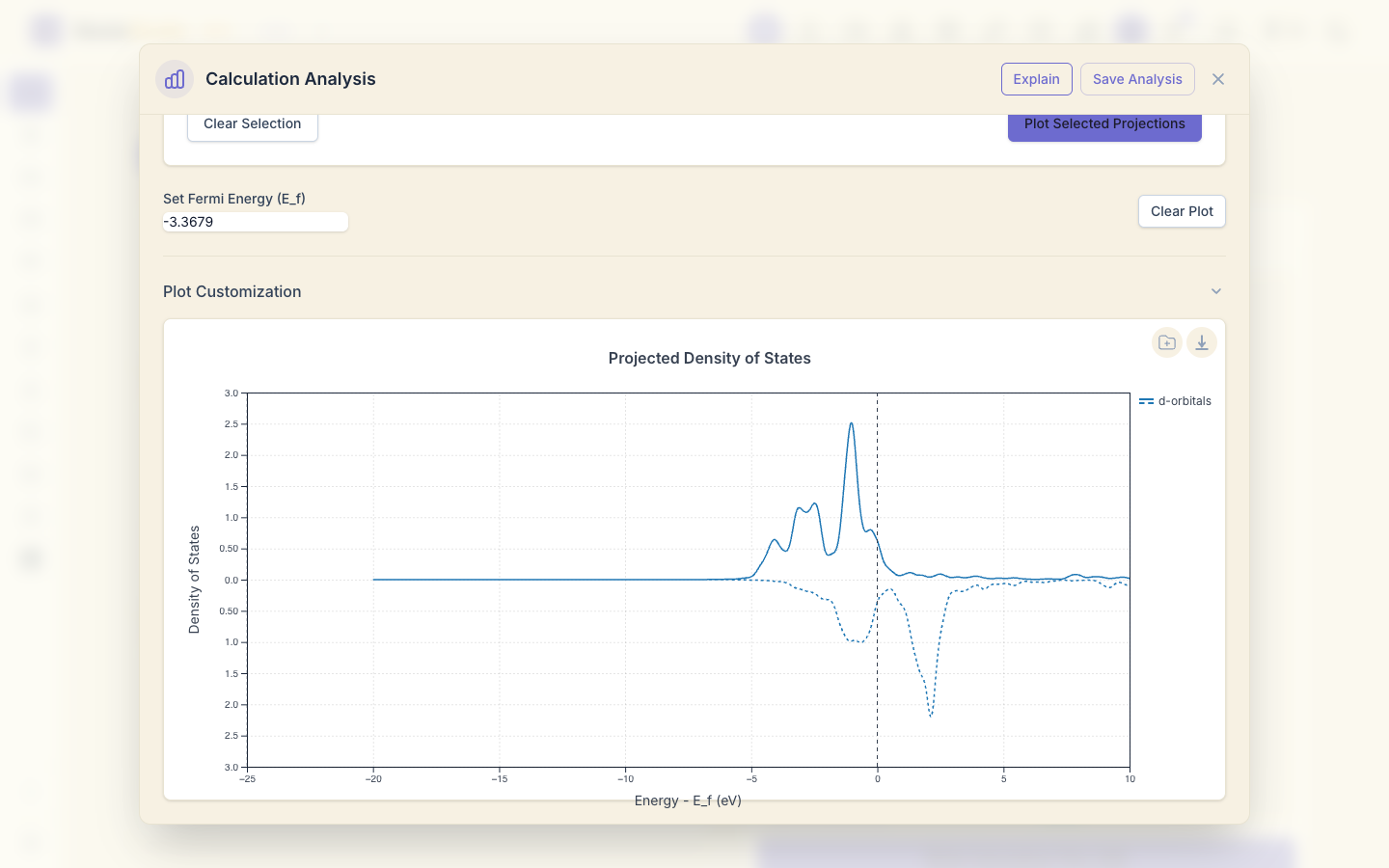
Open siesta.PDOS, tick the d orbitals under By Orbital and click
Plot Selected Projections: the d states, drawn solid for spin up and
dashed for spin down, make up most of the DOS near E_F.
10. Spin-split bands
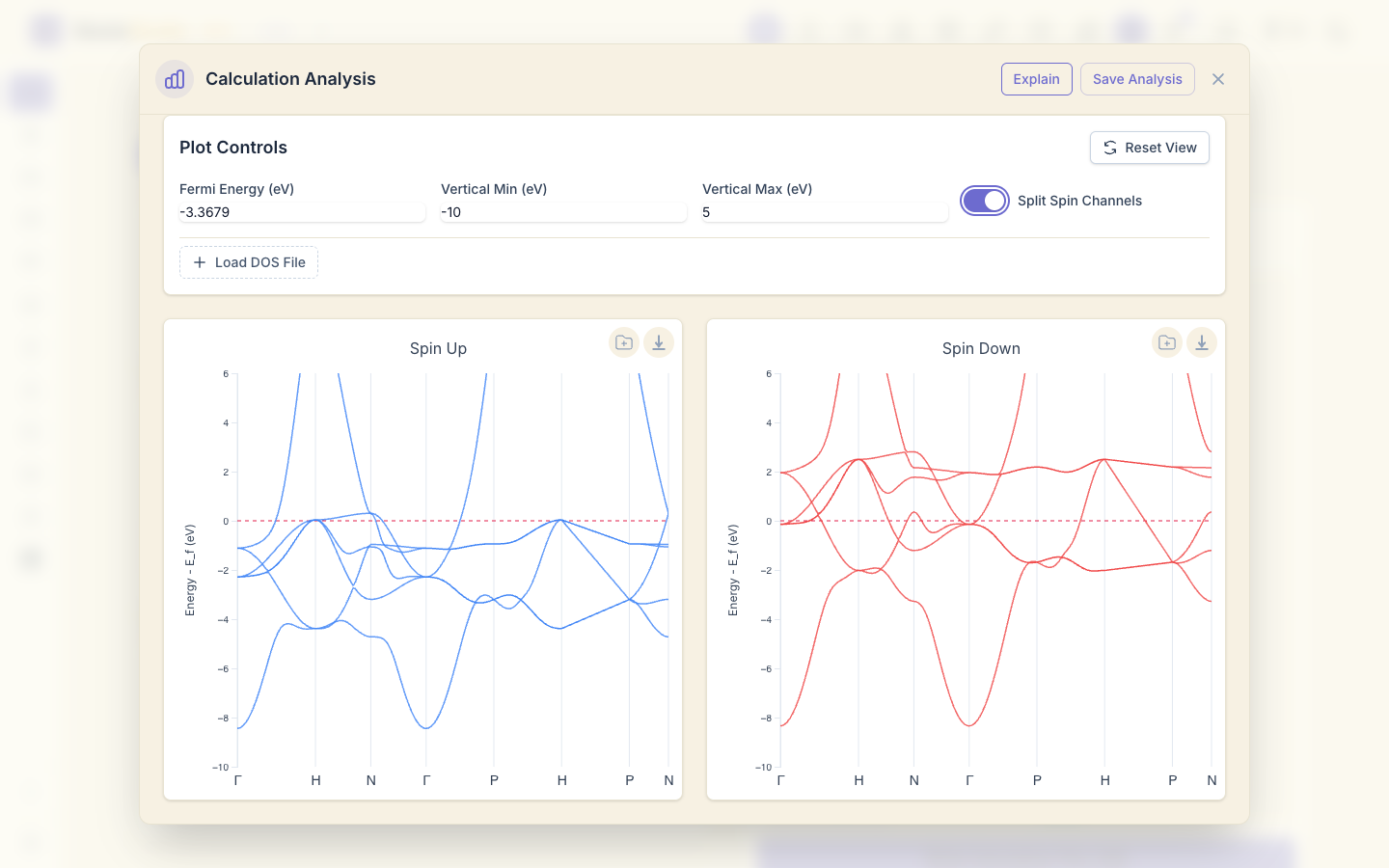
Open siesta.bands, click Plot Band Structure, set the vertical range to
-10 to 5 eV, and switch on Split Spin Channels: the spin-up and spin-down
bands are drawn side by side. The same bands appear in both, shifted against
each other by the exchange splitting.
11. Save the analysis
Click Save Analysis, choose the project and save.
What next
- Bands, DOS and PDOS: the same analysis for a non-magnetic insulator, MgO.
- Relaxing a structure: relax the lattice to remove the tension.